Email Preferences in Booknetic
Let customers control which workflow emails they receive with secure unsubscribe links, customer panel controls, and per-workflow email preference management.

By using this site, you agree to our Cookie Policy

Let customers control which workflow emails they receive with secure unsubscribe links, customer panel controls, and per-workflow email preference management.
Email Preferences gives your customers control over which workflow emails they want to receive. You can offer a secure unsubscribe page, allow preference management from the Customer Panel, and manage each customer’s subscriptions directly from the admin side.
This add-on stores unsubscribed workflow choices per customer and applies those choices when Booknetic runs workflow email actions. It is designed for teams that want cleaner email communication and fewer unwanted reminders.
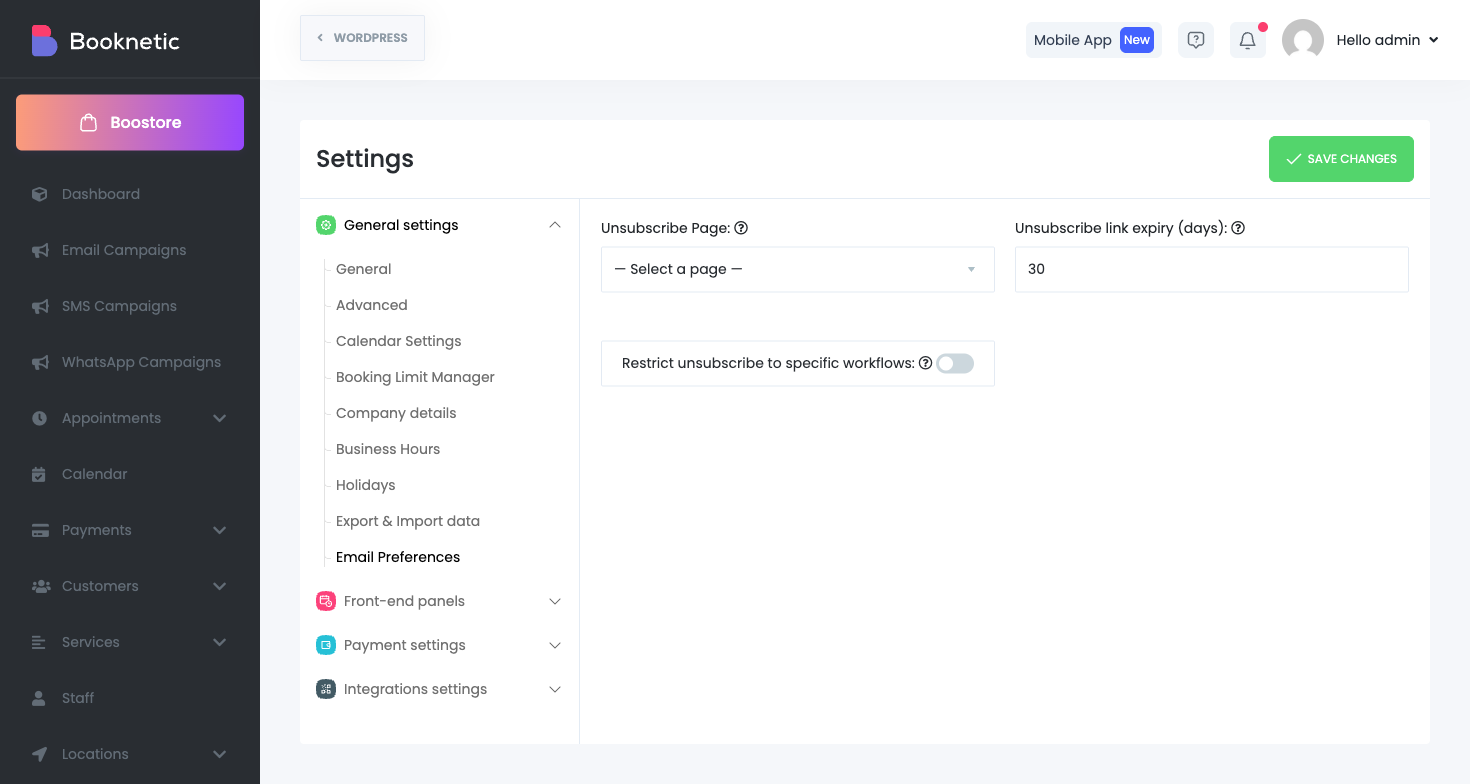
[booknetic-unsubscribe] to that page.Optionally enable Restrict unsubscribe to specific workflows and select workflows.
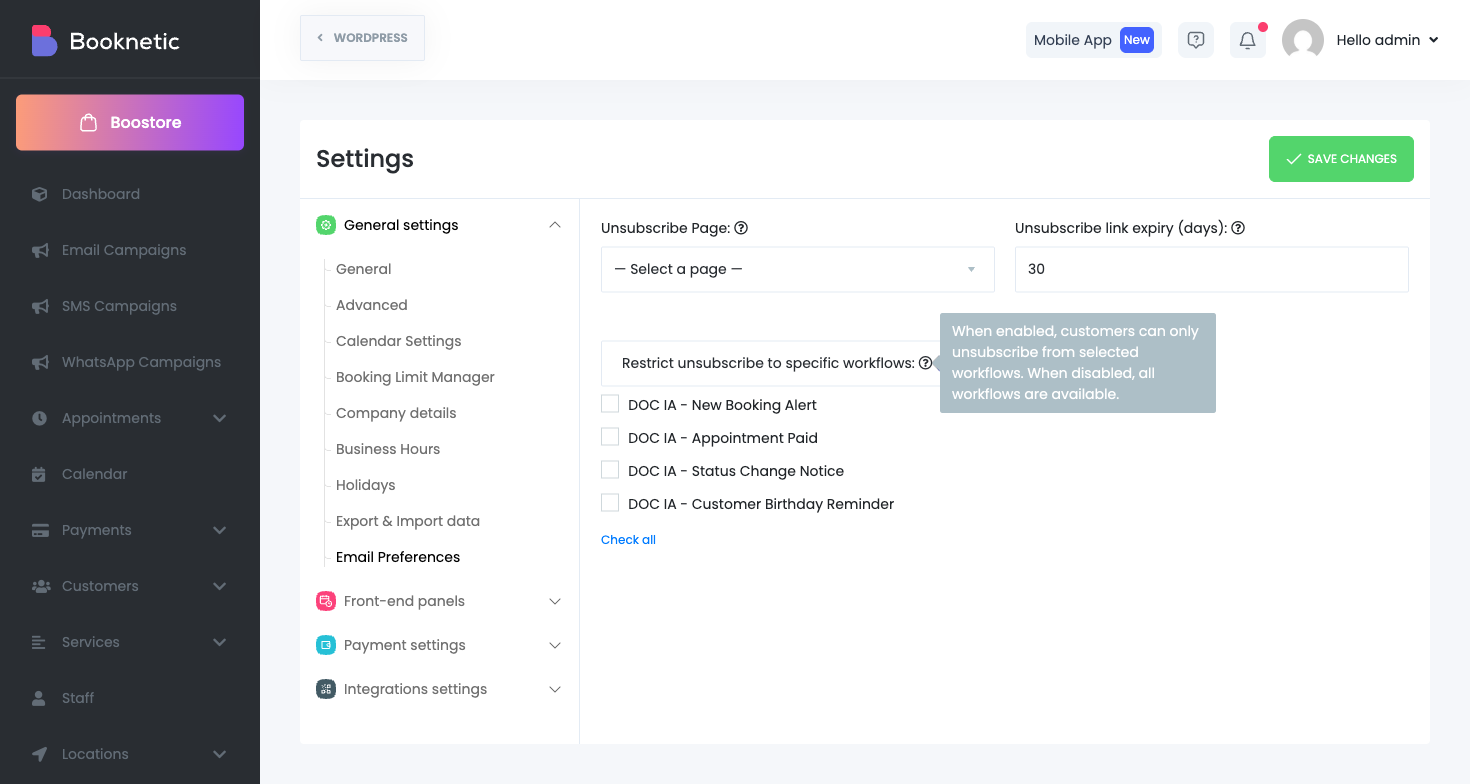
| Setting | What it does |
|---|---|
| Unsubscribe Page | Defines where customers land when they click the unsubscribe link. |
| Unsubscribe link expiry (days) | Controls how long the secure token in the unsubscribe URL remains valid. |
| Enable preferences tab in Customer Panel | Shows an Email Preferences tab for logged-in customers. |
| Restrict unsubscribe to specific workflows | Limits customer-facing options to selected workflows only. |
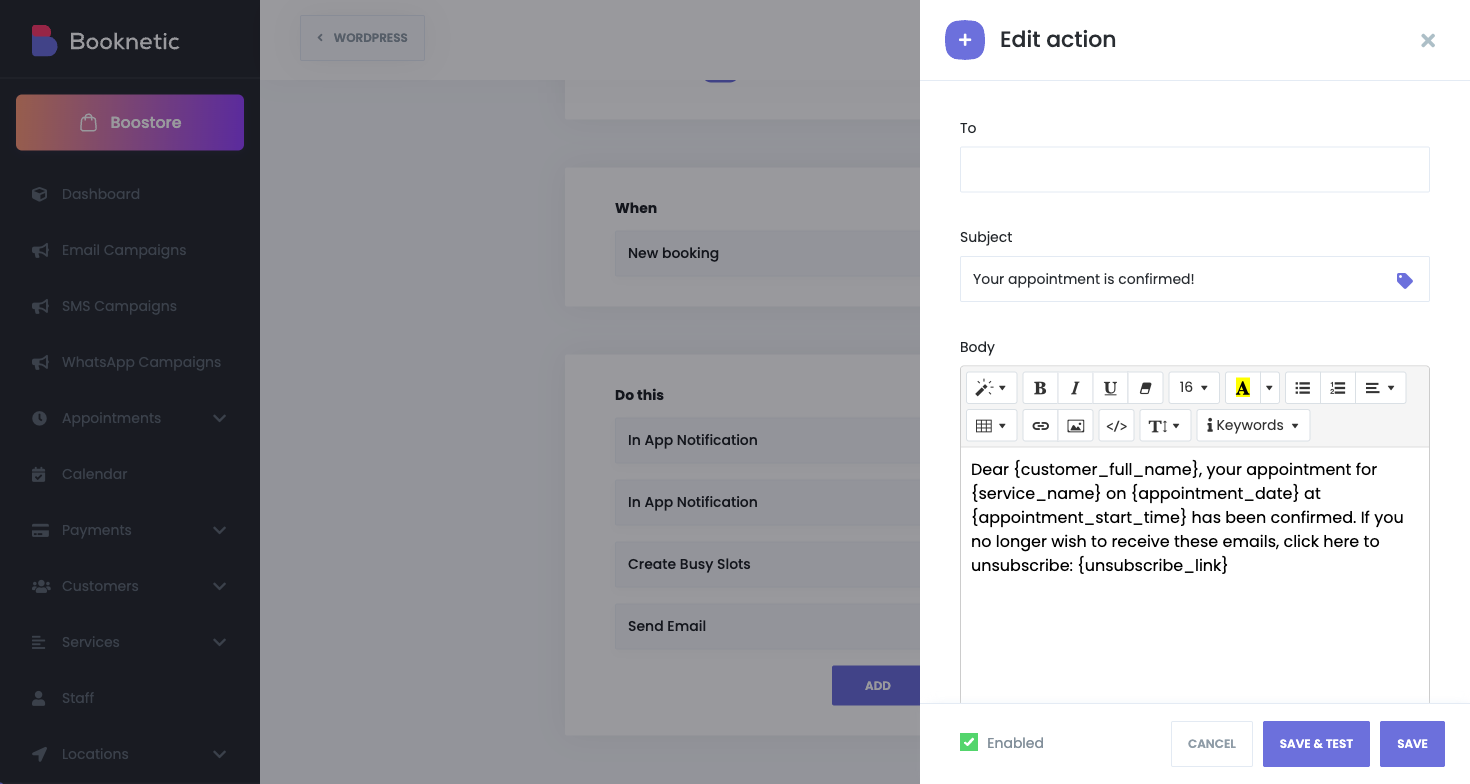
Use {unsubscribe_link} in your workflow email templates. During delivery, Booknetic replaces it with a signed, expiring URL for the target customer.
Open the Email Preferences tab.
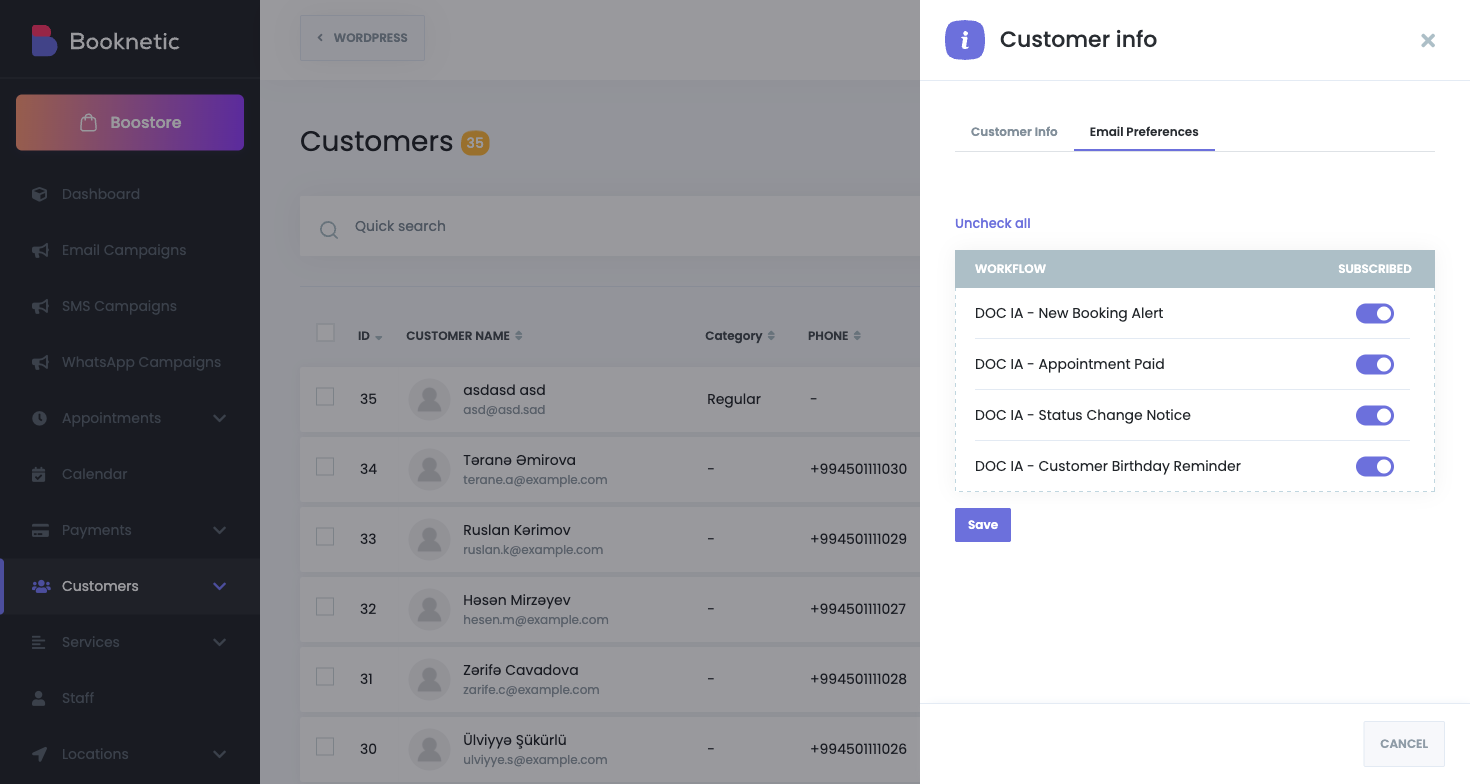
Visible workflow email options are listed.
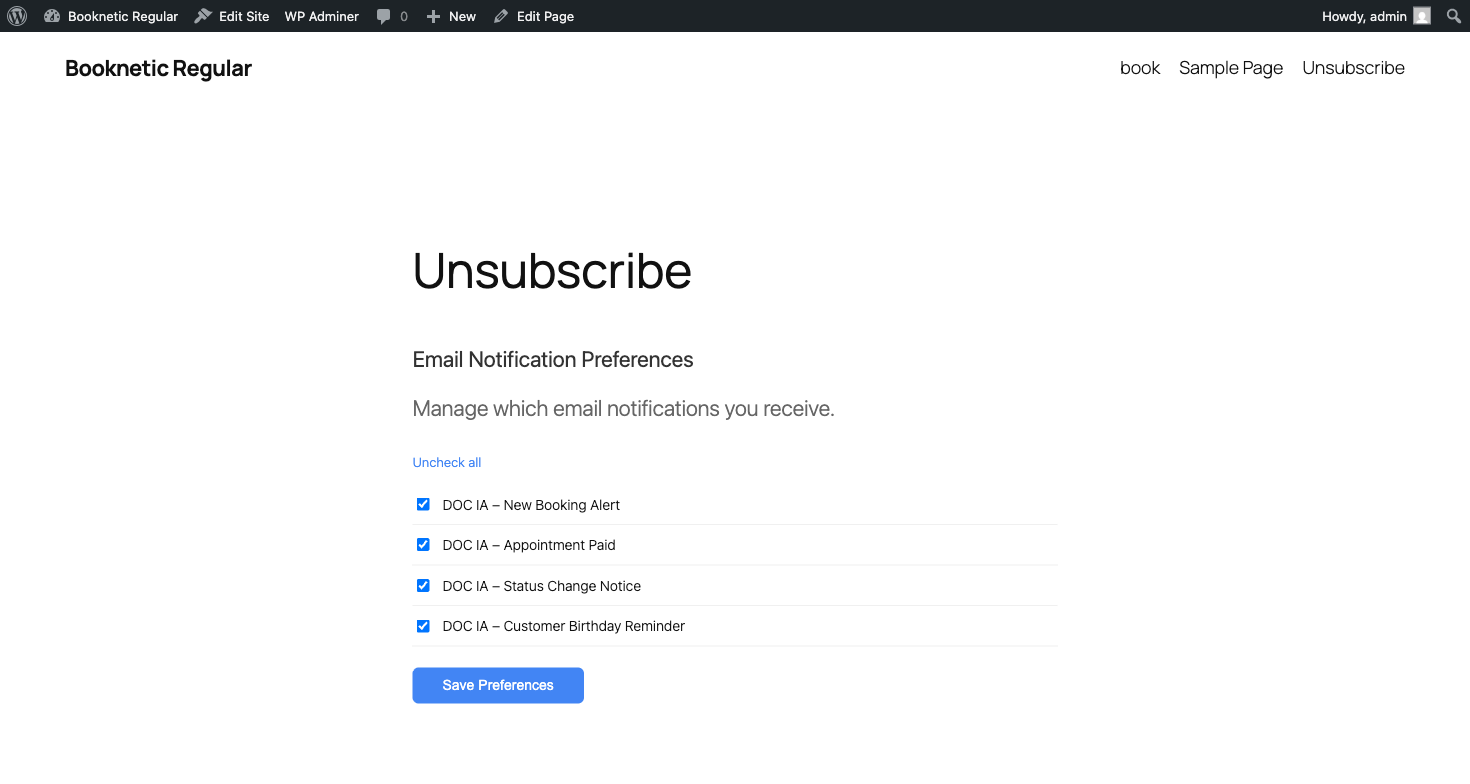
If enabled, customers can manage the same preferences from their Customer Panel account. In SaaS mode, preferences are shown per tenant/company group.
{unsubscribe_link} resolves to #.