Setting up Loyalty Points
Loyalty Points in Booknetic lets you reward customers for bookings, define earning and tier rules, track points and redemptions, and let clients redeem points for discounts directly during checkout.

By using this site, you agree to our Cookie Policy

Loyalty Points in Booknetic lets you reward customers for bookings, define earning and tier rules, track points and redemptions, and let clients redeem points for discounts directly during checkout.
The Loyalty Points module allows you to reward customers for bookings, automatically assign loyalty tiers, and let customers redeem points for discounts during checkout.
All point calculations, tier upgrades, and redemptions are handled automatically based on the rules you define.
After enabling the feature, a new menu item becomes available in the admin panel:
Booknetic → Loyalty Points
The module consists of five sections:
Earning Rules define how and when customers earn points when they make bookings.
You can create multiple rules and use them together.
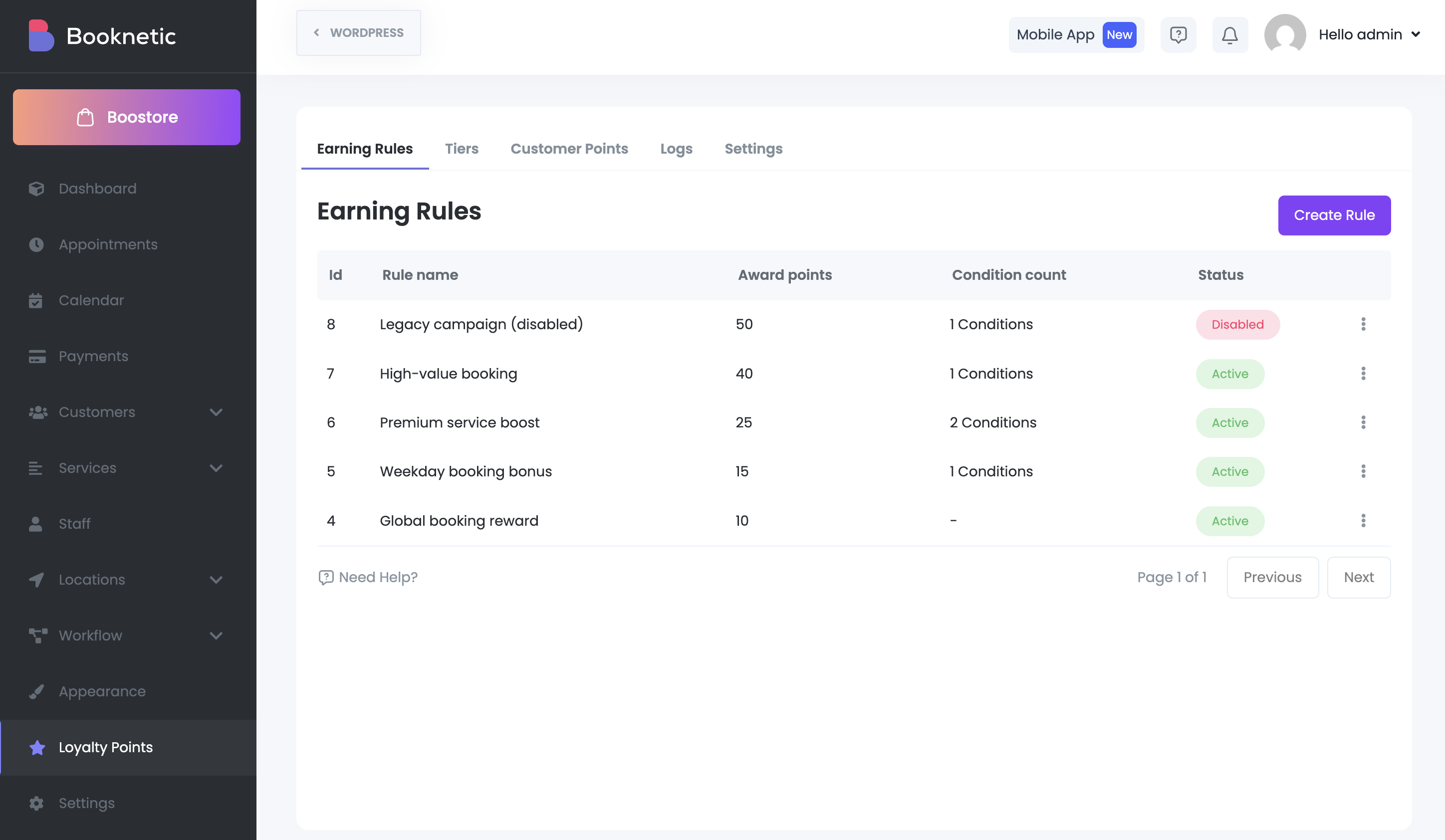
Go to Loyalty Points → Earning Rules and click Create new rule.
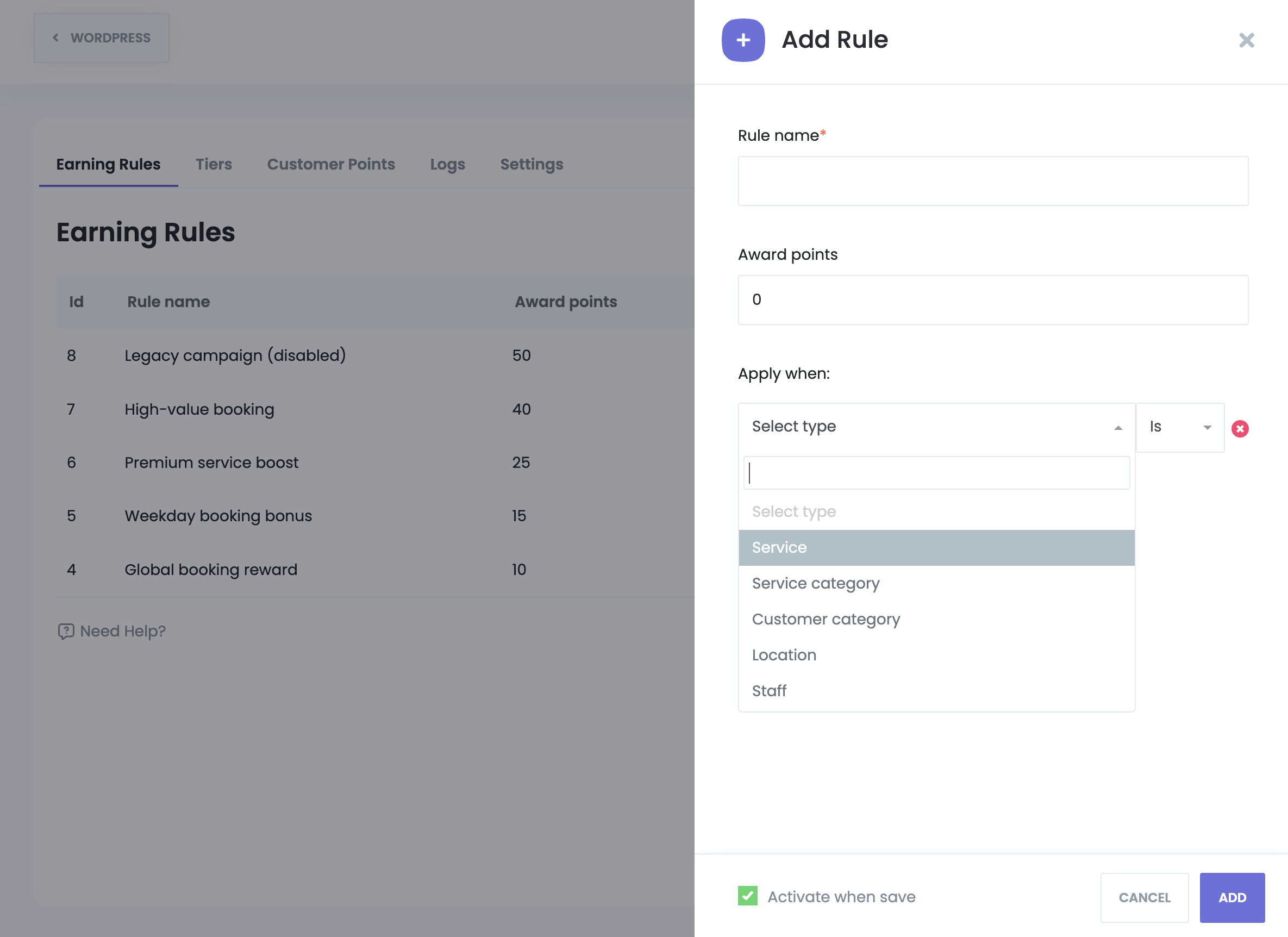
Available fields:
If no conditions are selected, the rule applies globally.
The Earning Rules table displays:
There are no bulk actions or imports. Rules are evaluated automatically during booking creation.
Tier Rules define customer loyalty tiers based on total accumulated points.
When a customer reaches the required number of points, their tier is upgraded automatically.
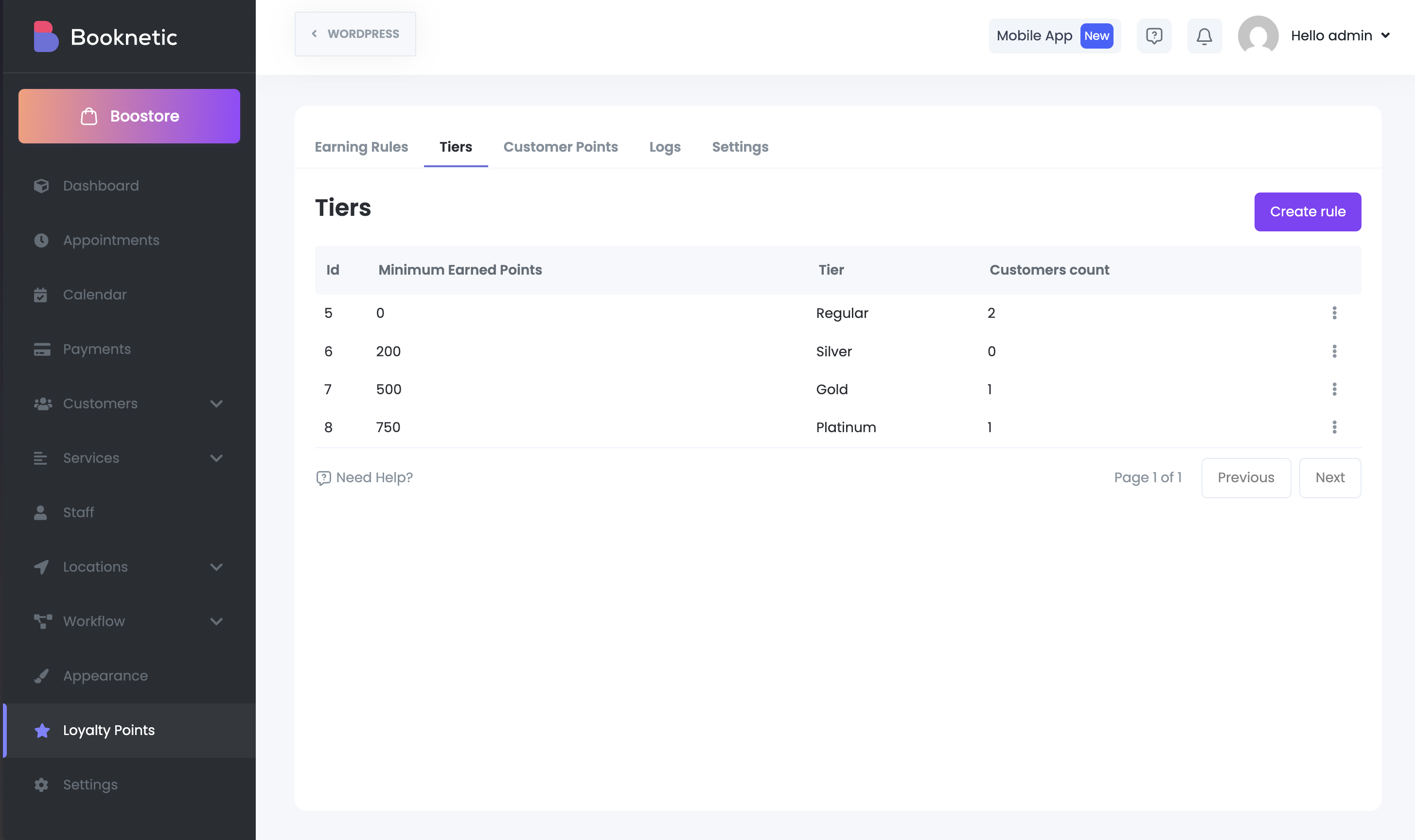
Go to Loyalty Points → Tier Rules and click Create new rule.
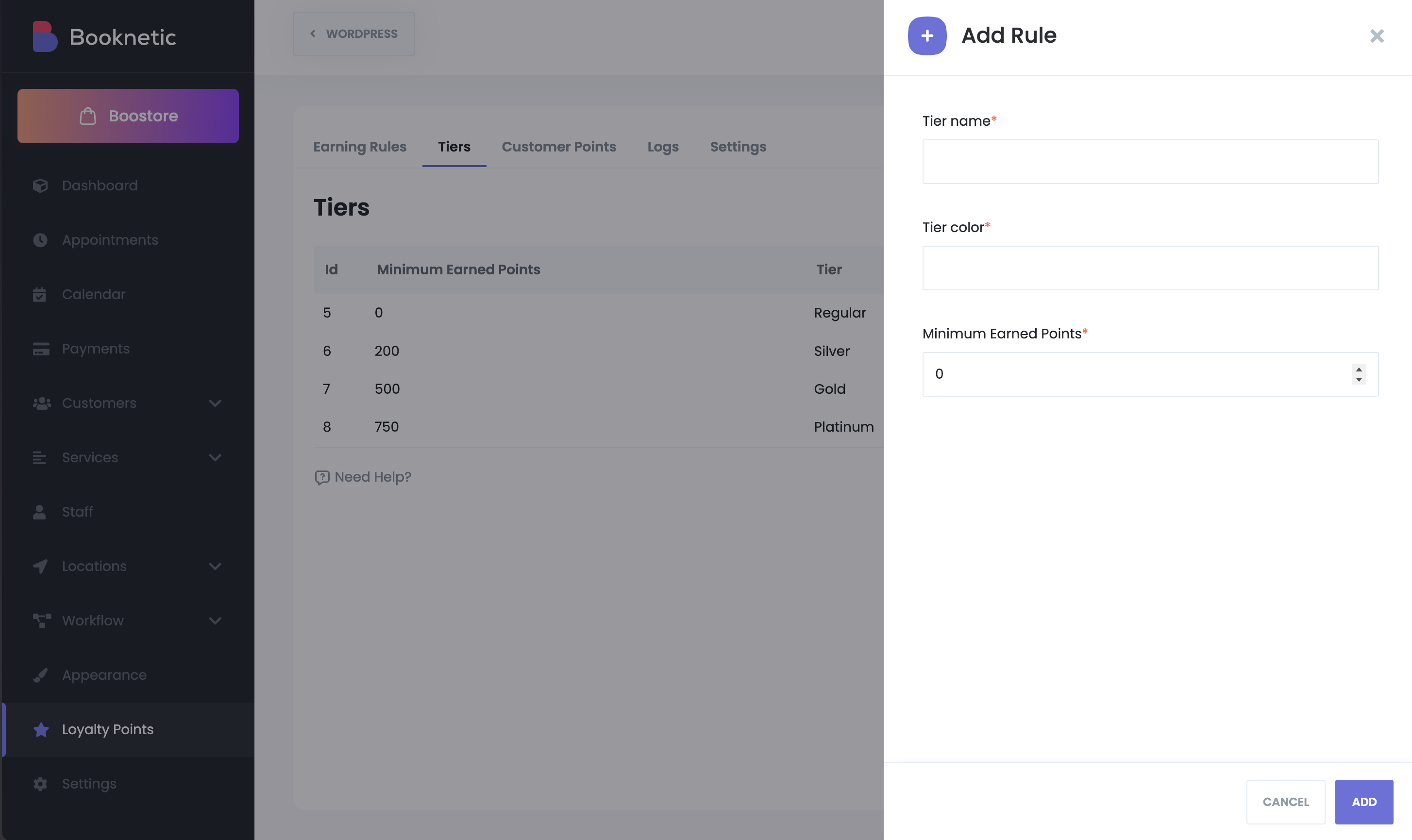
Fields:
The Tier Rules table shows:
The Customer Points section lists only customers who currently have points.
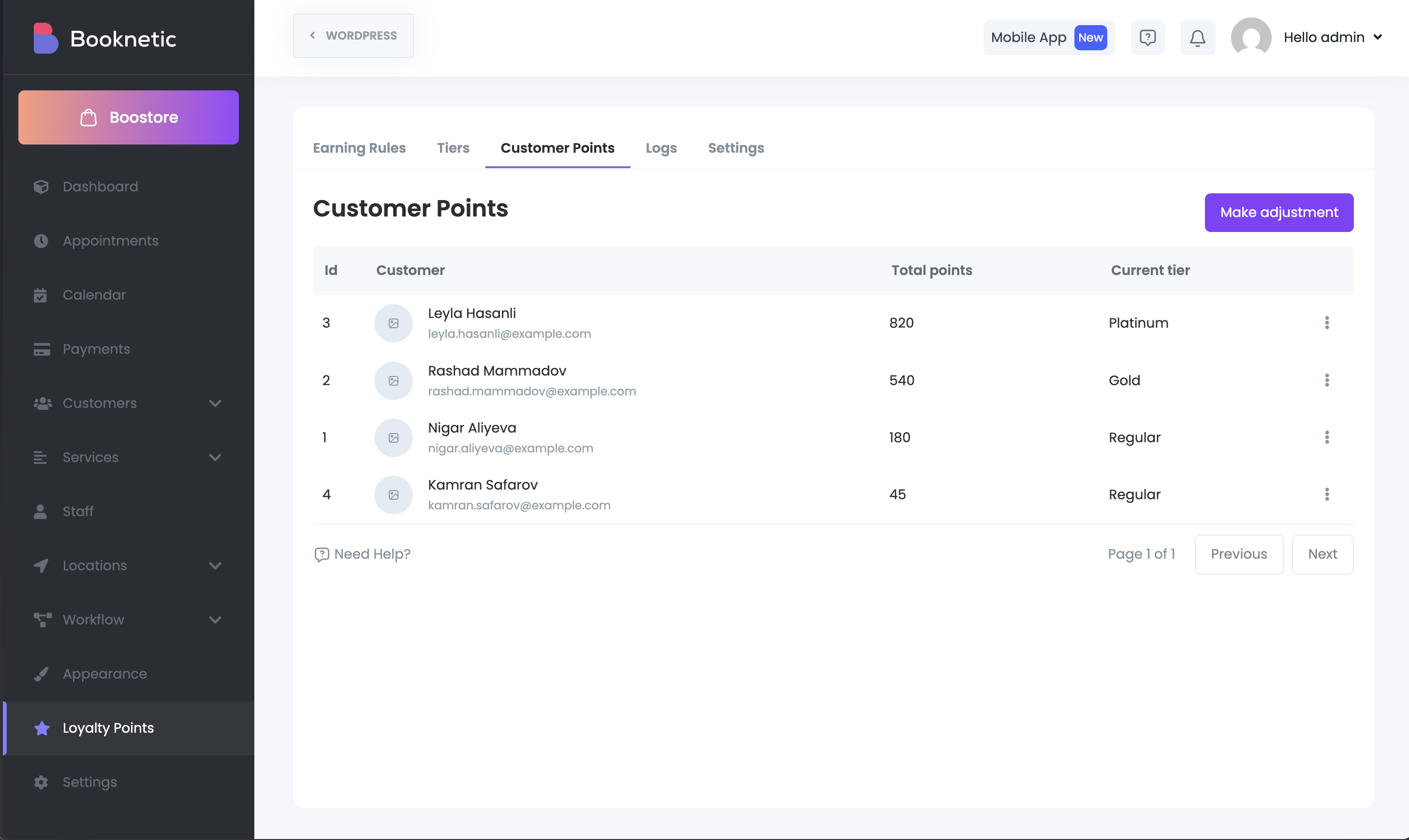
For each customer, you can see:
Admins can manually add or remove points if needed.
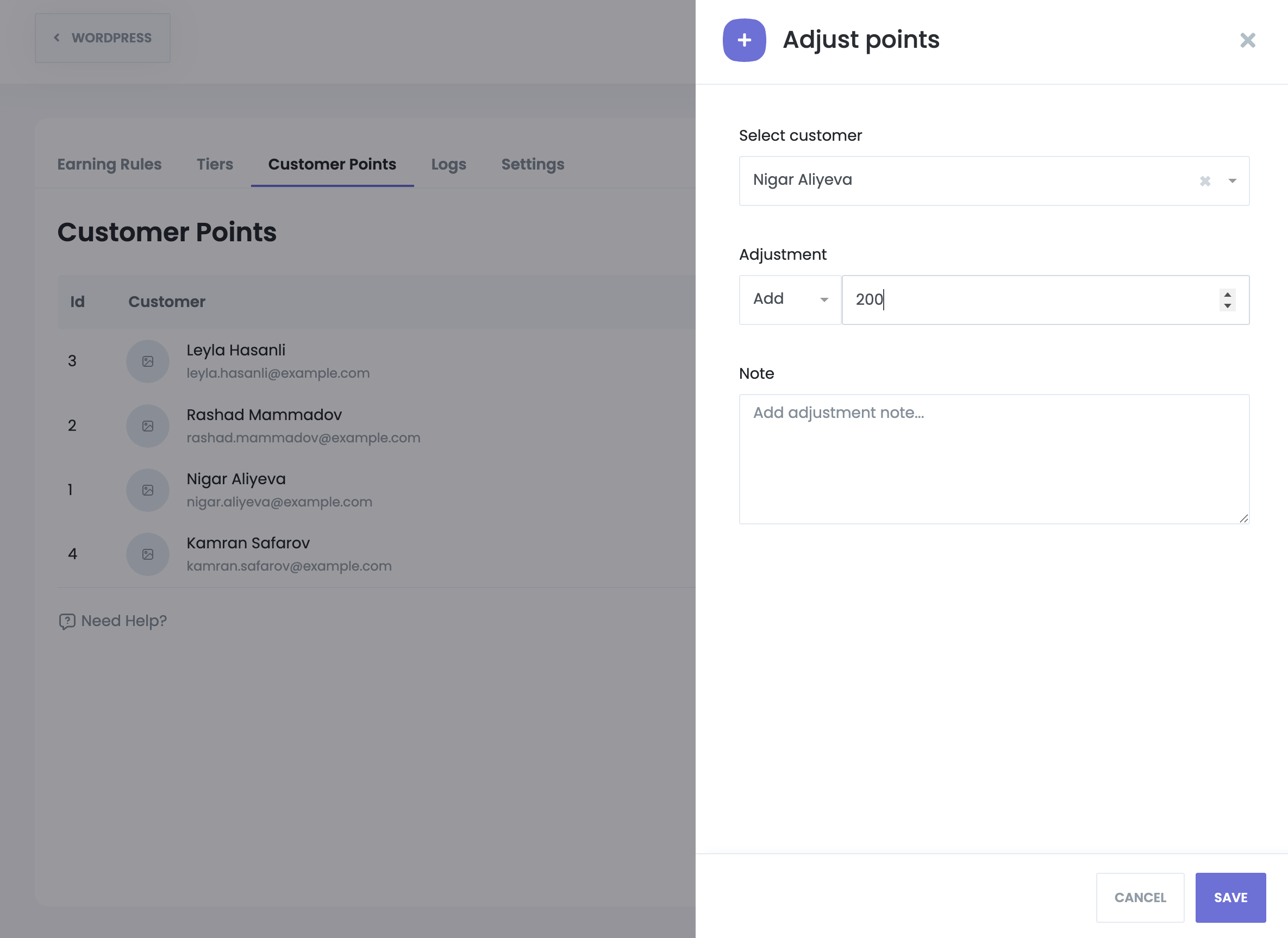
You can open the adjustment modal from:
Adjustment fields:
Each adjustment has a dedicated info view displaying:
The Reports section provides insights into loyalty activity and customer engagement.

At the top, you will see:
(Redeemed points ÷ Earned points × 100, rounded up)
A global date range filter applies to all report data.
Below the widgets is a detailed log table showing:
Filters are available for:
Reports can be exported for external analysis.
The Settings tab controls how points are redeemed and applied during checkout.

When enabled, the following options become available:
Defines the monetary value of one point
Example: 1 point = 0.01
Customers must have at least this many points to use them
These limits apply per booking to prevent excessive discounts.
During checkout, if a customer has available points:
If a customer has zero points, no loyalty information is shown.
In the Customer Panel, customers can view:
Hovering over the tier shows a progress bar indicating how close they are to the next tier.
This helps customers clearly understand their loyalty status and incentives.
Loyalty Points integrates with Booknetic workflows.
Triggered when a customer’s tier changes due to earned points


These can be used in notifications, emails, or automation actions.
Granting this permission allows access to the entire Loyalty Points module.