
How to cancel or delete a tenant
Use this order when a tenant has an active paid subscription: 1. Open the tenant's subscription in Booknetic SaaS. 2. Click Cancel subscription. 3. Wait for...

By using this site, you agree to our Cookie Policy
Use this order when a tenant has an active paid subscription: 1. Open the tenant's subscription in Booknetic SaaS. 2. Click Cancel subscription. 3. Wait for...
⚠️ Delete is permanent. Cancel first.
If a tenant has an active Stripe or PayPal subscription, cancel the subscription first and confirm it is cancelled in the Stripe or PayPal dashboard before deleting the tenant. Deleting a tenant removes the tenant account and tenant data from Booknetic SaaS and cannot be undone from the app.
Booknetic SaaS has two different actions that sound similar but have very different results:
| Action | What it is for | What happens to tenant data |
|---|---|---|
| Cancel subscription | Stop future billing for a tenant | The tenant account and data stay in place. The tenant can keep access until the paid period ends and can subscribe again later. |
| Delete tenant | Remove the tenant account from your SaaS platform | Tenant data is permanently removed from Booknetic SaaS. This includes booking data such as appointments, customers, staff, services, and locations. |
If the tenant only wants to stop paying at the next renewal, use Cancel subscription. Use Delete tenant only when you are sure the tenant account should be removed permanently.
Use this order when a tenant has an active paid subscription:
This order protects you from a serious billing problem: in some cases, a tenant delete can continue even if the Stripe or PayPal cancellation step fails. That means the tenant may be removed from Booknetic SaaS while the payment provider subscription is still active. Always verify the cancellation in Stripe or PayPal before deleting.
Cancelling a subscription stops future recurring payments. It does not delete the tenant account.
After cancellation:
Use cancellation when the tenant says things like:
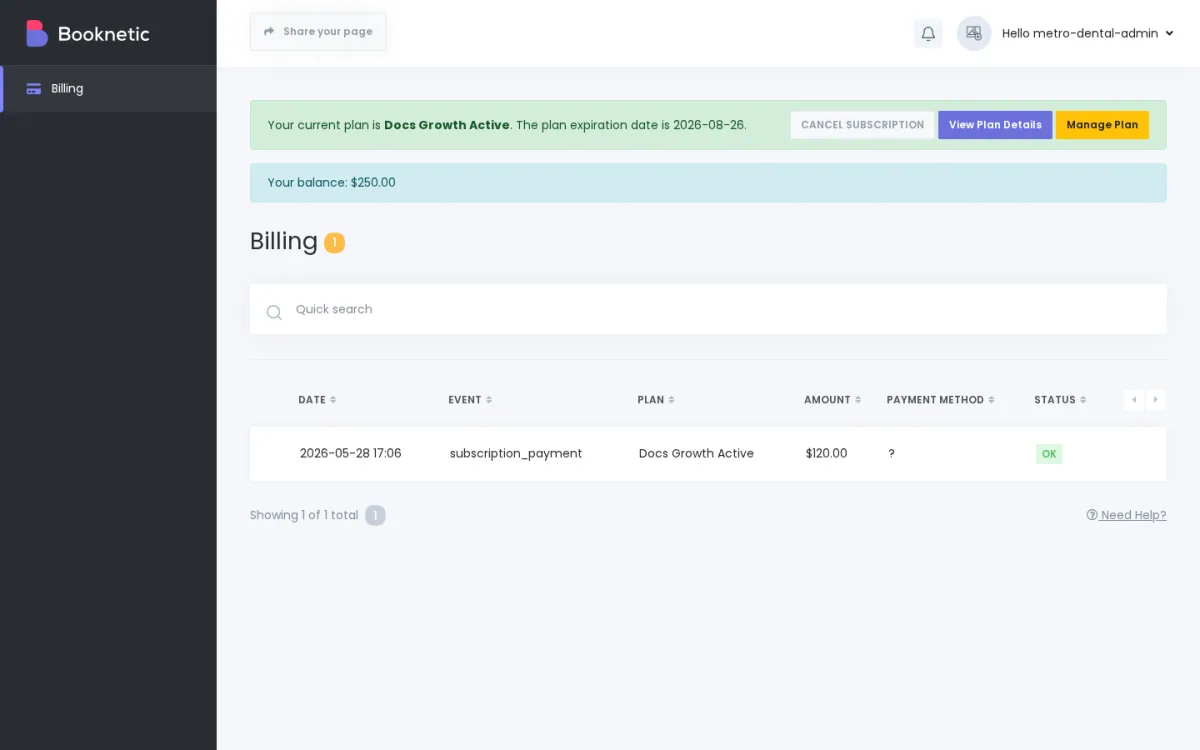
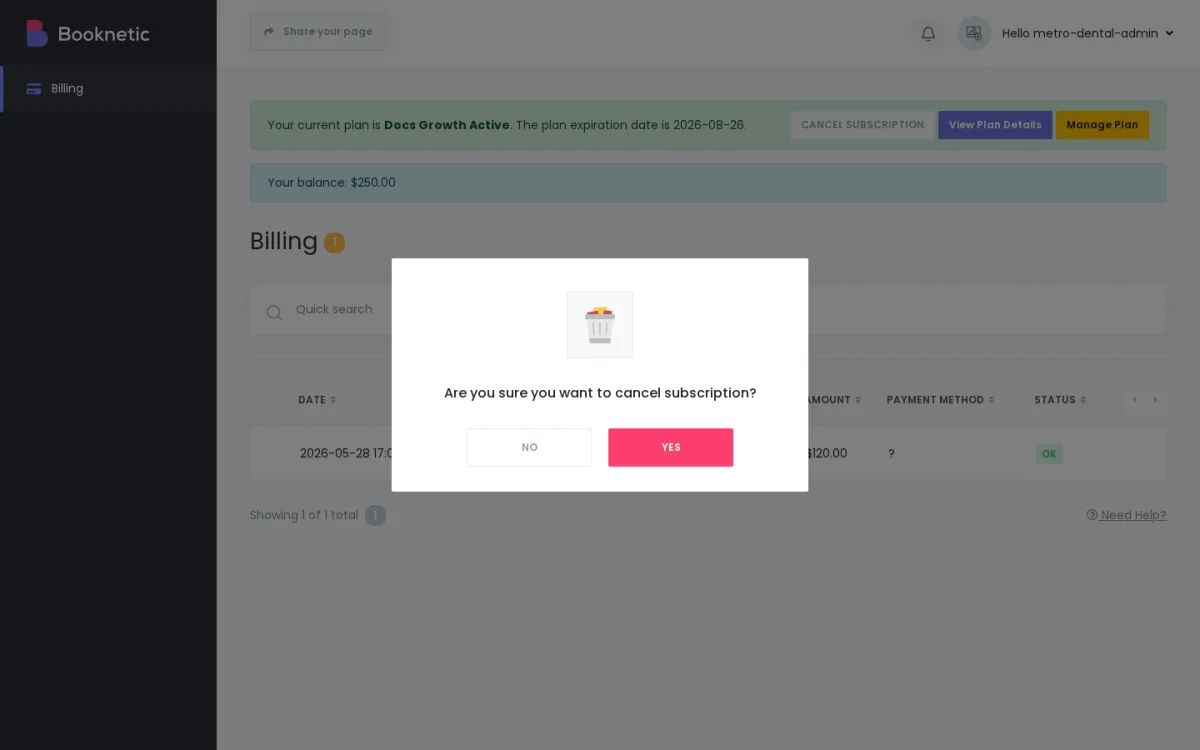
Important: If the tenant paid through an internal balance instead of Stripe or PayPal, there may be no external subscription to cancel in a payment provider dashboard.
Deleting a tenant is a destructive action. It removes the tenant account and tenant-scoped records from Booknetic SaaS.
When a tenant is deleted, Booknetic SaaS removes tenant data such as:
The tenant's WordPress user may also be deleted if that user belongs only to the tenant role. If the same WordPress user has other site roles, the WordPress user may remain, but the tenant account is still removed from Booknetic SaaS.
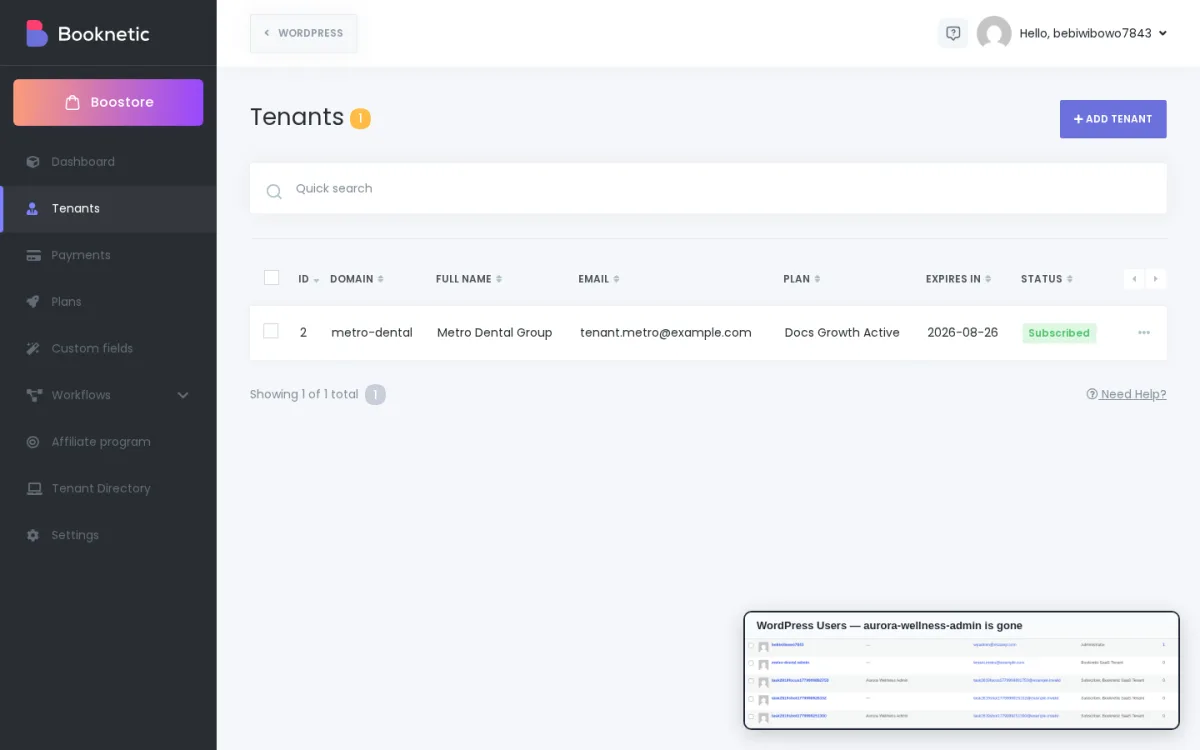
Use this only after you have confirmed that the tenant should be permanently removed.
If the tenant has an active Stripe or PayPal subscription, cancel it first.
Confirm the subscription cancellation in the Stripe or PayPal dashboard.
Go to the tenant deletion option:
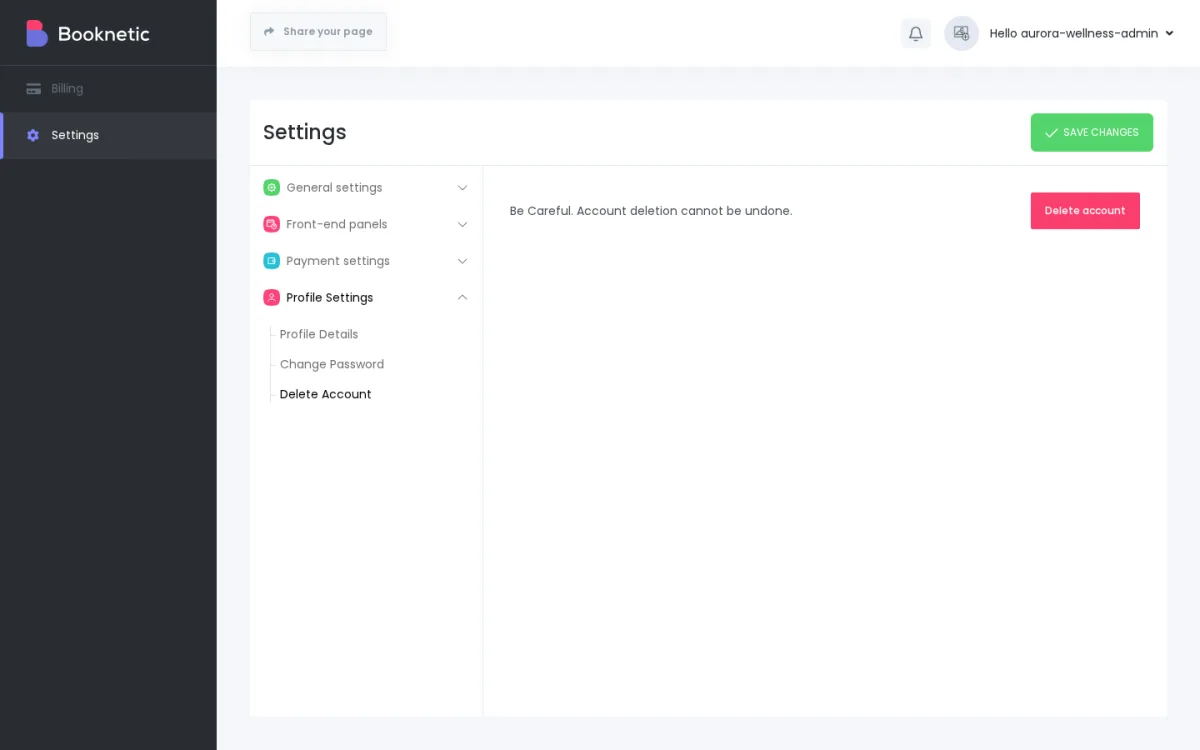
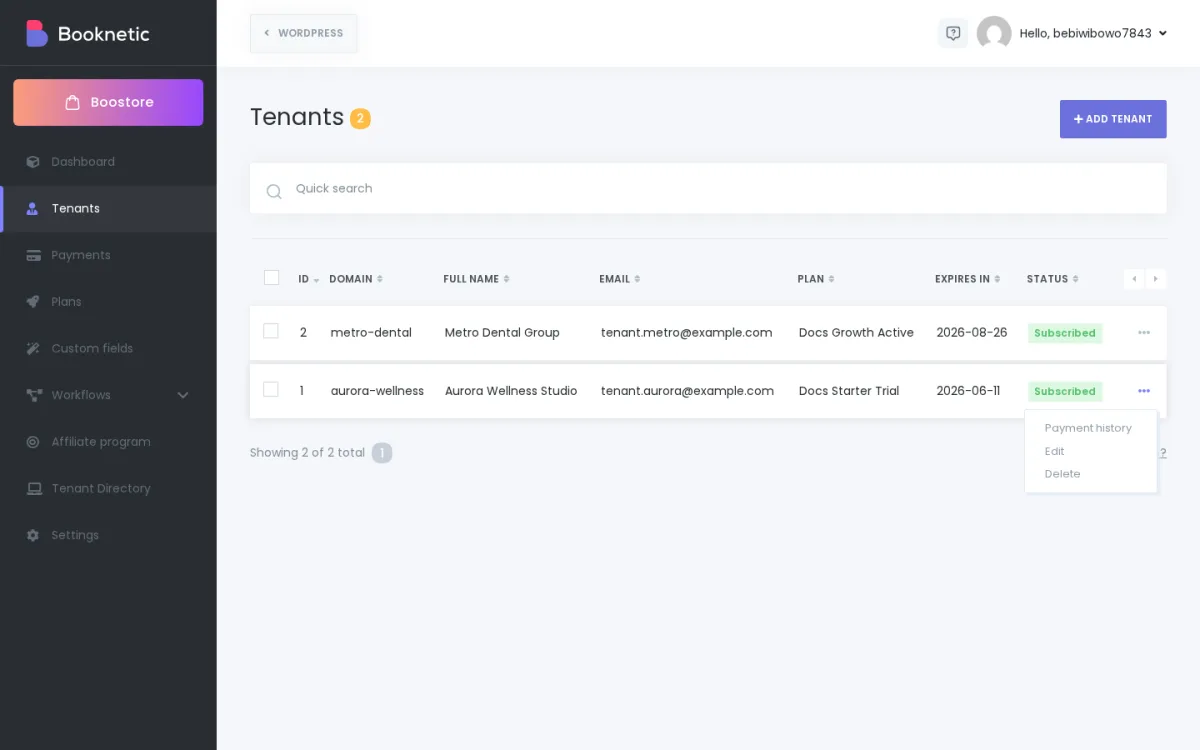
Read the confirmation message carefully.
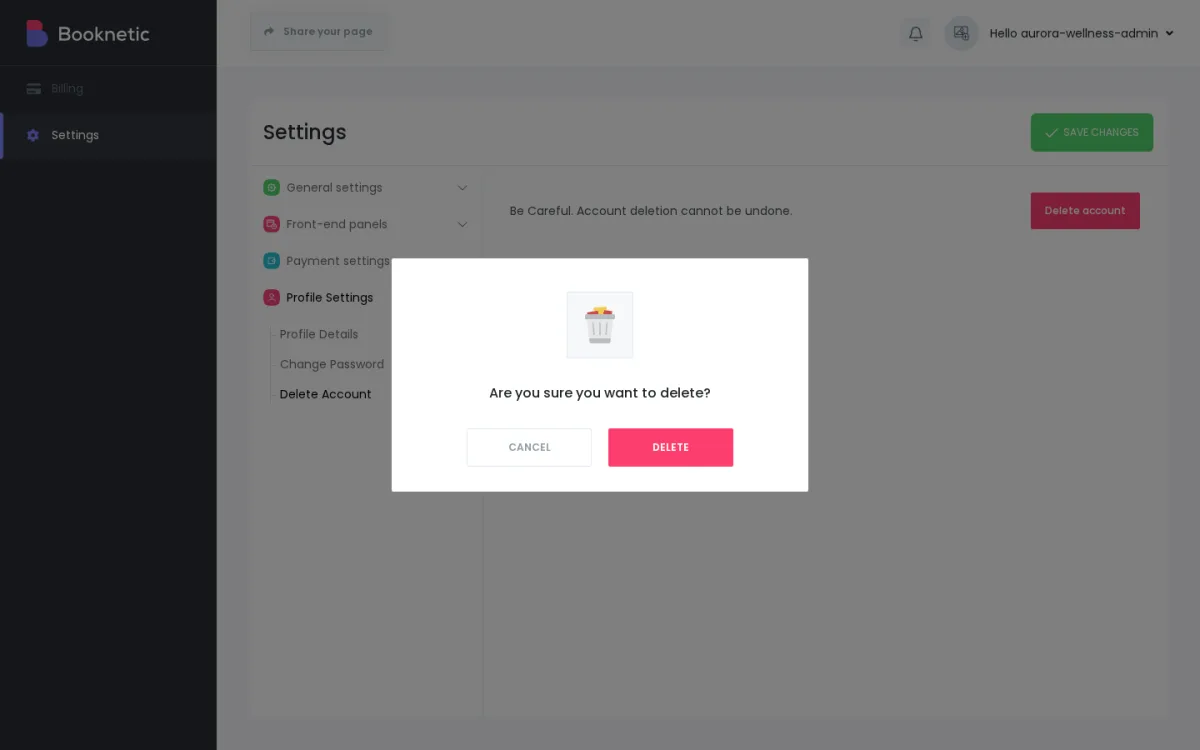
Confirm the delete action only if you understand that it cannot be undone from Booknetic SaaS.
After deletion, check that the tenant no longer appears in the tenant list.
No. A deleted tenant cannot be restored from Booknetic SaaS.
If a tenant was deleted by mistake, the only possible recovery path is restoring from a backup that was created before the deletion. This depends on your WordPress hosting backup system, not on a Booknetic SaaS undo button.
Before deleting, consider whether you need to:
Tenant deletion removes tenant records from Booknetic SaaS, but some uploaded files may remain on the server as orphaned files. For example, tenant profile pictures or files uploaded through tenant custom forms may remain in the WordPress uploads directory even after the tenant record is deleted.
These files are no longer connected to the tenant account inside Booknetic SaaS, but they may still exist on disk. If you need a strict data-removal process for privacy, legal, or GDPR reasons, review your WordPress uploads folder and hosting backups as part of your deletion workflow.
Do not promise a tenant that every uploaded file and every backup copy is removed instantly by clicking Delete account.
Example 1: A tenant wants to stop renewal but may return later
Cancel the subscription. Do not delete the tenant. The tenant keeps their account and data until the paid period ends and can subscribe again later.
Example 2: A tenant asks you to remove their account permanently
Cancel the subscription first, verify it in Stripe or PayPal, then delete the tenant only after confirming they understand the action is permanent.
Example 3: A tenant has expired access
An expired plan is not the same as deletion. The tenant may lose access to some features, but their tenant account and data are still present unless you delete the tenant.
Example 4: A deleted tenant says they are still being charged
Check Stripe or PayPal immediately. The payment-provider subscription may still be active if cancellation failed before or during deletion.
If I cancel, do I lose the tenant's data?
No. Cancellation only stops future recurring billing. The tenant account and data remain in Booknetic SaaS.
Can the tenant subscribe again after cancelling?
Yes. Cancellation does not delete the tenant, so the tenant can subscribe again later.
If I delete a tenant, can I undo it?
No. Tenant deletion is permanent in Booknetic SaaS. Recovery is only possible from an external backup created before deletion.
Does deleting a tenant always cancel Stripe or PayPal billing?
Booknetic SaaS attempts to cancel the active subscription during deletion, but you should not rely on that as your only check. Always cancel first and manually verify the subscription status in Stripe or PayPal before deleting.
Are uploaded files removed when I delete a tenant?
Not always. Some uploaded files may remain on the server without being connected to the deleted tenant account. Review uploads and backups separately if you need a strict data-removal process.
Is there a "pause" or "soft delete" option?
No. Cancellation stops future billing without deleting data. Deletion permanently removes the tenant. There is no separate soft-delete or pause state.
Before clicking delete, confirm each item: