
Affiliate program module
Booknetic SaaS is a WordPress Appointment Booking Plugin with Affiliate program module

By using this site, you agree to our Cookie Policy
Booknetic SaaS is a WordPress Appointment Booking Plugin with Affiliate program module
This page describes the Booknetic SaaS Affiliate add-on — a feature for SaaS platform owners that lets their tenants refer other businesses onto the platform and earn a commission on those referrals' first subscription payment.
Don't confuse this with the separate Booknetic.com affiliate program. That program is for promoting Booknetic the product; this one is a tenant-internal feature inside a SaaS owner's own platform.
The SaaS Affiliate add-on (booknetic-affiliate) turns your tenants into a sales channel for your platform.
The model in one line: first-payment-only commissions, with a time-based confirmation delay you control.
| Event | Commission earned by the referring tenant | Notes |
|---|---|---|
| Visitor clicks the affiliate URL | 0 (logged for analytics) | A cookie is set on the visitor's browser. One referral per visitor — first link clicked wins (first-click attribution). |
| Cookied visitor signs up as a new tenant | Referrer earning per new user registration (default: 0; configurable as a fixed amount) | One-time per registered tenant. |
| Referred tenant's first monthly subscription payment | Configured monthly percentage of the payment amount (default: 30%) | First payment only. Renewals do not generate a second commission. |
| Referred tenant's first annual subscription payment | Configured annual percentage of the payment amount (default: 30%) | First payment only. |
Important — first-payment only. Commissions on monthly and annual plans are paid on the first payment your referred tenant makes after signing up, not on every renewal. If your tenants assumed they would earn on every renewal forever, set that expectation clearly before launching the add-on publicly.
Every commission row starts as Pending. After the Confirmation days you set (default 30 days), the row automatically becomes Approved.
| Setting | Default | What it controls |
|---|---|---|
| Commission fee (%) for monthly subscription | 30 | Percentage of the first monthly payment paid to the referrer |
| Commission fee (%) for annually subscription | 30 | Percentage of the first annual payment |
| Referrer earning per new user registration | 0 | Fixed amount in your platform currency, paid on signup (before any subscription payment) |
| Redirect URL | Your site URL | Where the visitor lands after the cookie is set |
| Affiliate terms & conditions URL | (empty) | Linked from the tenant's affiliate dashboard |
| Confirmation days for the referrer earnings | 30 | Days from the event until the commission becomes Approved |
| Save referral ID on Cookie (days) | 30 | How long the click-attribution cookie lives in the visitor's browser |
tenant_subscribed event so a referring tenant receives an email when one of their referrals subscribes.Tenants on a plan with the affiliate capability enabled see an Affiliate program menu in their own admin panel:
https://your-platform.com/?bkntc_ref={tenant_id}).Tenants share their URL on social media, email, or their own website. Anyone who clicks gets a cookie; if they sign up as a new tenant on your platform, the original tenant earns.
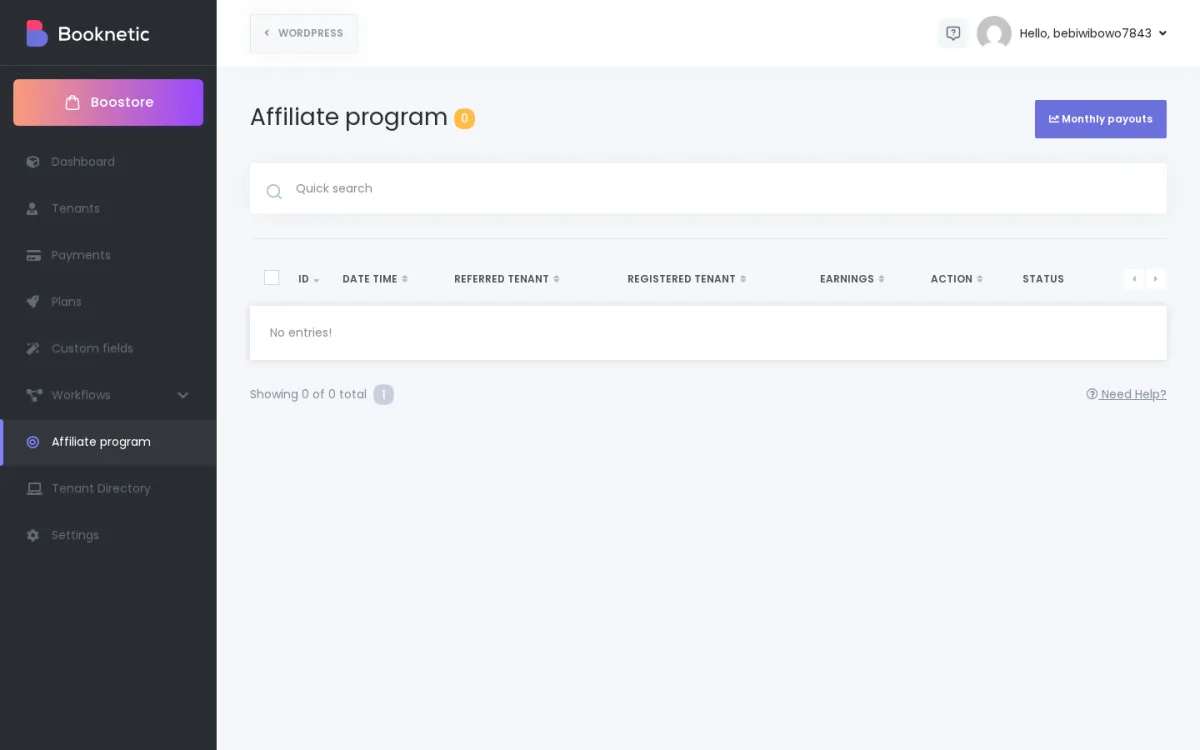
Booknetic SaaS → Affiliate program module shows two views:
Important — Booknetic does not move money from your account to your tenants. Use the Monthly Payouts CSV export to drive your own payout process.
Common owner-side payout options:
After paying out, you can delete the paid rows from Affiliate Logs (single or bulk delete) to keep your ledger clean.
Q: Do my tenants earn on every monthly renewal?
No. Commissions are paid on the first monthly (or annual) subscription payment only. Renewals don't generate additional commissions.
Q: Why is my commission still Pending?
The Confirmation days setting (default 30) hasn't yet passed since the event. Once it does, the row automatically becomes Approved. There's no manual approval step.
Q: A referred tenant cancelled their subscription. Does the referring tenant lose their commission?
No. Once Approved, the commission stays in the ledger. Cancellation does not retroactively reverse an approved commission.
Q: A referred tenant was refunded. Does the commission get clawed back?
Booknetic does not automatically claw back commissions on refunds. If you want clawback, manually delete the affiliate row from Affiliate Logs before payout. Build this manual check into your refund workflow.
Q: Can a tenant refer themselves?
Self-referrals are not an intended use case for the affiliate add-on. If you see self-referral activity in your Affiliate Logs, you can delete those rows.
Q: Does the affiliate cookie work across subdomains?
No — the cookie is per-domain. If your marketing site is on marketing.platform.com and your app is on app.platform.com, clicks on the marketing site won't carry into the app subdomain.