


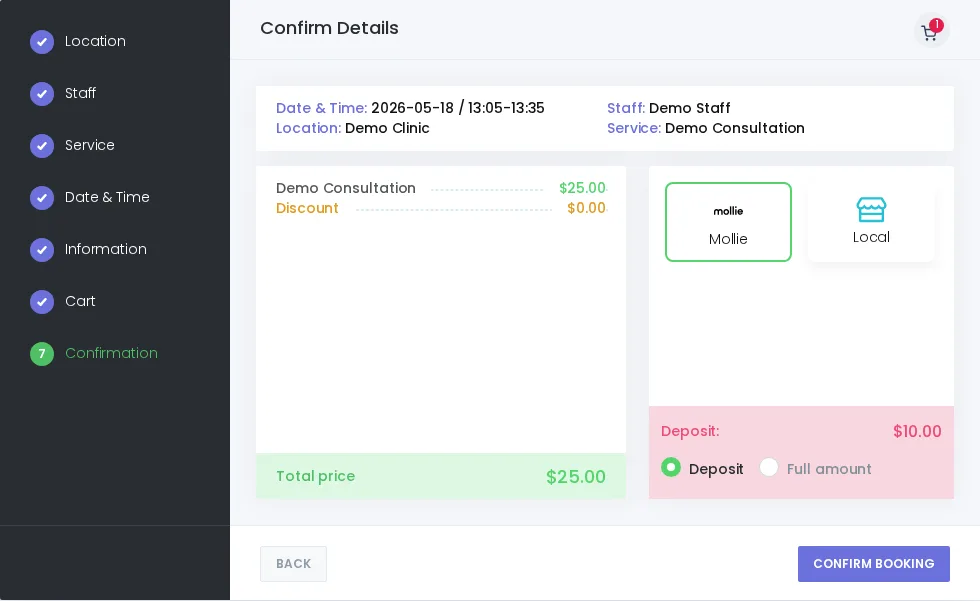
Booknetic can show deposit amounts at checkout based on service and global payment settings. When online payment is available and the full-amount option is enabled, customers can choose whether to pay only the deposit or the full appointment amount.
Why use deposits for appointment bookings?
Deposits help reduce upfront payment friction for services that do not require full prepayment while still giving the business a clearer commitment from the customer. They are useful when you want to secure part of the appointment value before the visit.
- Show the total and deposit amount during booking confirmation.
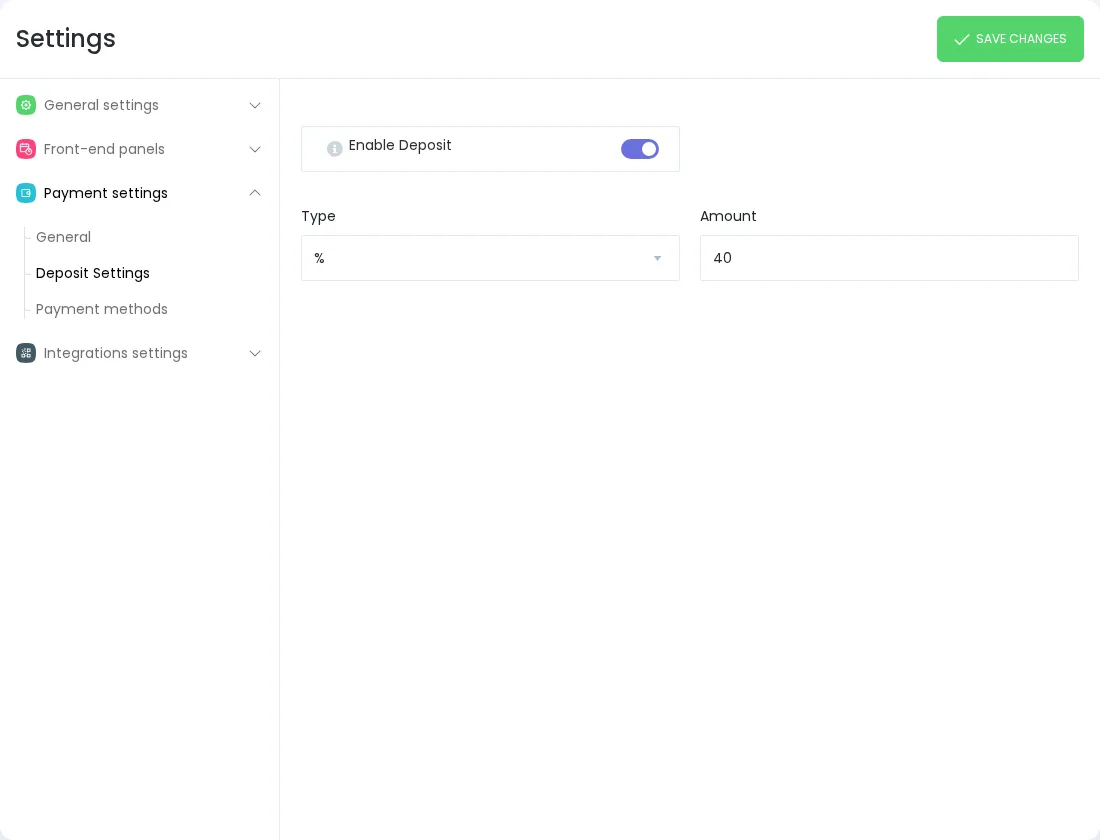
- Support fixed or percentage deposit settings where configured.
- Let customers pay the deposit or full amount online when the setting is enabled.
How deposit payments work in Booknetic
- An admin configures deposit rules globally and/or for a service.
- The booking confirmation step shows the total and deposit amount.
- If enabled, the customer chooses deposit or full amount and pays through a supported online payment method.
Admin controls for deposits and payment status
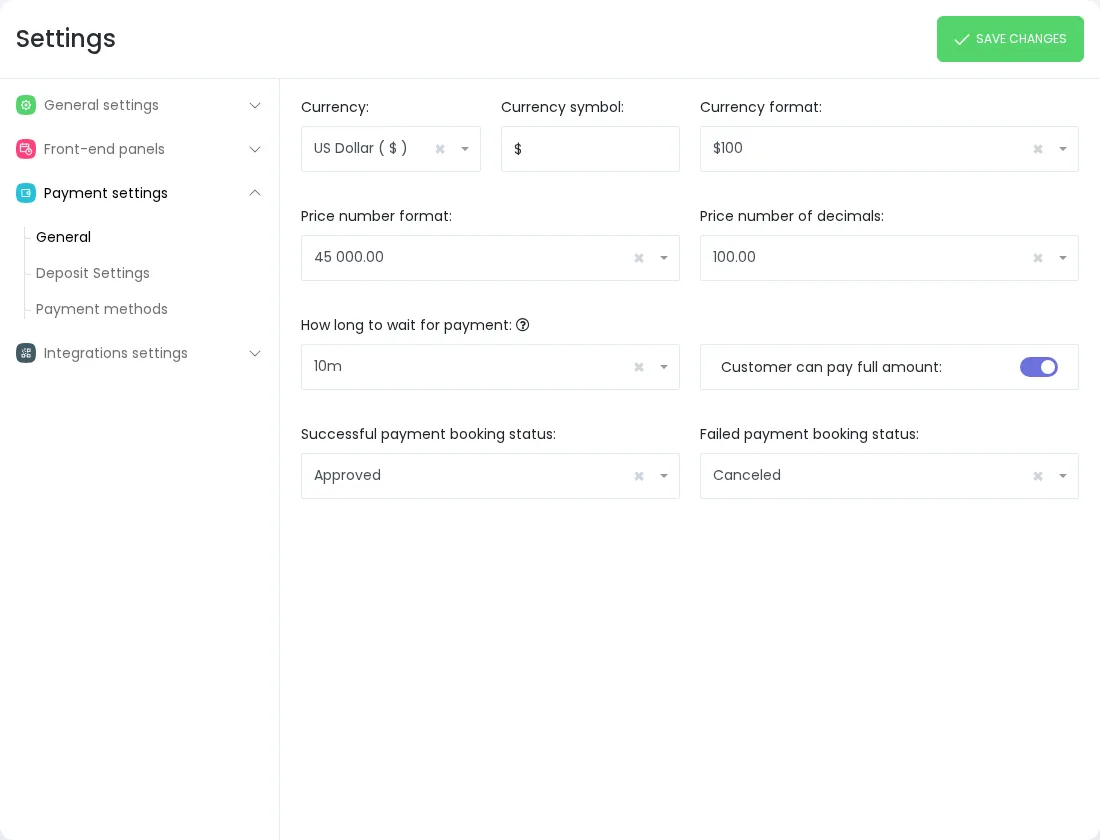
Payment settings let admins control whether customers can pay the full amount and define which booking statuses should be used for successful or failed payment results.
Important payment notes
Deposit Payments should be treated as an appointment deposit option, not as a subscription, instalment, or automatic remaining-balance collection feature. Local Payment does not collect an online deposit; use a supported online payment flow when you need online deposit collection.
FAQ
Can customers choose full payment instead of deposit?
Yes, when the payment setting that allows customers to pay the full amount is enabled.
Does Local Payment collect an online deposit?
No. Local Payment is an offline payment option and does not collect an online deposit.
Is Deposit Payments a subscription or payment-plan feature?
No. It is an appointment deposit option for Booknetic bookings, not recurring billing or a payment plan.


