


A spa can have five therapists but only three treatment rooms. A clinic can have several doctors and one laser machine. When staff availability is the only check, two bookings can end up needing the same room at the same time. The Resources add-on adds rooms, chairs, tables and equipment to Booknetic's availability, so a time is offered only while the resources a service needs are free.
Key Capabilities
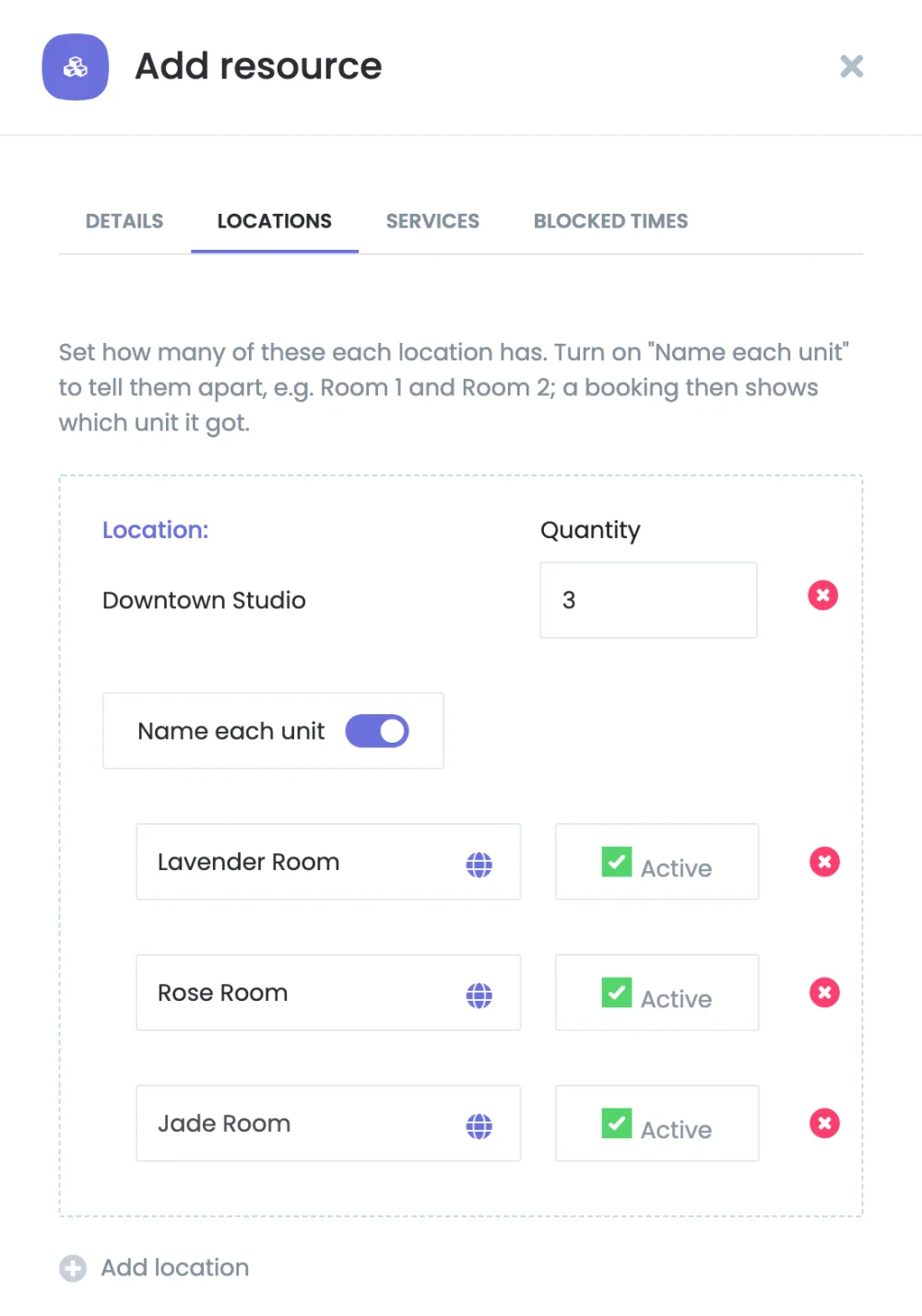
- Resources with units at each location: Create a resource such as Treatment room and set how many units each location has. Booknetic names them Treatment room 1, Treatment room 2 and so on, or you give each unit its own name.
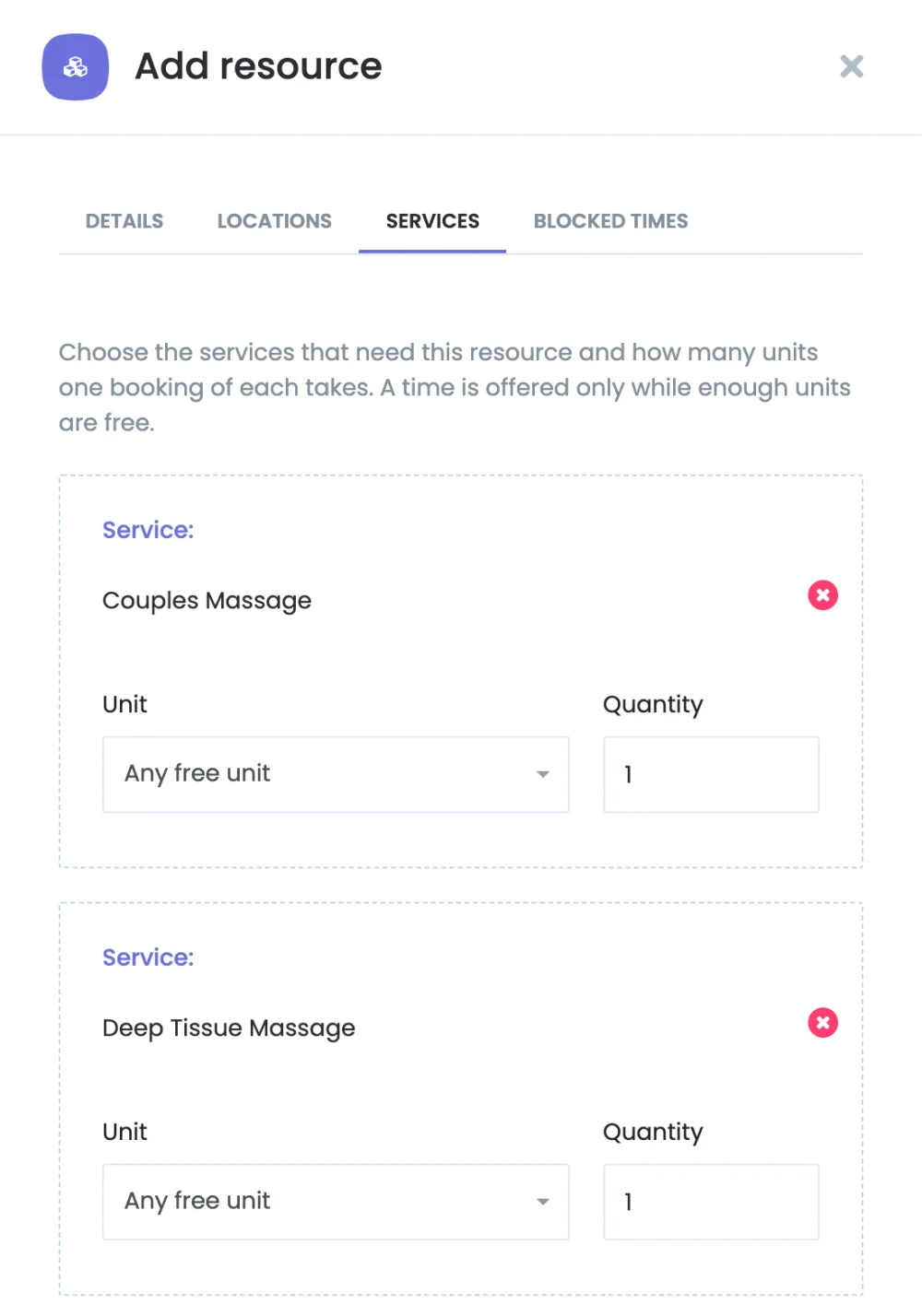
- Service requirements: Tell each service which resources it needs and how many units. A service can take any free unit of a resource, or one specific unit, such as the room with the laser.
- Several resources per service: A service that needs a room and a table gets a time only when both are free.
- Group bookings: For group services, choose whether the quantity is for each person (one bike per rider) or shared by the whole group (one studio for the class).
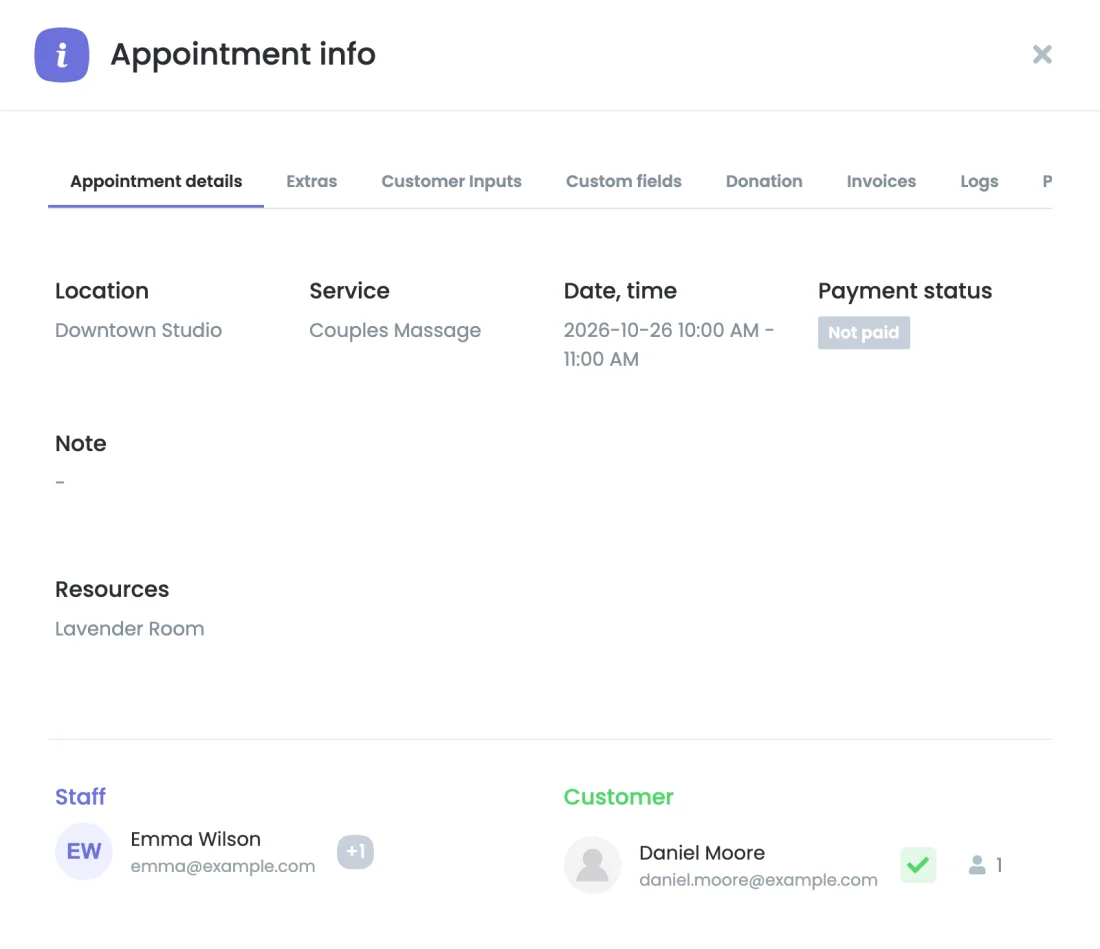
- Automatic unit assignment: Booknetic gives every booking a free unit when it is saved, from the booking panel or the admin panel. Customers never see or choose resources, and admins see the assigned unit in the appointment details.
- Blocked times and inactive units: Take a unit out of use for repairs or cleaning with a blocked time, or switch it off. Its upcoming bookings move to another free unit of the same resource.
How It Works
- Install the Resources add-on from the Booknetic Boostore.
- Open Resources and create a resource, for example Treatment room, with three units at your location.
- On the resource's Services tab, add the services that need a treatment room.
- From then on, Booknetic offers a time for those services only while a treatment room is free, and gives every booking its own room.
For the complete setup guide, see the Resources documentation.
Who Benefits
Spas and salons sharing treatment rooms and chairs, clinics with shared equipment, studios and sports venues with rooms or courts, rental businesses counting bikes, kayaks or boards per participant, and any business where the space or the equipment runs out before the staff do.
Good to Know
Resources follow the staff, service and business hours, so they need no timesheet of their own. The admin panel follows the same rules: when a required resource is full, the time can't be booked there either. A booking keeps the units and terms it was made with, so changing a service's requirements affects new bookings only.
Availability
Resources is a paid add-on for Booknetic 6.0 and later. It is available individually through the Boostore or included in eligible Booknetic plans. Visit the pricing page for current plan inclusions.


