


Some services need more than one person: a couples massage with two therapists, a photo shoot with a photographer and an assistant, a procedure with a doctor and a nurse. The Multi-staff add-on lets one Booknetic appointment take several staff members at the same time. You set how many staff members a service needs, and Booknetic offers a time only when that many of the service's staff are free together.
Key Capabilities
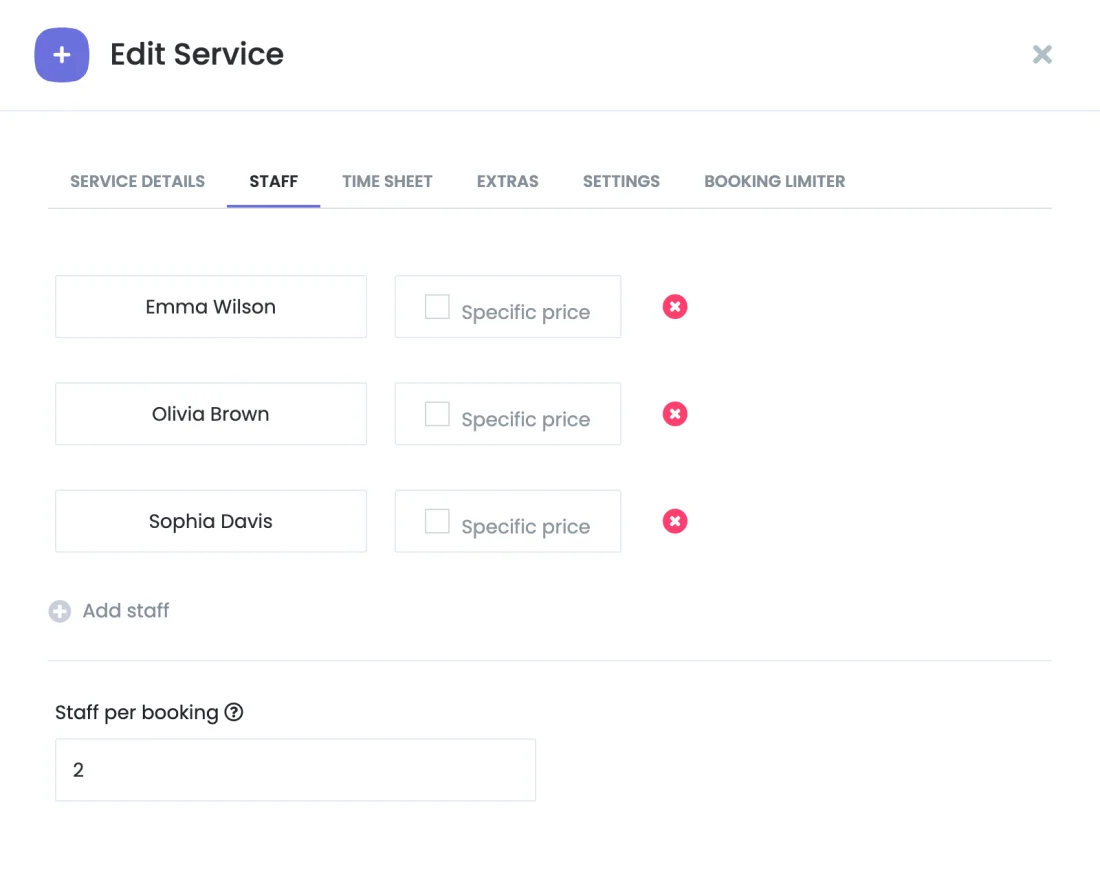
- Staff per booking: Set how many staff members each booking of a service takes, from 1 to 50. The team always comes from the staff assigned to the service at the booking's location.
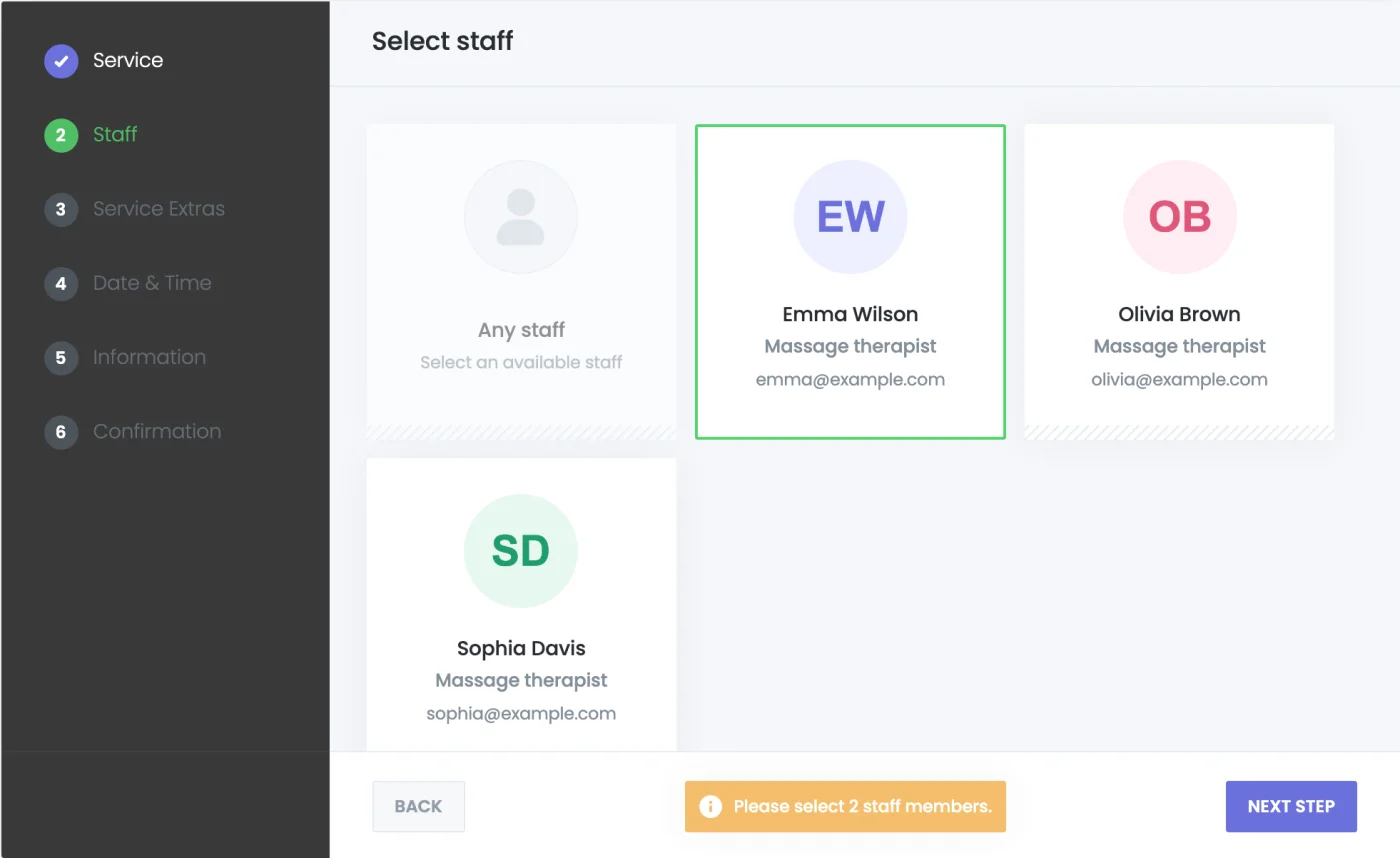
- Team selection in the booking panel: Customers select exactly that many staff members on the staff step, or choose Any staff and let Booknetic pick a free team when the booking is saved.
- Availability for the whole team: A time slot appears only while every member of the team is free, buffers included. Two bookings in one cart never get the same staff member at the same time.
- Additional staff in the admin panel: Pick the additional staff in the appointment form, or leave the field empty and Booknetic picks free staff on save. If a picked staff member is busy, the error names them.
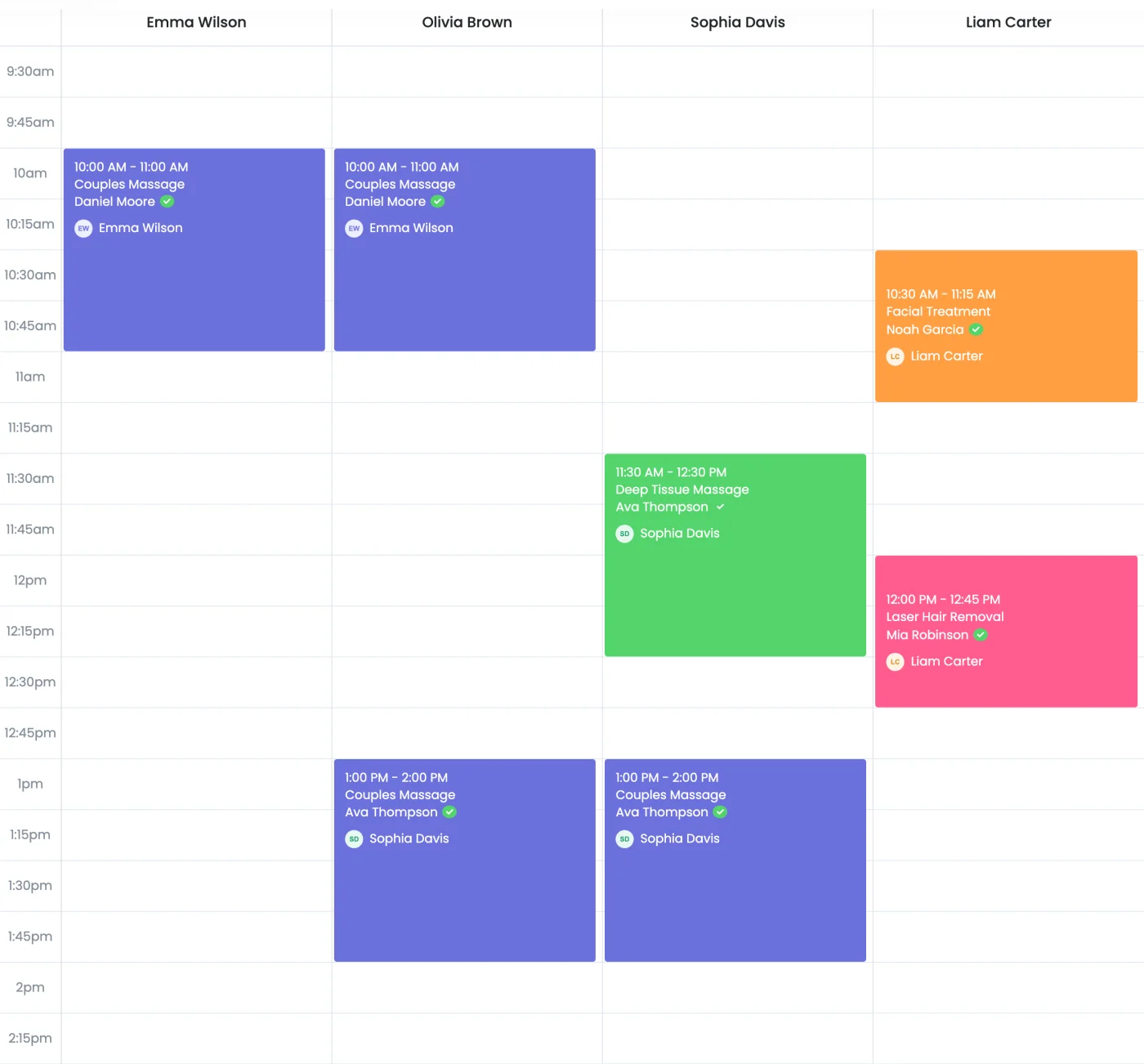
- Every team member sees the booking: The appointment shows in each staff member's calendar column, appointment list and payments, and in the mobile app. Lists show the first staff member with "+N", and CSV exports and the customer panel list the whole team.
- Notifications reach the team: Your existing workflows need no changes.
{staff_name}lists every team member, and{staff_email}and{staff_phone}deliver the message to each of them.
How It Works
- Install the Multi-staff add-on from the Booknetic Boostore.
- Open a service and set Staff per booking, for example 2 for a couples massage.
- On the booking panel, customers pick two staff members or Any staff. Booknetic shows only the times when both are free.
- The booking appears in both staff members' calendars, and both receive the workflow notifications.
For the complete setup guide, see the Multi-staff documentation.
Who Benefits
Spas and massage studios offering couples treatments, clinics and dental practices where a procedure needs an assistant, photographers and event crews, driving and fitness schools with two instructors, and any business that sends more than one person to the same job.
Good to Know
A team booking costs the service price; staff-specific prices are not added together. Calendar sync and online meetings (Google Calendar, Outlook, Zoom, Google Meet, Microsoft Teams, VivoMeetings), staff commissions, reports and booking limits use the first staff member of the team.
Availability
Multi-staff is a paid add-on for Booknetic 6.0 and later. It is available individually through the Boostore or included in eligible Booknetic plans. Visit the pricing page for current plan inclusions.


