


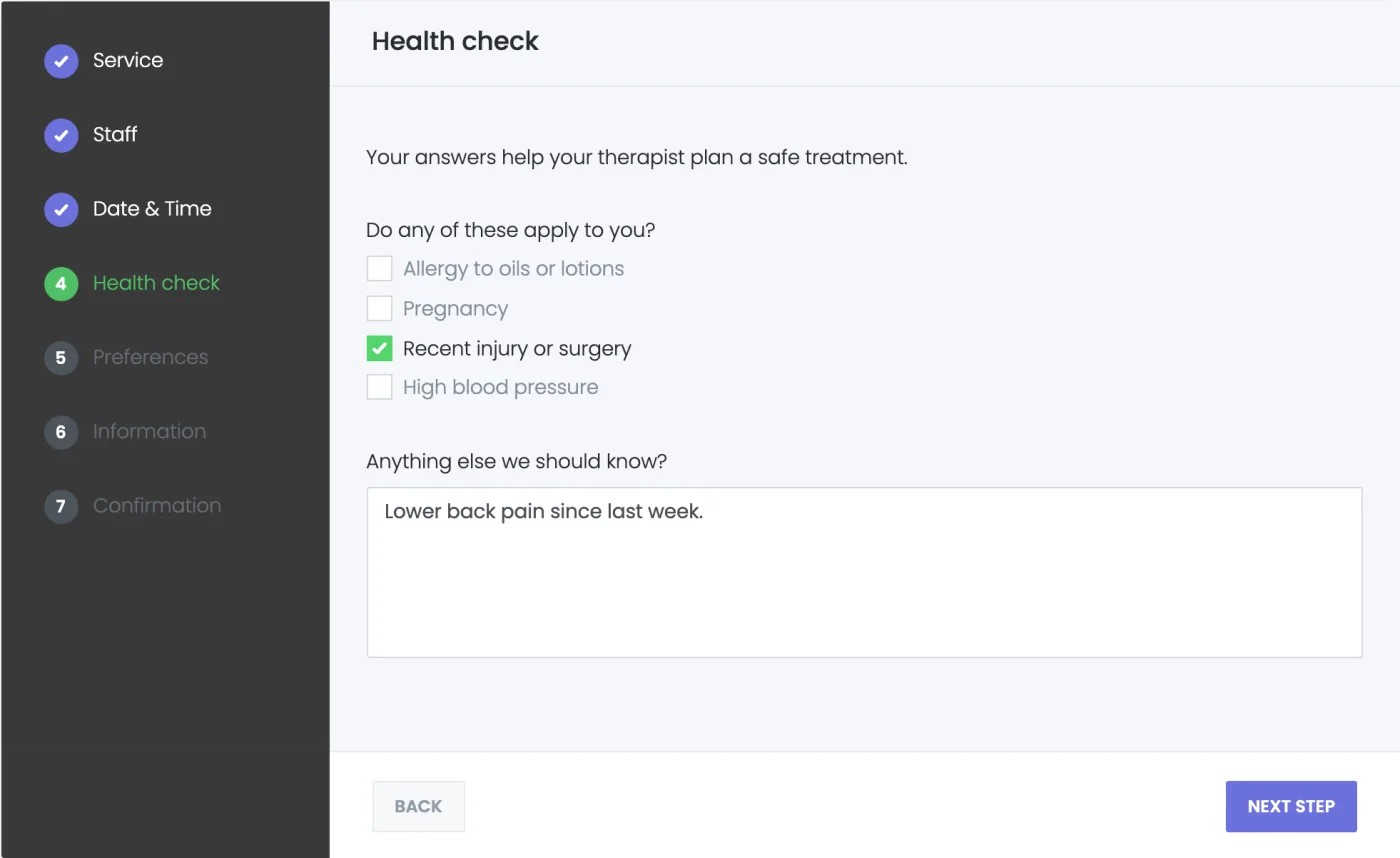
Every extra question you ask in Booknetic ends up in the Information step, next to the customer's name and email. A long health questionnaire, pet details or a consent form makes that step crowded, and some questions belong earlier or later in the booking. The Booking Step Builder add-on lets you add your own steps to the booking panel. Each step shows one form built with Custom Forms, and you choose where in the booking it appears.
Key Capabilities
- Your own booking steps: Give a step a name, pick the form it shows and place it after any step of the booking panel. It appears in the step list like the built-in steps, and its name can be translated.
- Built on Custom Forms: Use every field type you know from Custom Forms, such as text, checkboxes, radio buttons, dropdowns, dates, file uploads and labels, with required fields and conditions as usual.
- The right order, checked for you: A form shown only for some services, or with conditions on the staff or location, goes after those steps. A form that reads an answer from another step goes after it. Booknetic refuses an order that would break this and says why.
- Shown only when it applies: When a step's form is meant for other services than the one being booked, the customer skips the step.
- A cleaner Information step: A form placed in a step leaves the Information step. Deleting the step brings it back there.
- Answers saved with the booking: Answers are stored with the appointment like the Information fields, so you find them in the appointment details.
How It Works
- Install the Custom Forms and Booking Step Builder add-ons from the Booknetic Boostore.
- Build the form in Custom forms, for example a health questionnaire.
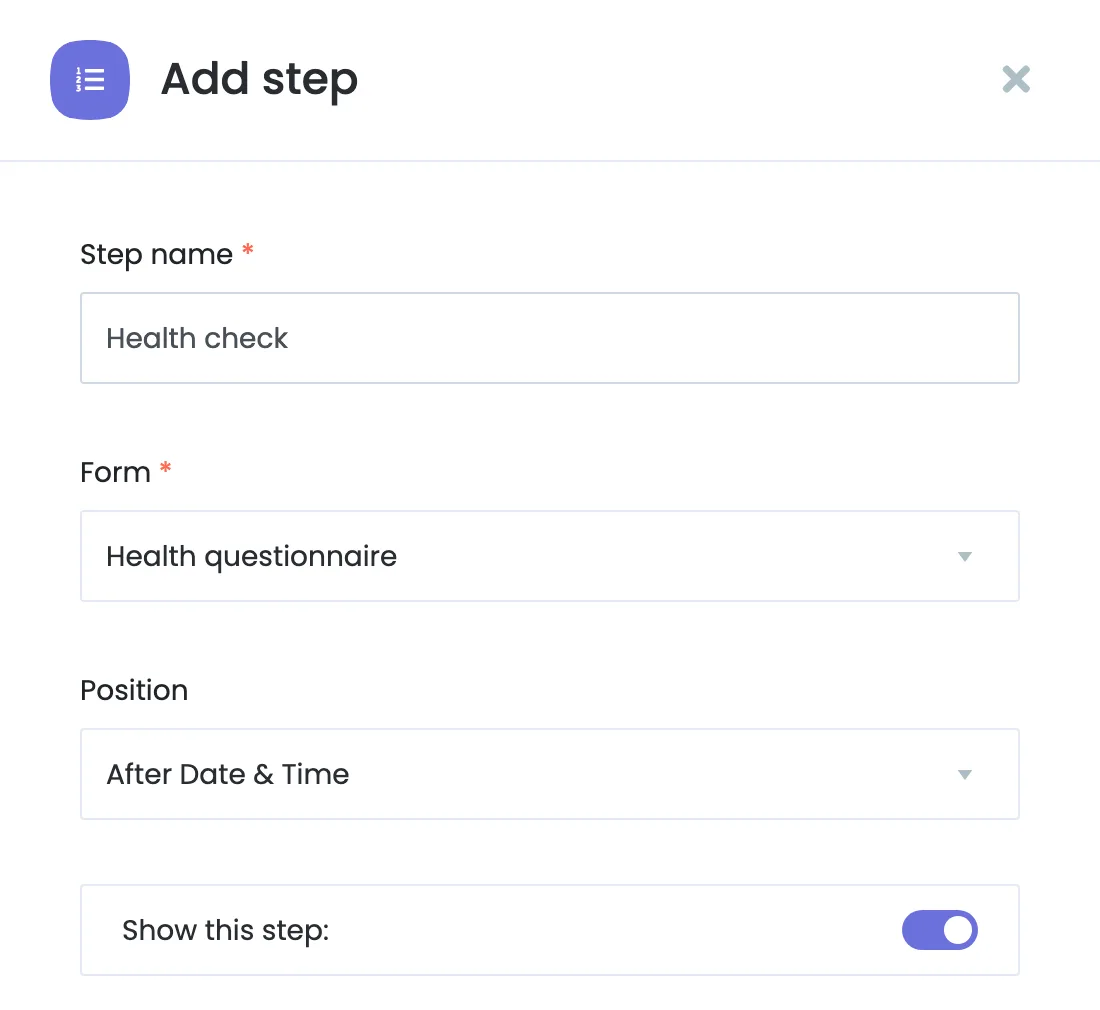
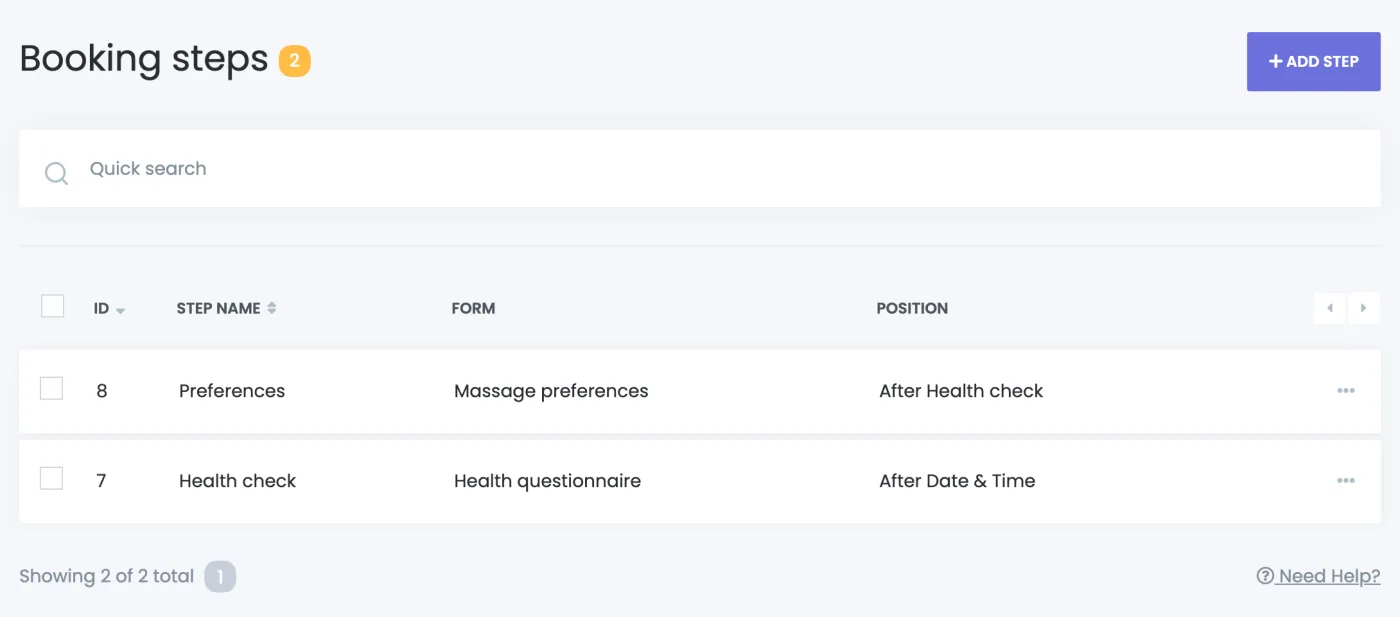
- Open Booking steps, click Add step, and choose the step name, the form and the position.
- The new step appears in the booking panel, and the form is no longer asked in the Information step.
For the complete setup guide, see the Booking Step Builder documentation.
Who Benefits
Clinics and med spas with health questionnaires and consent forms, pet groomers and vets asking about the pet, tutors and schools collecting student details, photographers planning a shoot, repair services asking about the device, and any business whose booking needs more than a name and an email.
Good to Know
Each form can be shown in one step. A step whose form is switched off or deleted is not shown. With several bookings in the cart, the step is asked for each booking, like the Information step.
Availability
Booking Step Builder is a paid add-on for Booknetic 6.1 and later and needs the Custom Forms add-on, version 3.2 or later. It is available individually through the Boostore or included in the Booknetic plans that include Custom Forms. Visit the pricing page for current plan inclusions.


