


Every appointment your customers book can become a Microsoft Teams meeting — automatically. The Booknetic MS Teams add-on removes the gap between your scheduling workflow and your video meetings. Your staff always have the right link, in the right place, at the right time, without lifting a finger.
Key Capabilities
- Automatic Teams Meeting Creation: When a booking is confirmed in Booknetic, a Microsoft Teams meeting is created immediately. No manual scheduling, no copy-pasting links.
- Per-Staff Microsoft Account Connection: Each staff member connects their own Microsoft 365 account directly from their staff profile. Meetings are created under the relevant staff member's account so they appear in the right calendar and with the right host.
- Meeting Details in Workflow Notifications: Use the
{ms_teams_meeting_url}and{ms_teams_meeting_id}shortcodes in your Booknetic Workflow notifications to include the meeting join link and ID automatically in confirmation emails, reminders, and any other automated messages. - Works Across Your Entire Team: Multiple staff members, each with their own Microsoft account, can run Teams meetings simultaneously. Every booking routes to the right host automatically.
How It Works
Setup takes just a few minutes and runs entirely within Booknetic — no external portal registration required.
- Install the MS Teams add-on from the Booknetic Boostore.
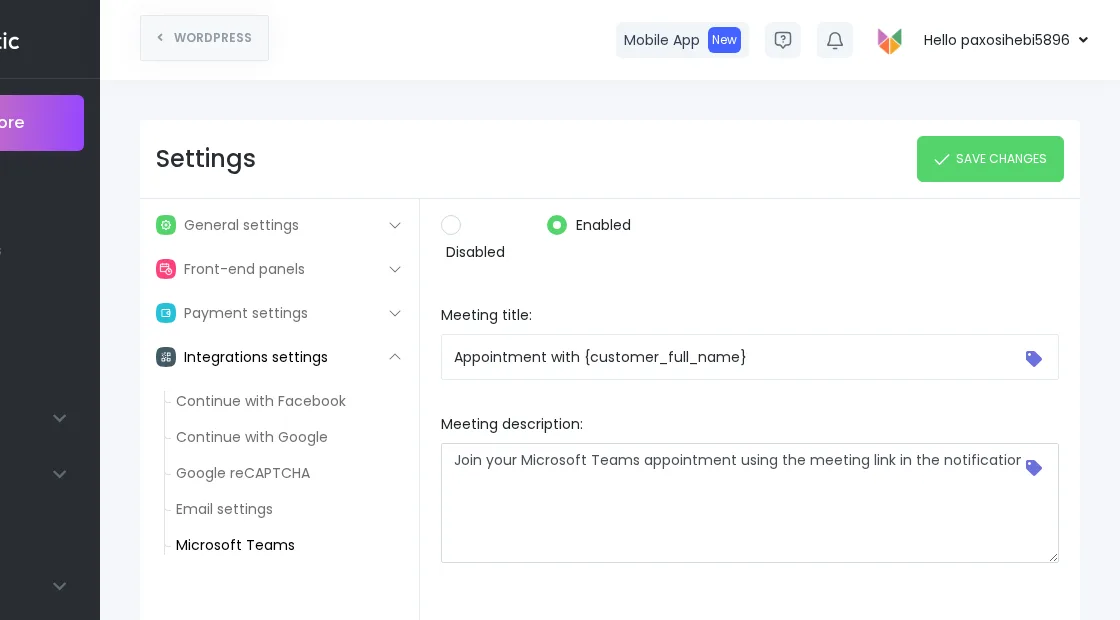
- In Booknetic Settings → Integrations → Microsoft Teams, enable the integration and set your meeting title and description templates.
- Each staff member connects their Microsoft 365 account from their staff profile — one click, one authorization screen.
- From that point on, every booking automatically generates a unique Teams meeting and includes the link in all relevant Workflow notifications.
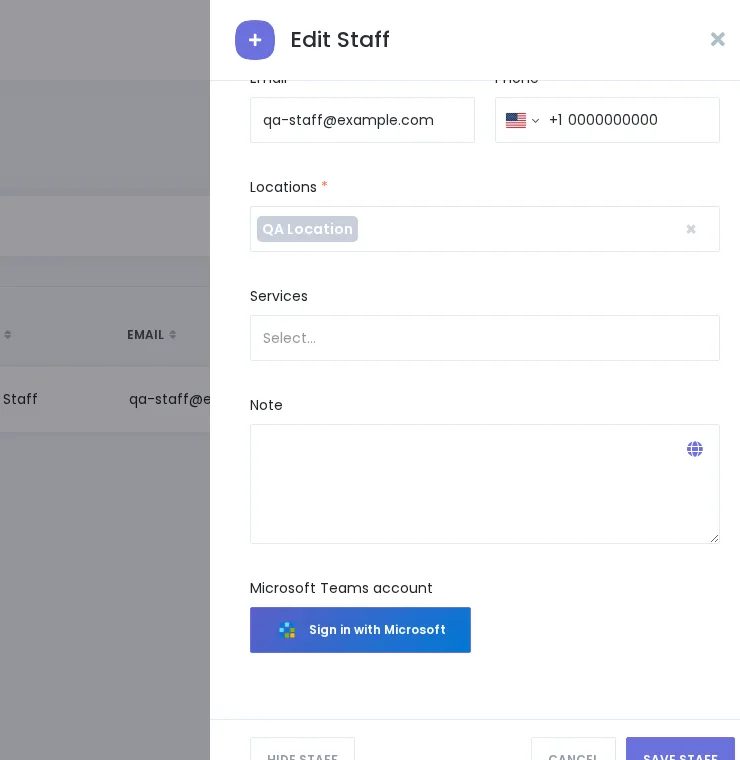
For the complete step-by-step setup guide, see the MS Teams documentation.
Who Benefits
The MS Teams add-on is ideal for businesses that already run their team communication on Microsoft 365 and want their booking system to fit into that ecosystem — coaches, consultants, therapists, tutors, legal professionals, remote service providers, and any team offering virtual appointments.
Availability
The Microsoft Teams integration is a paid add-on for Booknetic. It is available individually through the Boostore or included in eligible Booknetic plans. Visit the pricing page to see current plan inclusions.


