


Email Preferences helps you keep workflow automation active while giving customers clear control over their email experience.
What This Feature Solves
- Prevents customers from receiving workflow emails they no longer want.
- Improves trust by offering transparent unsubscribe controls.
- Keeps your notification system organized without turning workflows off globally.
How It Works
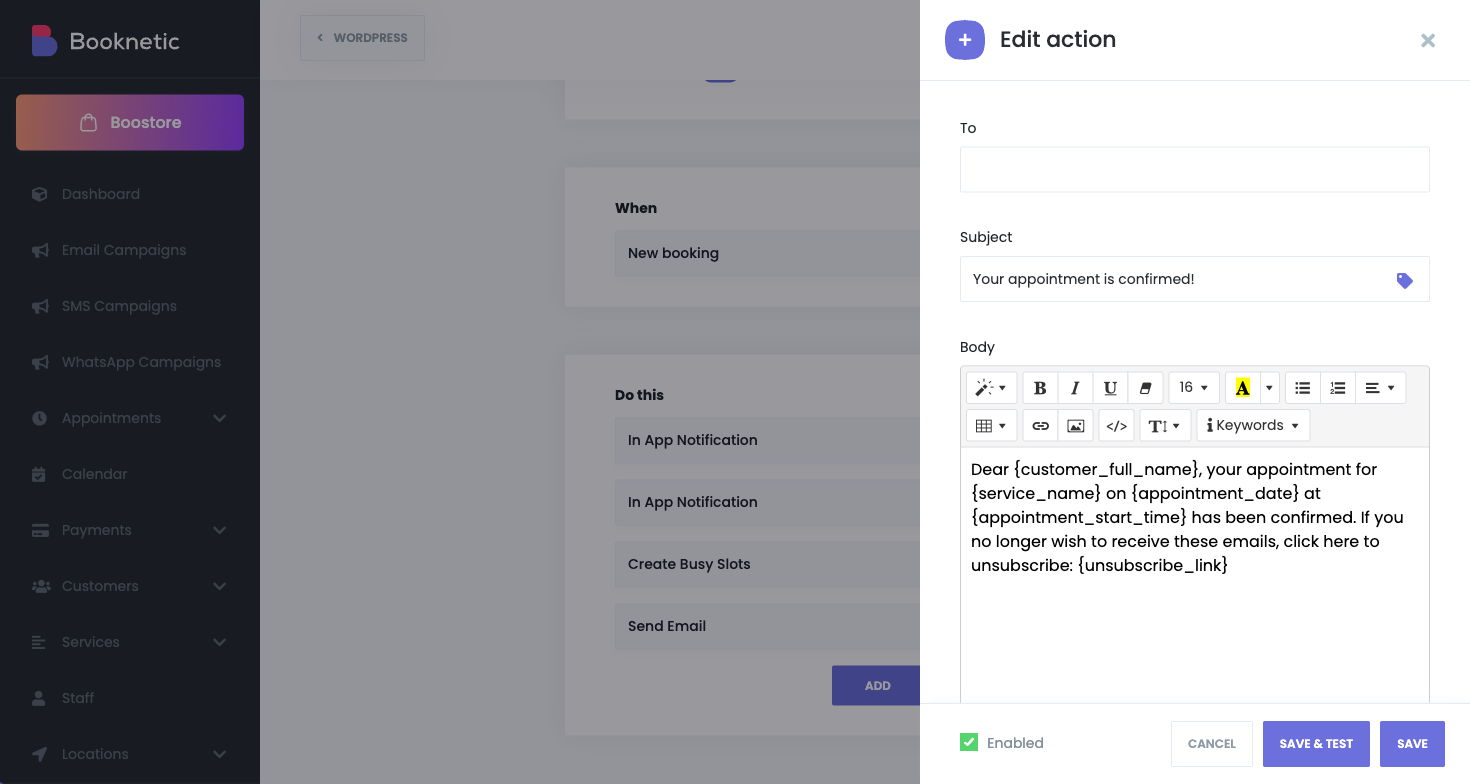
You configure an unsubscribe page and add
{unsubscribe_link}to workflow email templates.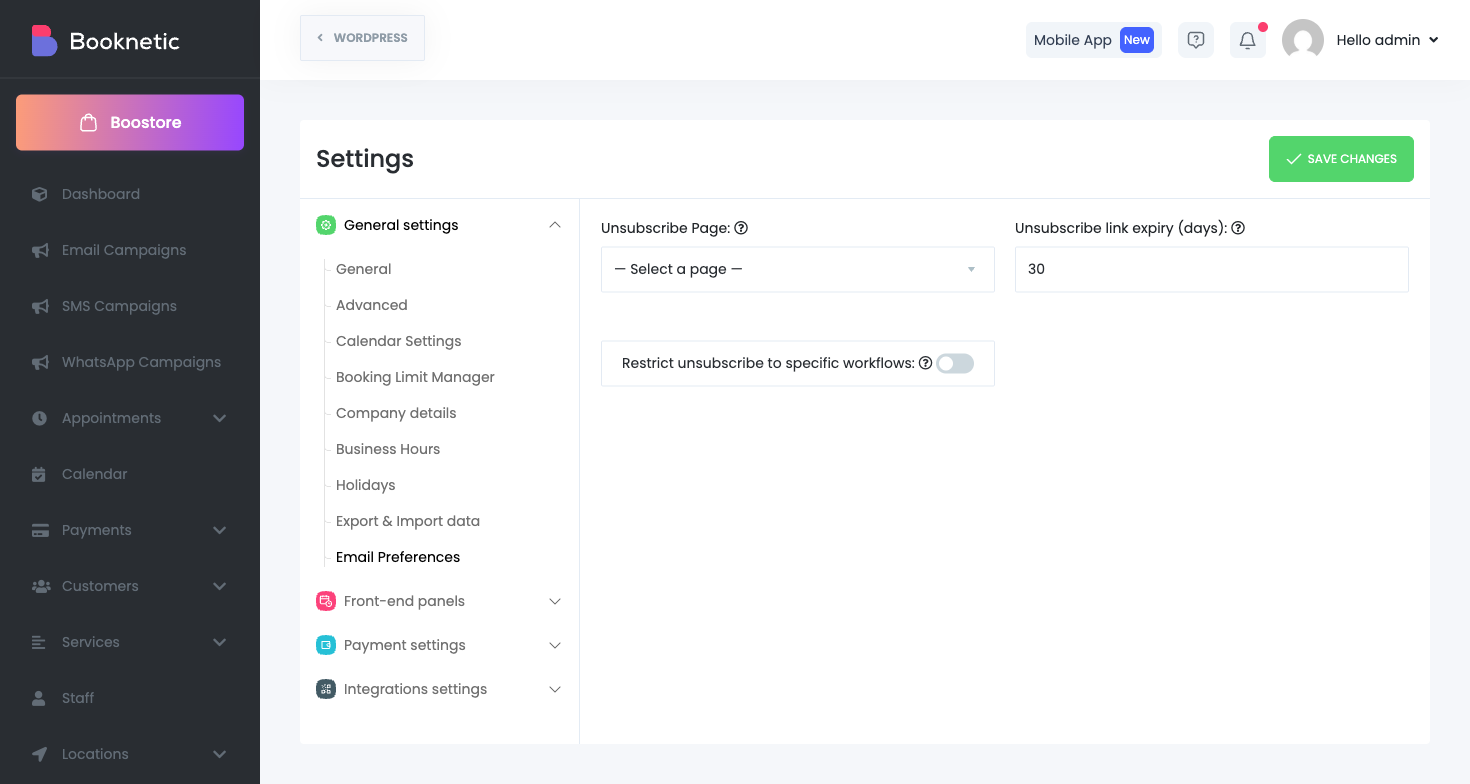
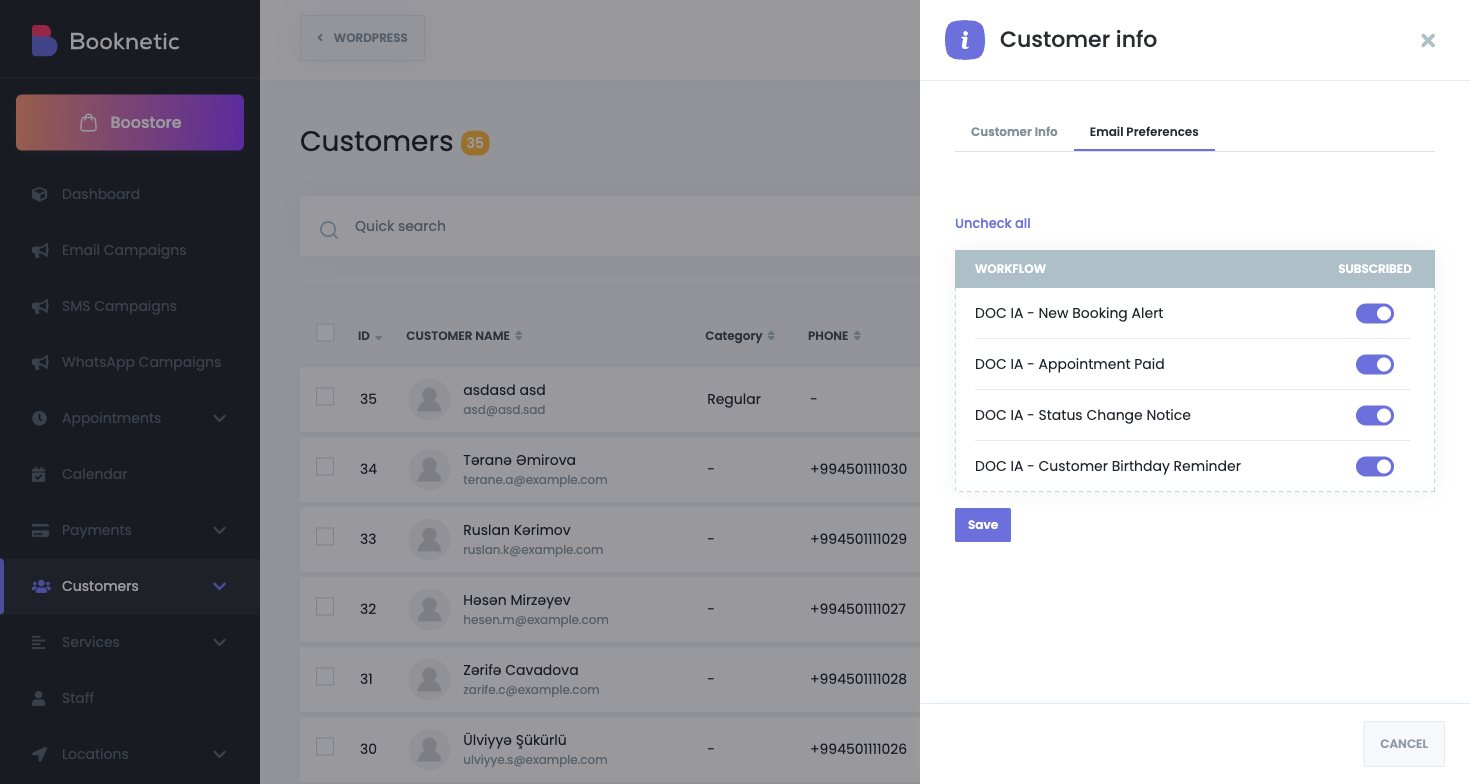
Customers open a secure, expiring link and choose their email preferences.
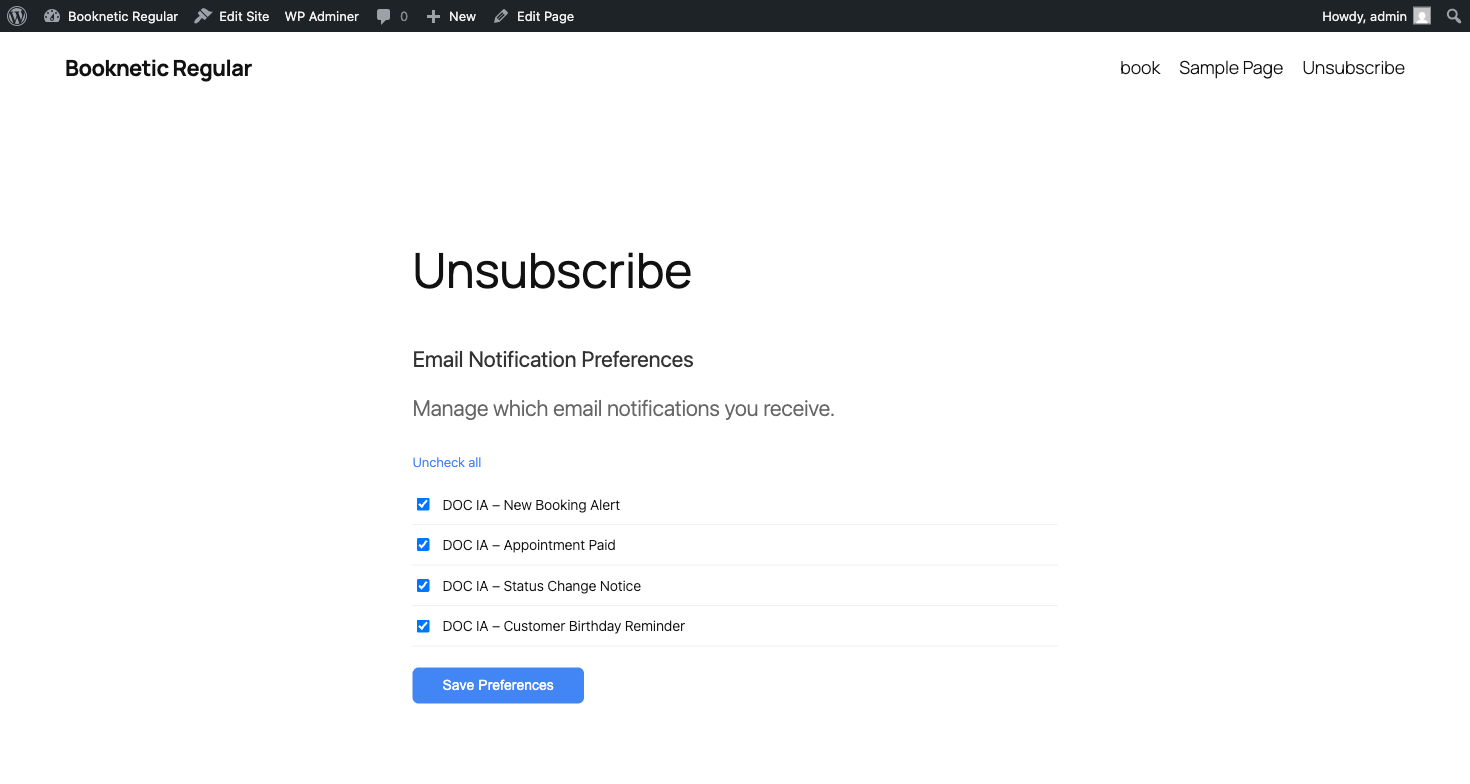
- Preferences are stored per customer and per workflow.
- When Booknetic runs email workflow actions, unsubscribed workflows are skipped for that customer.
Key Controls
| Control | Purpose |
|---|---|
| Unsubscribe Page | Defines where customers manage preferences. |
| Link Expiry | Sets token lifetime for secure unsubscribe links. |
| Customer Panel Tab | Lets logged-in customers manage preferences from their account. |
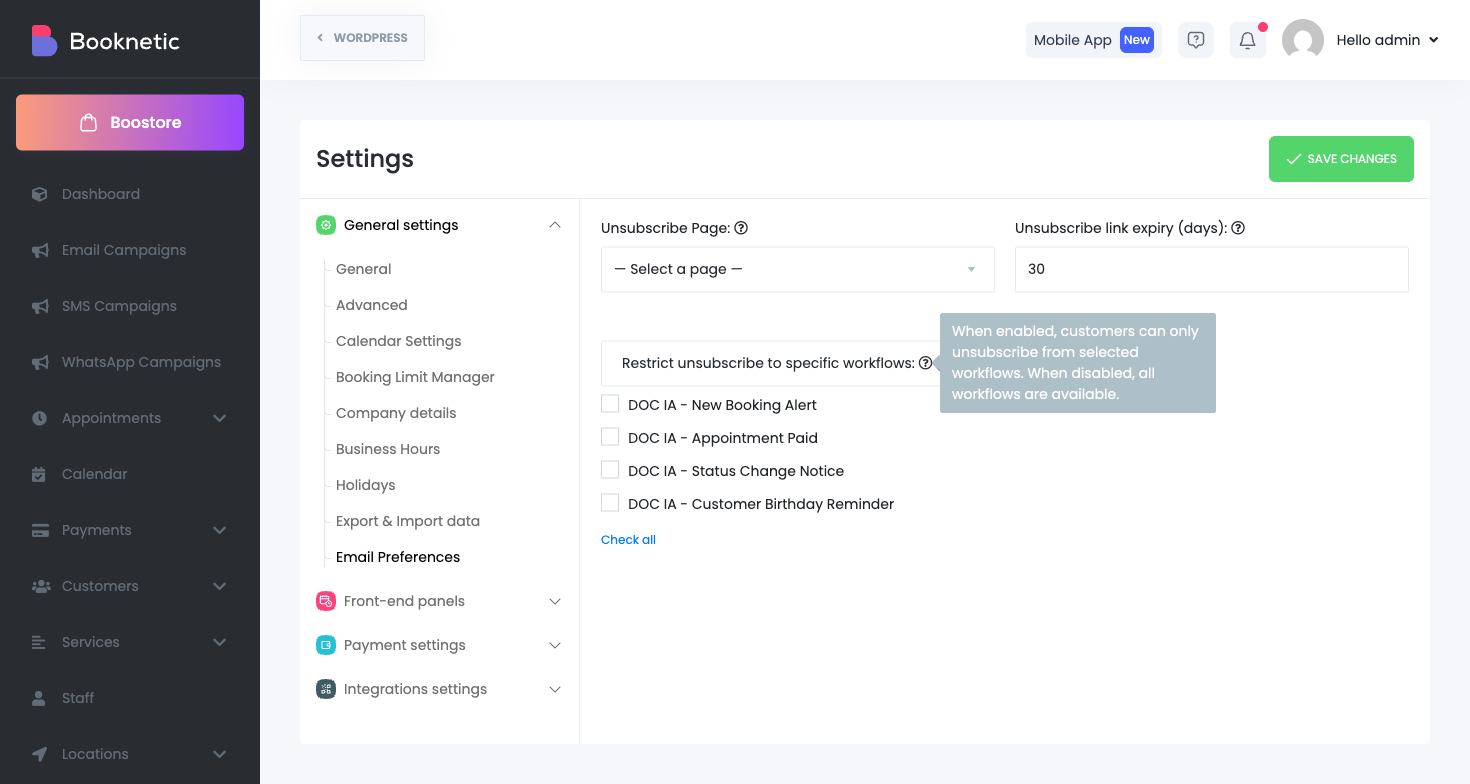
| Workflow Restriction | Limits preference options to selected workflows only. |
Why Teams Use It
- Lower complaint and unsubscribe friction.
- Cleaner communication for long-term customer retention.
- More control for compliance-conscious businesses.
Important Notes
- This feature controls email workflow actions.
- Other channels (SMS, WhatsApp, Telegram, etc.) use their own delivery logic.


