


When a customer starts the booking process and leaves without finishing, that is a lost appointment and a lost opportunity. The Booking Recovery add-on brings those customers back. It automatically detects incomplete booking sessions and sends timed follow-up messages to re-engage them — so more of the customers who almost booked actually do.
Key Capabilities
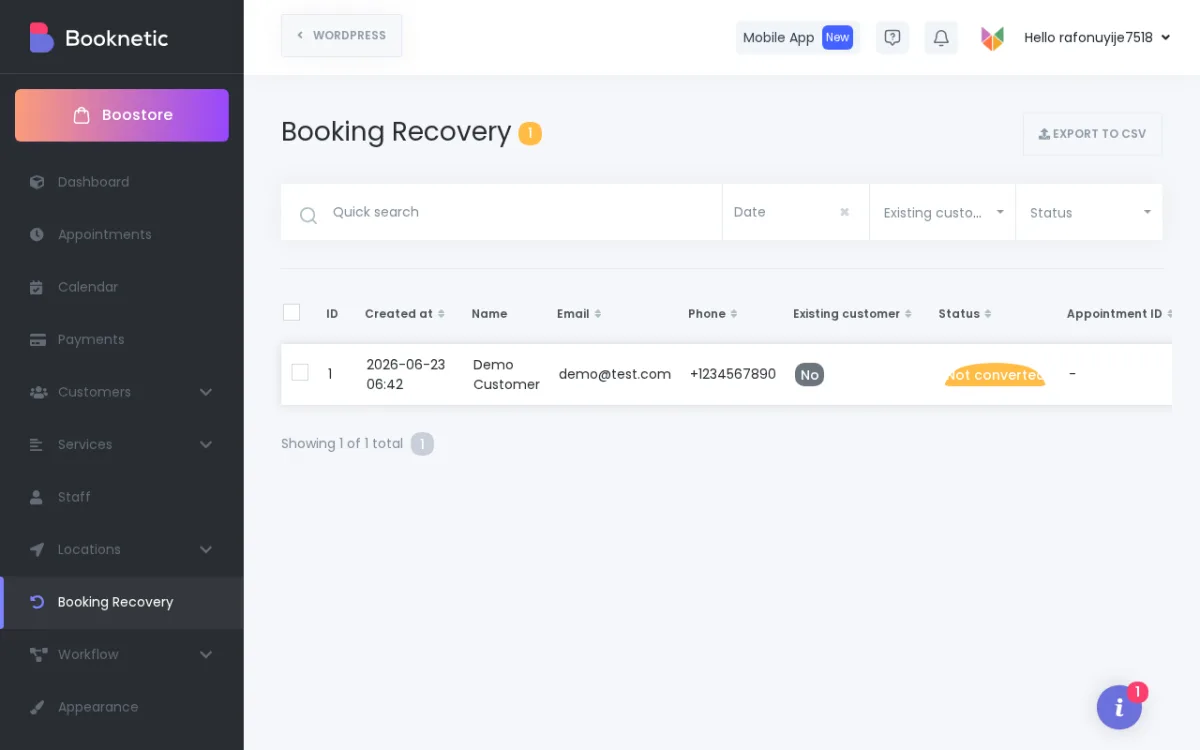
- Abandoned Session Detection: Booknetic identifies when a customer has started the booking widget flow but has not completed the appointment. These sessions are tracked and queued for recovery automatically.
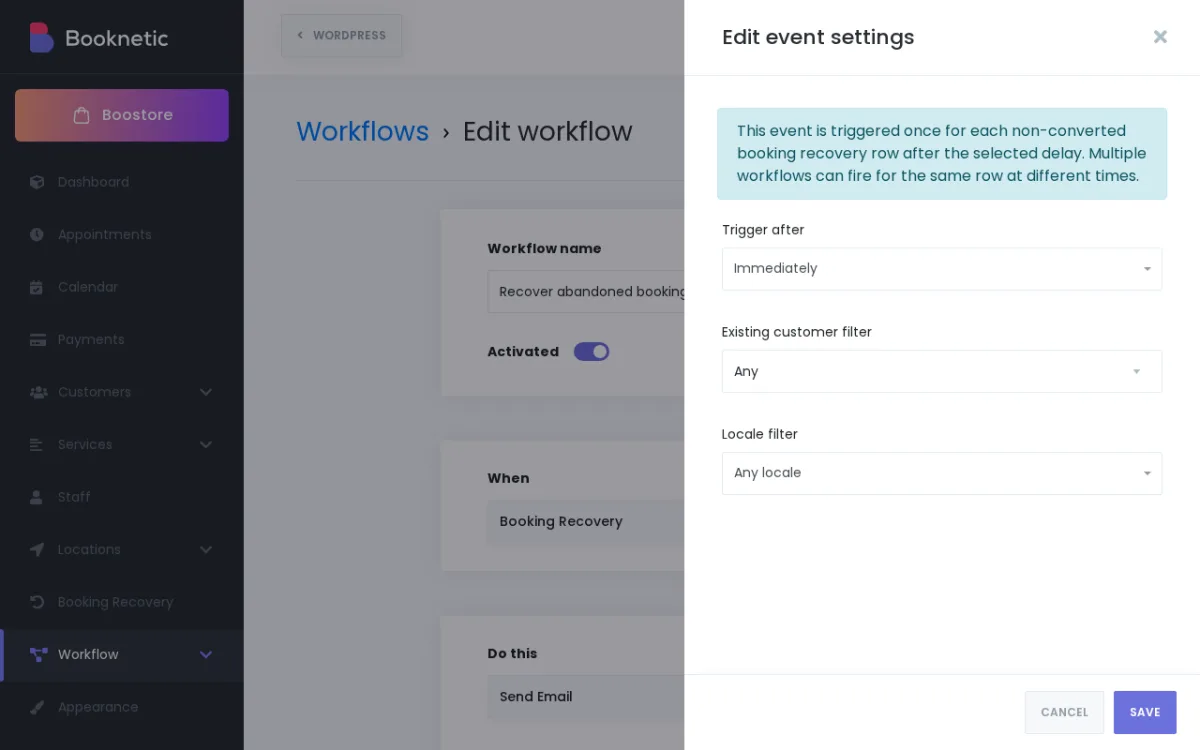
- Configurable Follow-Up Timing: Set the delay between when a session is abandoned and when the recovery message is sent. Send a follow-up after the delay you configure — one hour later, a day later, or any timing that works for your business.
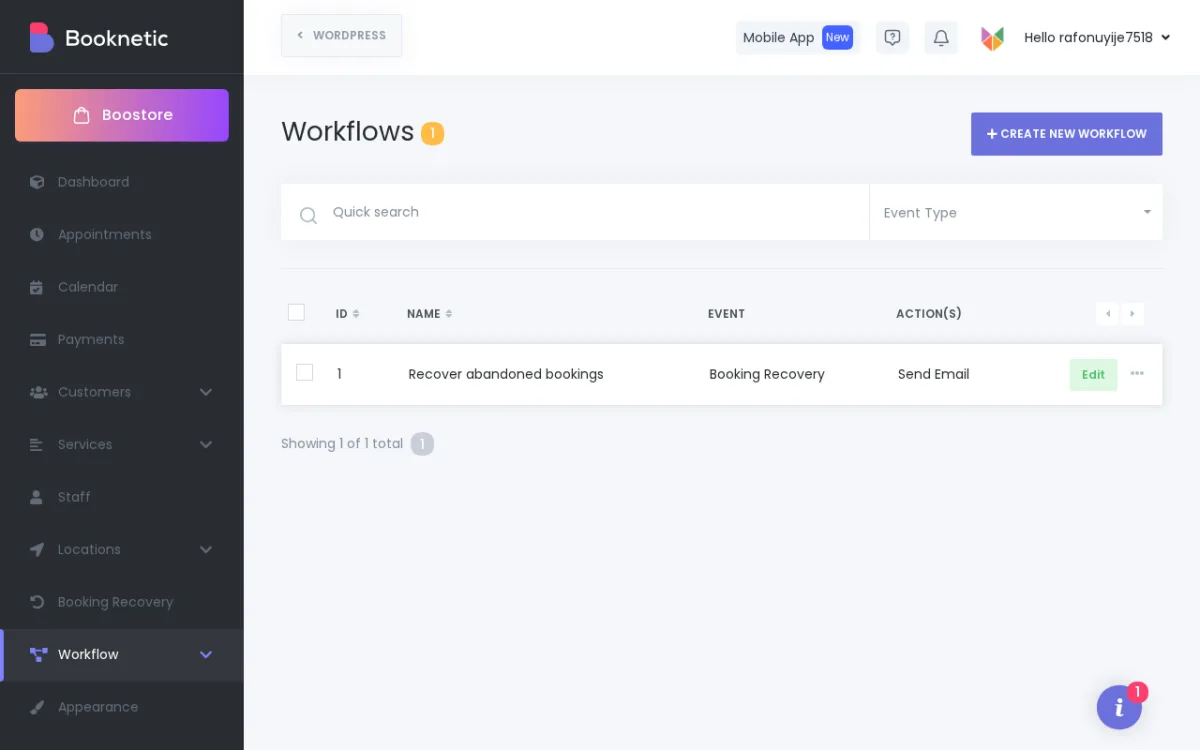
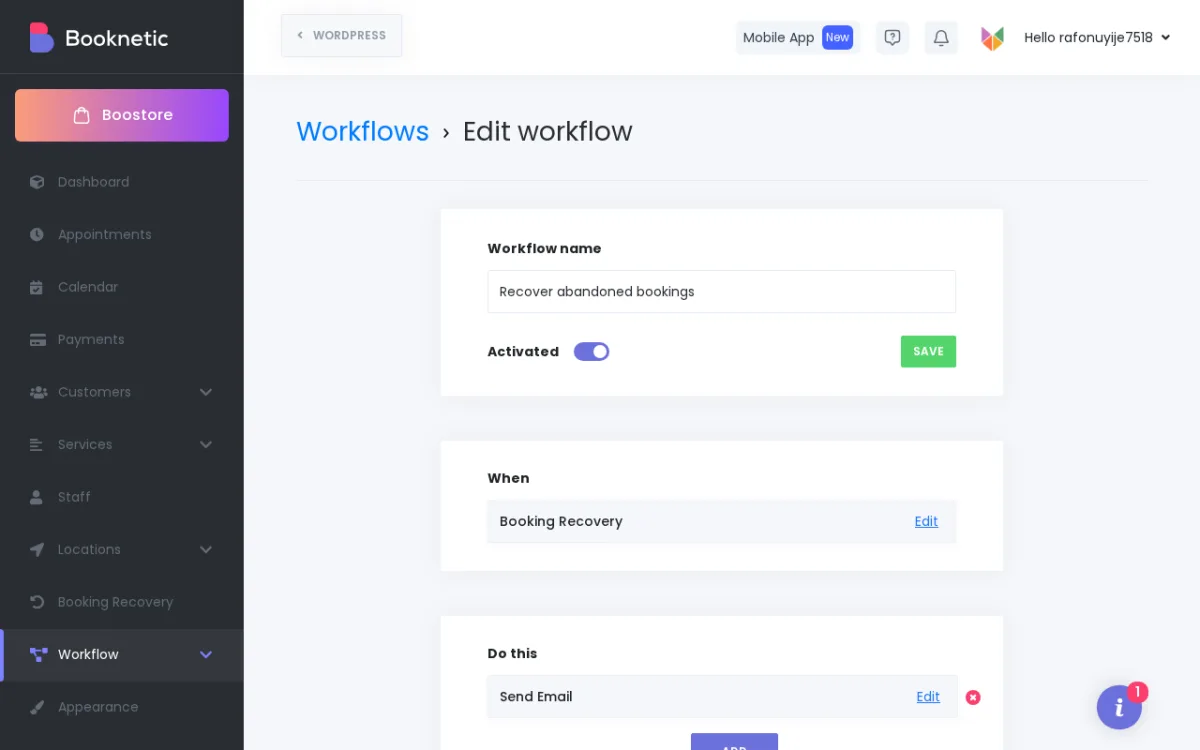
- Workflow-Powered Recovery Messages: Recovery messages are driven by Booknetic's Workflow engine — the same system you use for confirmation emails, reminders, and other automated notifications. Use any notification channel your Workflows support.
- Conversion Tracking: Booknetic tracks when a customer who received a recovery message goes on to complete their booking. Recovery conversions are tied to the correct appointment date, giving you an accurate picture of what the add-on recovers.
How It Works
- A customer opens your booking widget and starts selecting a service, date, or staff member — but leaves without confirming the appointment.
- Booknetic detects the incomplete session and waits for the delay you configured.
- After the delay, the Booking Recovery add-on triggers the recovery workflow and sends the customer a follow-up message.
- If the customer returns and completes the booking, Booknetic records it as a recovered conversion.
Why It Matters
Most booking abandonment happens for simple reasons — a distraction, an internet hiccup, hesitation at the last step. A well-timed follow-up recovers a portion of those sessions that would otherwise be lost. The Booking Recovery add-on automates this process so it happens consistently, without any manual follow-up from your team.
Availability
Booking Recovery is a paid add-on for Booknetic, available individually through the Boostore or included in eligible Booknetic plans. Visit the pricing page for current plan inclusions.


