


Blocked Customers gives your team a direct way to stop unwanted bookings from specific contacts.
What This Feature Does
- Blocks new frontend bookings by email or phone match.
- Supports internal reasons for better team context.
- Keeps your schedule cleaner and reduces repetitive abuse cases.
How It Works
Add an email or phone number to the blocked list.
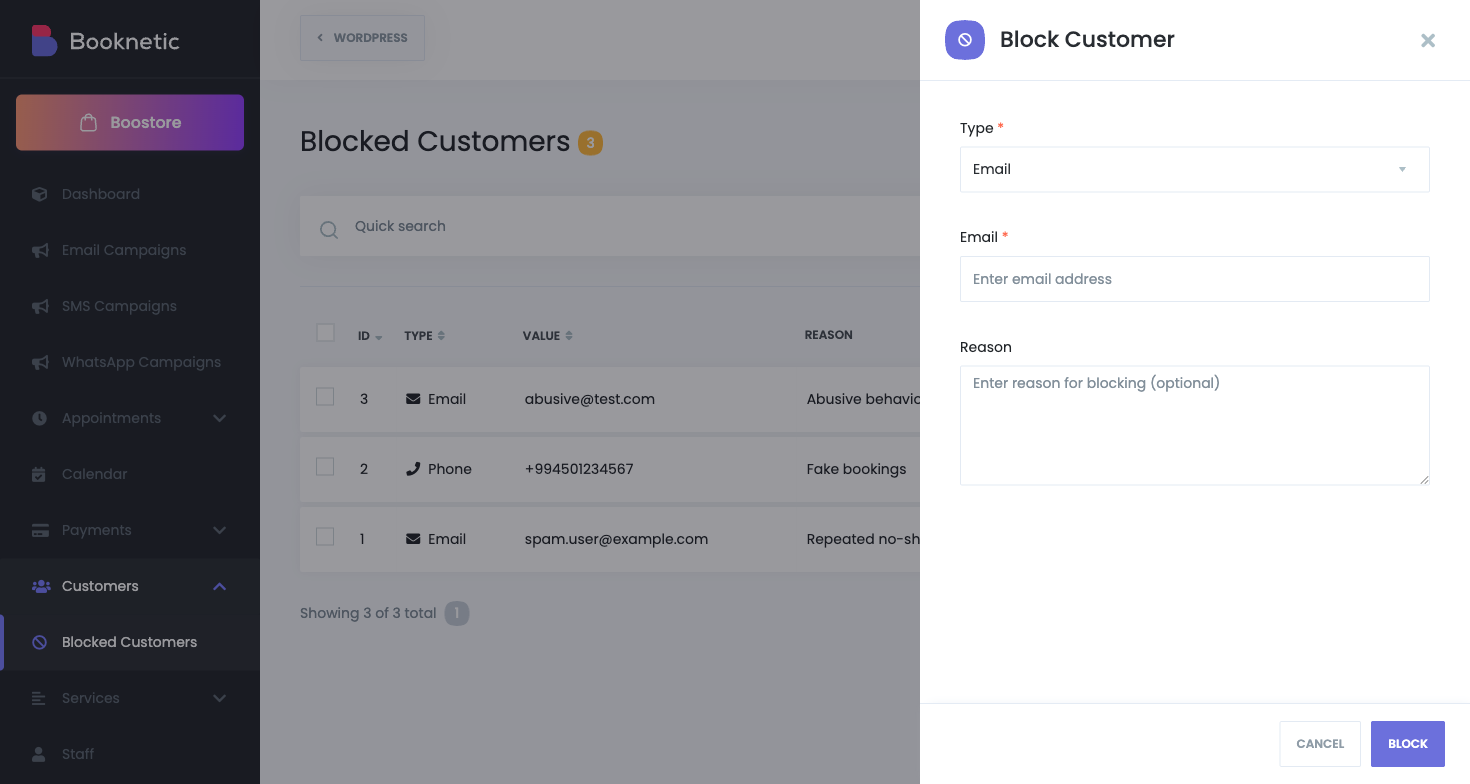
- Booknetic checks this list during booking validation.
- If a match is found, booking is denied with a clear message.
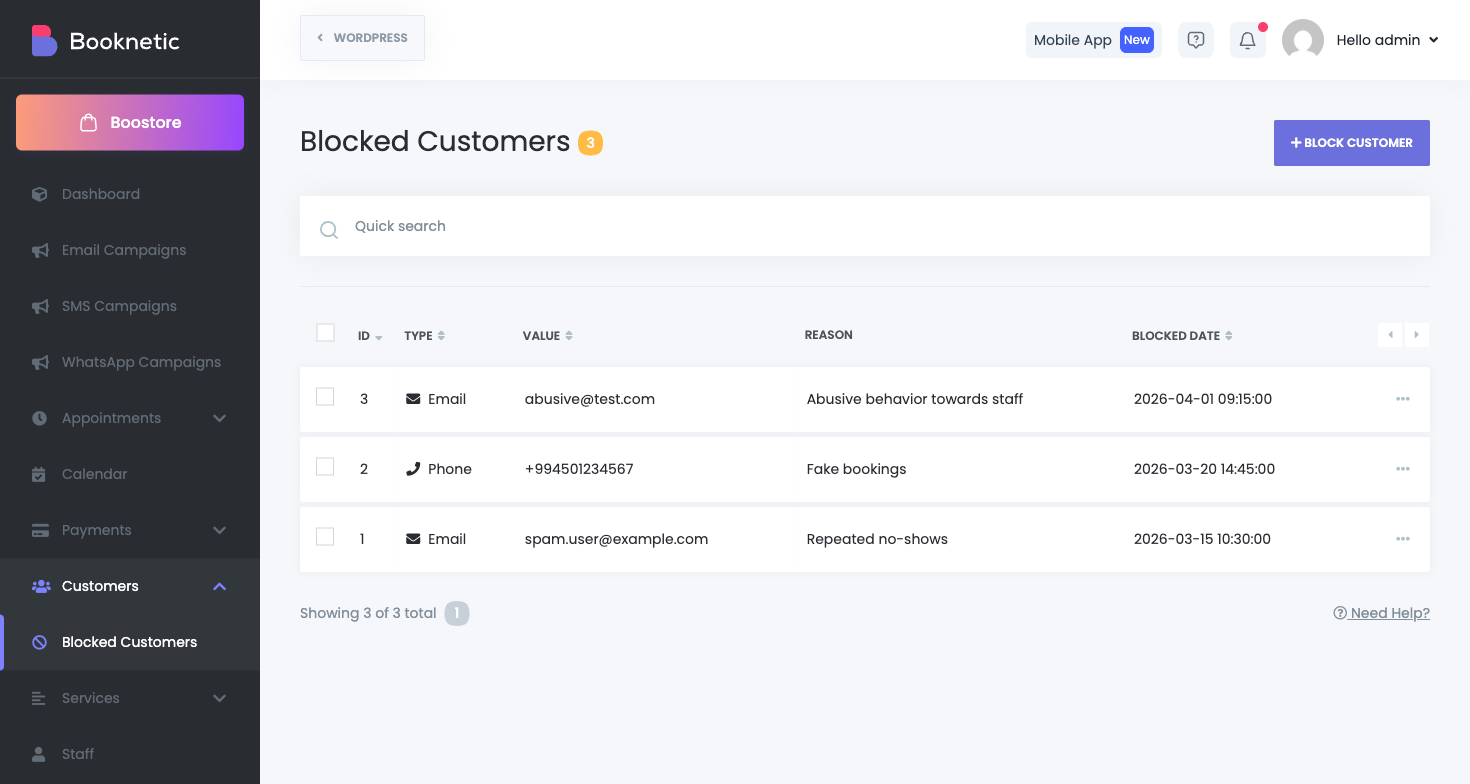
- You can unblock at any time, individually or in bulk.
Key Controls
| Control | Purpose |
|---|---|
| Block Type | Choose Email or Phone. |
| Reason | Add internal notes for future reference. |
| DataTable Actions | Search, sort, unblock one or many entries. |
| Tenant Scope (SaaS) | Separates blocked lists by tenant. |
Where It Helps Most
- Businesses handling frequent no-show or abusive repeat attempts.
- Teams that need a lightweight denylist without external tools.
- SaaS environments where each tenant needs isolated control.
Important Notes
- Phone matching is exact string comparison, so consistent formatting is recommended.
- Admin-side appointment creation is not blocked by this rule.


