


Organize your customers smarter. Personalize their experience effortlessly.
The new Customer Category feature in Booknetic helps you group and classify your customers in a more structured, meaningful way. Whether you manage a large client base or run a small business, this feature makes it easier to segment users, automate actions, and deliver more personalized experiences.
A Dedicated Customer Categories Page
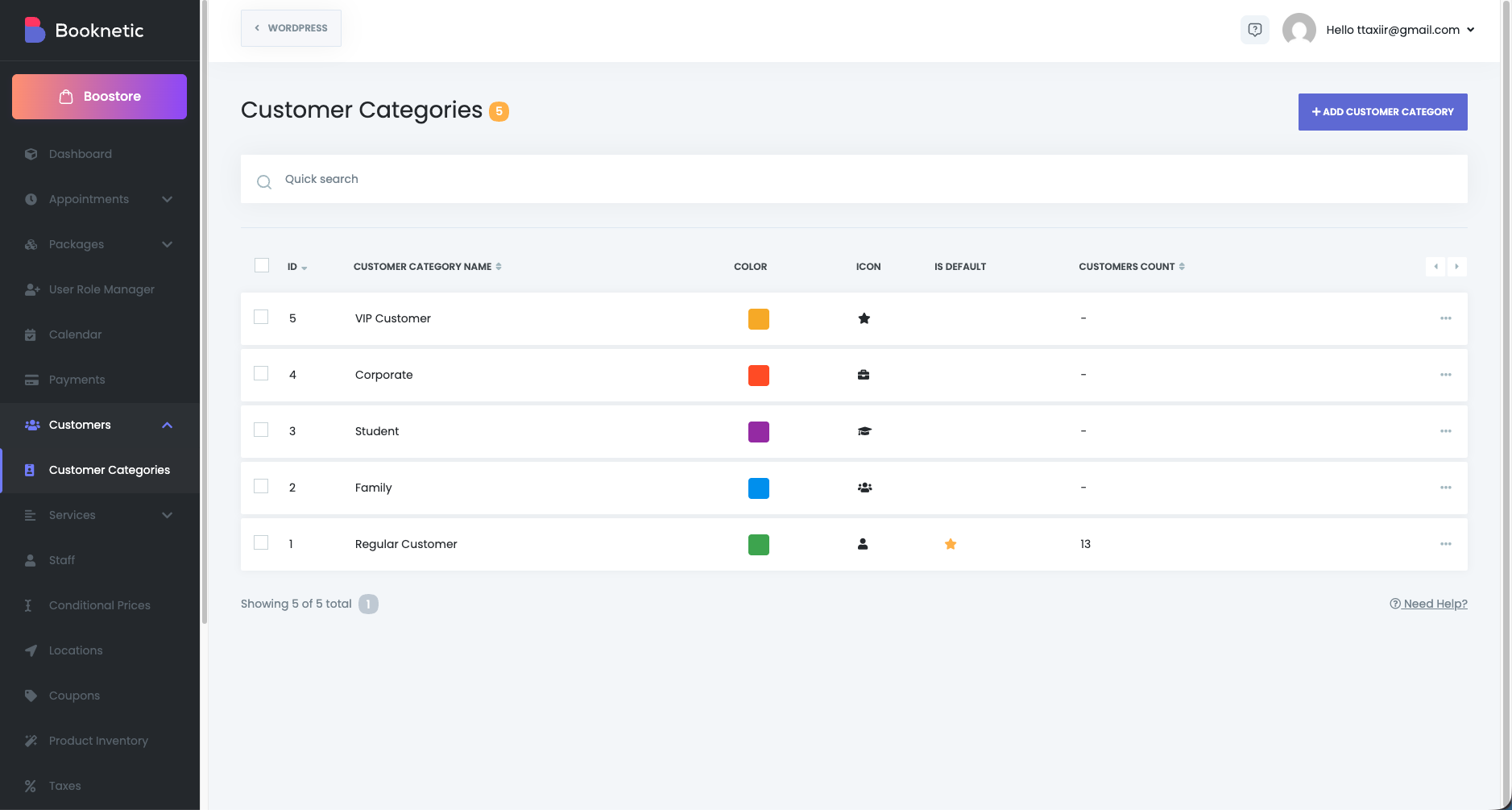
Inside the Customers menu, a new sub-section called Customer Categories is added.
Clicking it opens a clean data table with the following columns:
ID
Name
Color
Icon
Is default
Customers count
This gives you an instant overview of all your categories and how many customers belong to each one.
Create Customer Categories With Ease
The Add new Customer Category button opens a modal where you can configure:
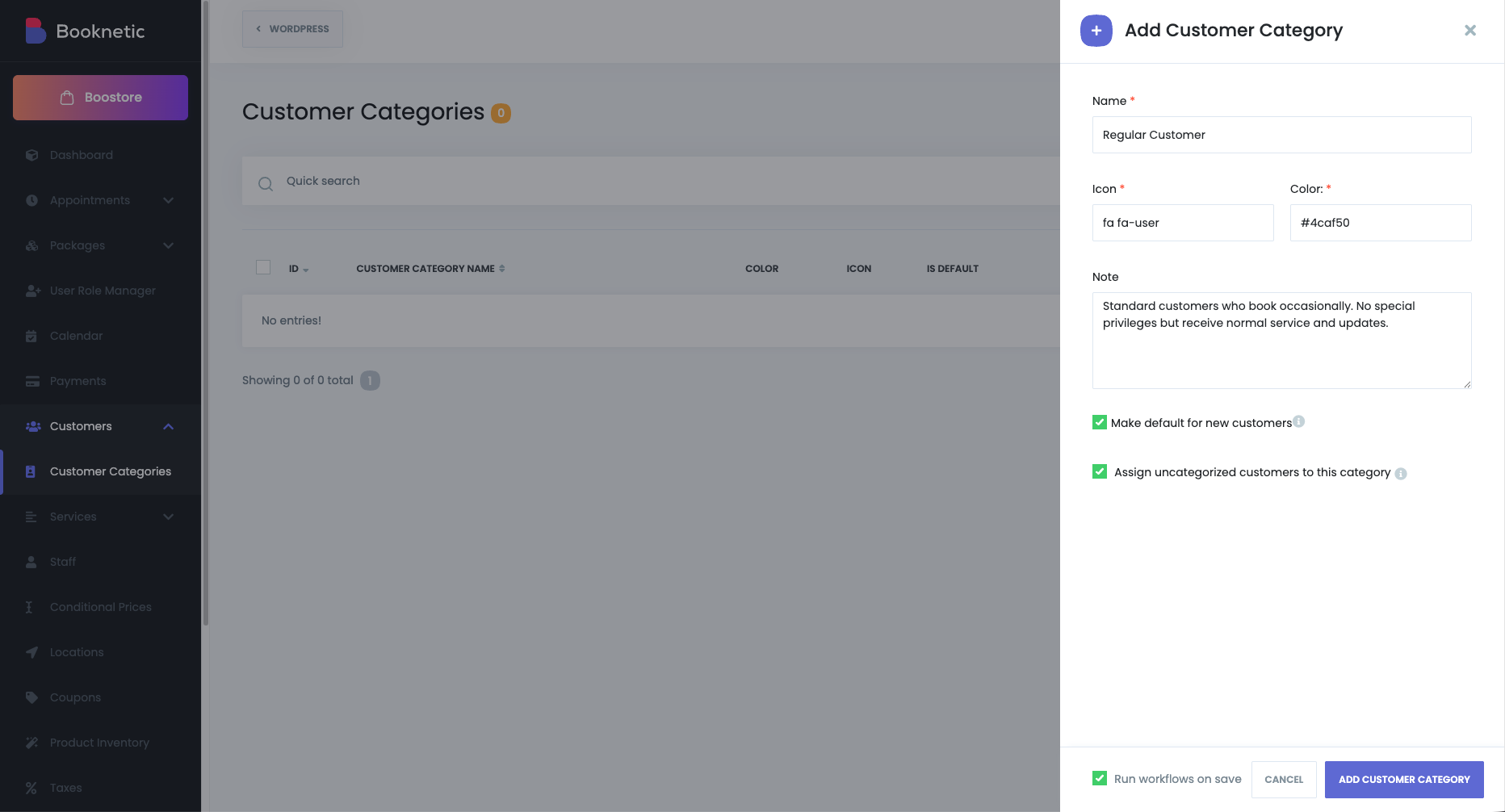
Name
Choose a clear and descriptive title for your category.
Color
Assign a color so categories are easier to recognize visually.
Icon
Enter an icon name (similar to Appointment Custom Statuses) to represent the category.
Make default for new customers (checkbox)
Automatically assign this category to every newly created customer.
Only one default can exist at any time—if you set a new one, it replaces the previous default.
Assign uncategorized customers to this category (conditional checkbox)
This option appears only if you currently have uncategorized customers.
Once enabled, all of them will be assigned to the new category instantly.
Edit or Delete Categories Anytime
You can edit or delete any category from the list.
When deleting a category:
All customers assigned to it will be unassigned.
If another default category exists, they will be automatically reassigned to that default.
If no default exists, the customers will remain uncategorized.
Delete confirmation text: “When you delete this category, all customers assigned to it will be automatically unassigned. If you have a default category, those customers will be reassigned to it; otherwise, their category will remain empty.”
Category Visibility Inside the Customers Module
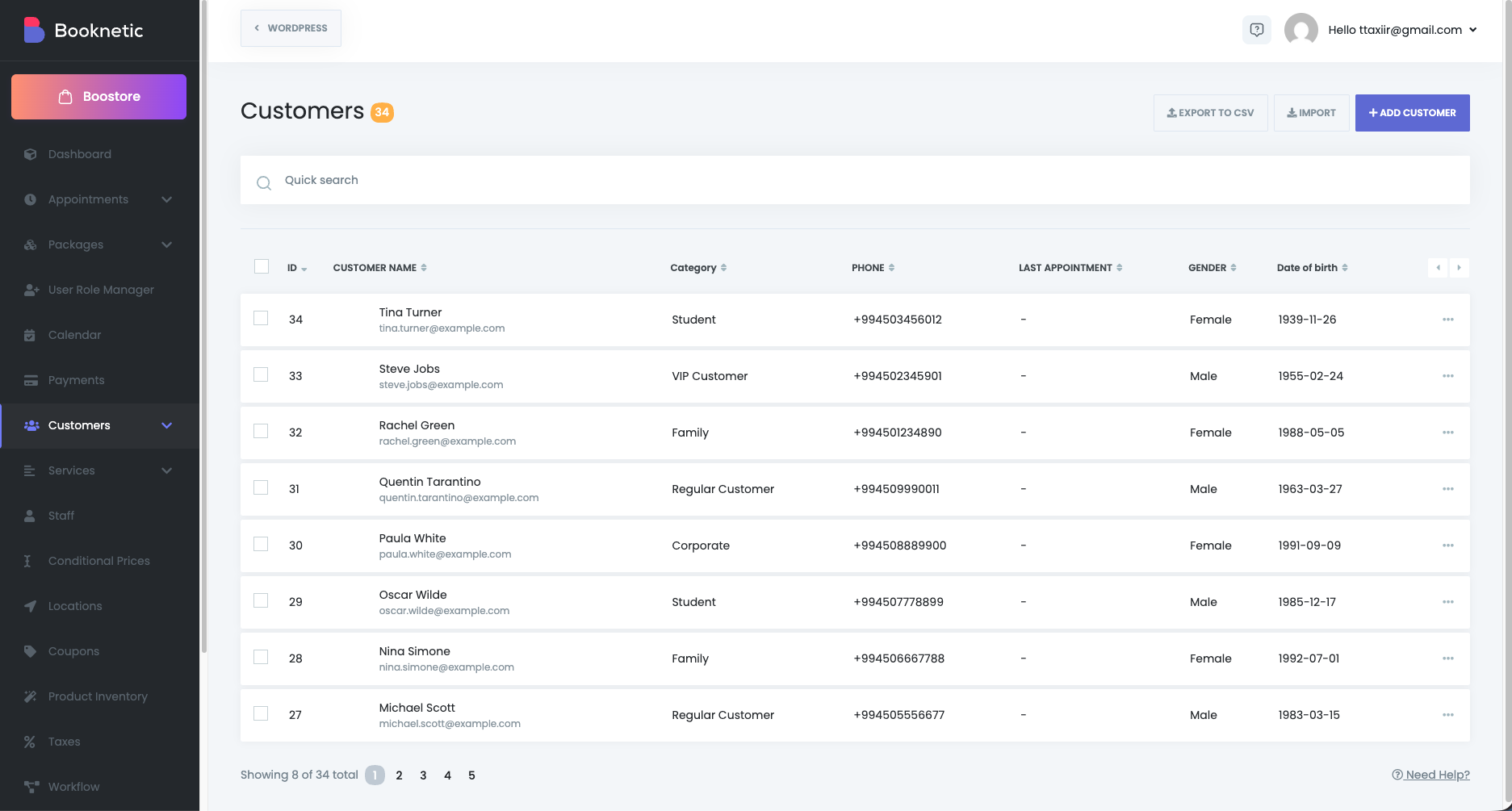
A new Category column is added to the Customers table (placed after the customer name).
You can instantly see each customer’s assigned category while browsing the list.
Category Selection in Customer Add/Edit Modal
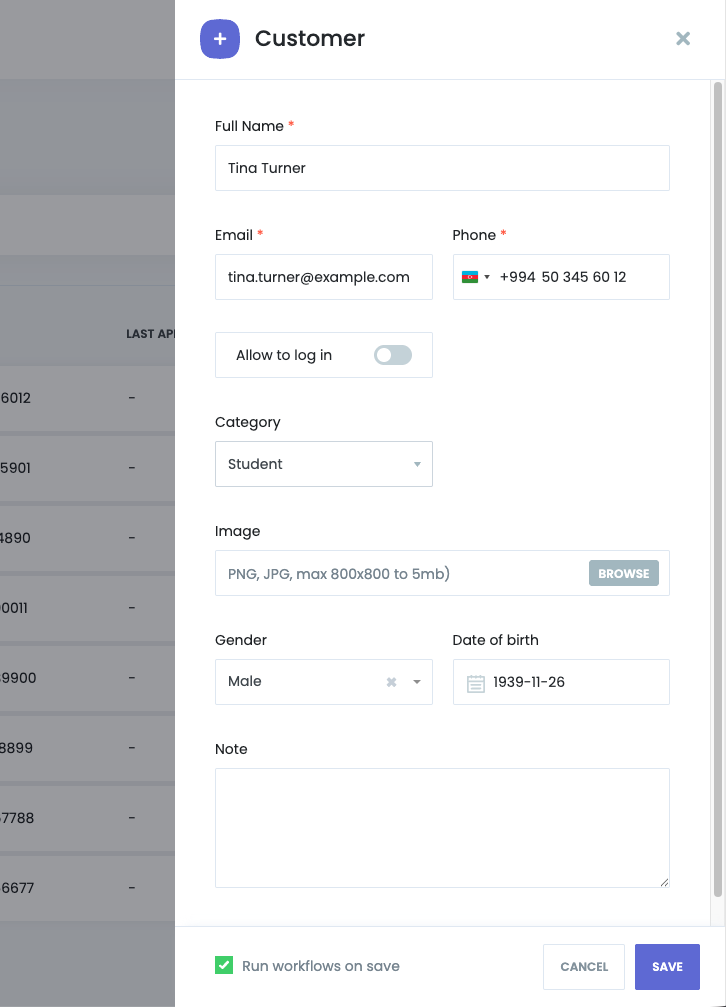
The Customer Add/Edit modal now includes a category selector (placed above the profile image).
You can assign or update a customer’s category at any time.
The Customer Info modal also displays the category at the bottom for quick reference.
Workflow System Integration
The Customer Category feature is fully integrated with Booknetic’s Workflow Automations.
New Workflow Keyword:
Customer Category
Workflow Event Filter:
All customer-related events now include a Customer Category filter, allowing you to trigger workflows based on specific customer segments.
New Workflow Action: Set Customer Category
This action lets you change a customer’s category automatically within any workflow.
Field:
Customer category (select the category you want to assign)
If the event doesn’t contain a customer_id, the action simply breaks silently—no errors thrown.
Why Customer Categories Matter
Organize and classify customers more effectively
Create targeted automations
Deliver more personalized service
Keep your customer database cleaner and more structured
Automatically categorize new clients
Build advanced workflows based on customer types


