


Workflows send the messages a booking needs: confirmations, reminders and follow-ups. Some messages have nothing to do with a booking, like a spring offer for your regulars, new opening hours or a note to customers you haven't seen in a while. The Campaigns add-on sends one email, SMS or WhatsApp message to the customers you choose, right away or at a time you set, and keeps a report for every campaign.
Key Capabilities
- Email, SMS and WhatsApp: Messages go out through the channel add-ons you already use: Email, Twilio SMS, Amazon SNS or Twilio WhatsApp.
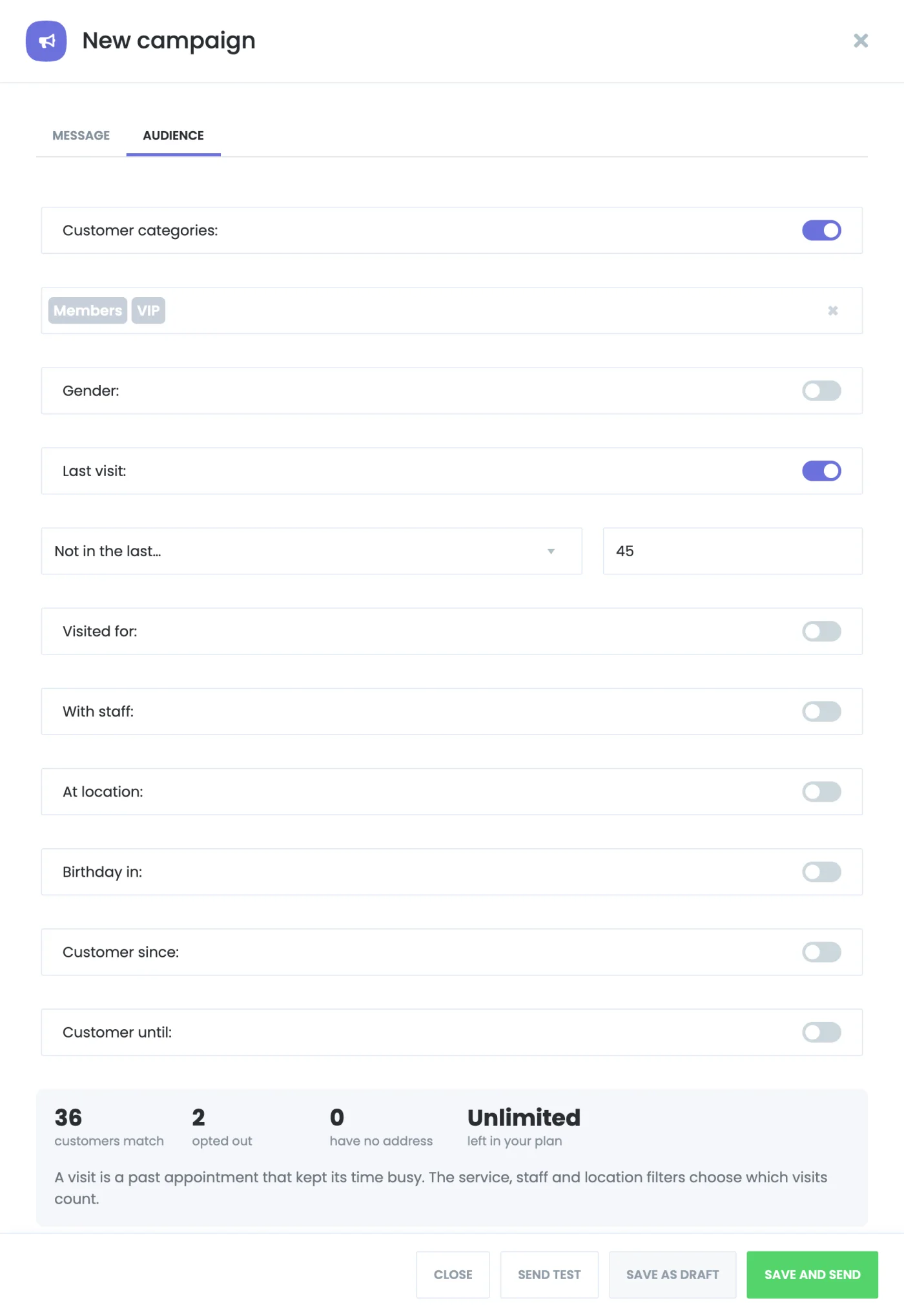
- The right customers: Choose them by customer category, gender, birthday month and the date they became a customer, or by their visits: the services, staff and locations they visited and how long ago their last visit was.
- Know the reach before you send: The audience box counts the customers who match, the ones who opted out and the ones without an address, and shows how many messages your plan still allows.
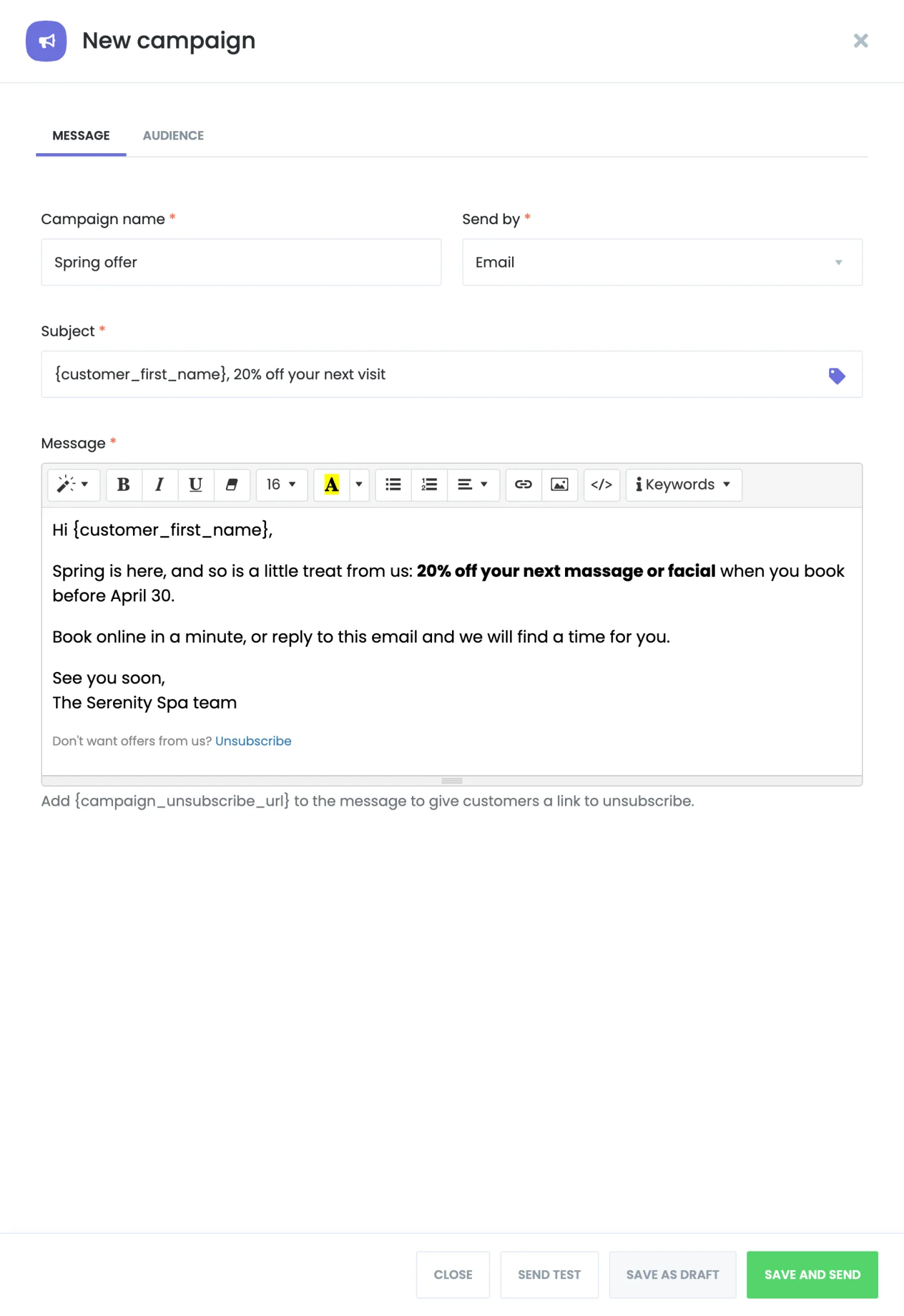
- Personal messages: Customer shortcodes such as {customer_first_name} fill in each customer's details. Send yourself a test filled in with one of the selected customers.
- Now or later: Send a campaign right away or schedule it, save it as a draft, cancel a scheduled one or stop one that is sending.
- Unsubscribe built in: Add {campaign_unsubscribe_url} to a message and customers get their own link to an opt-out page on your site. Customers who opted out are skipped.
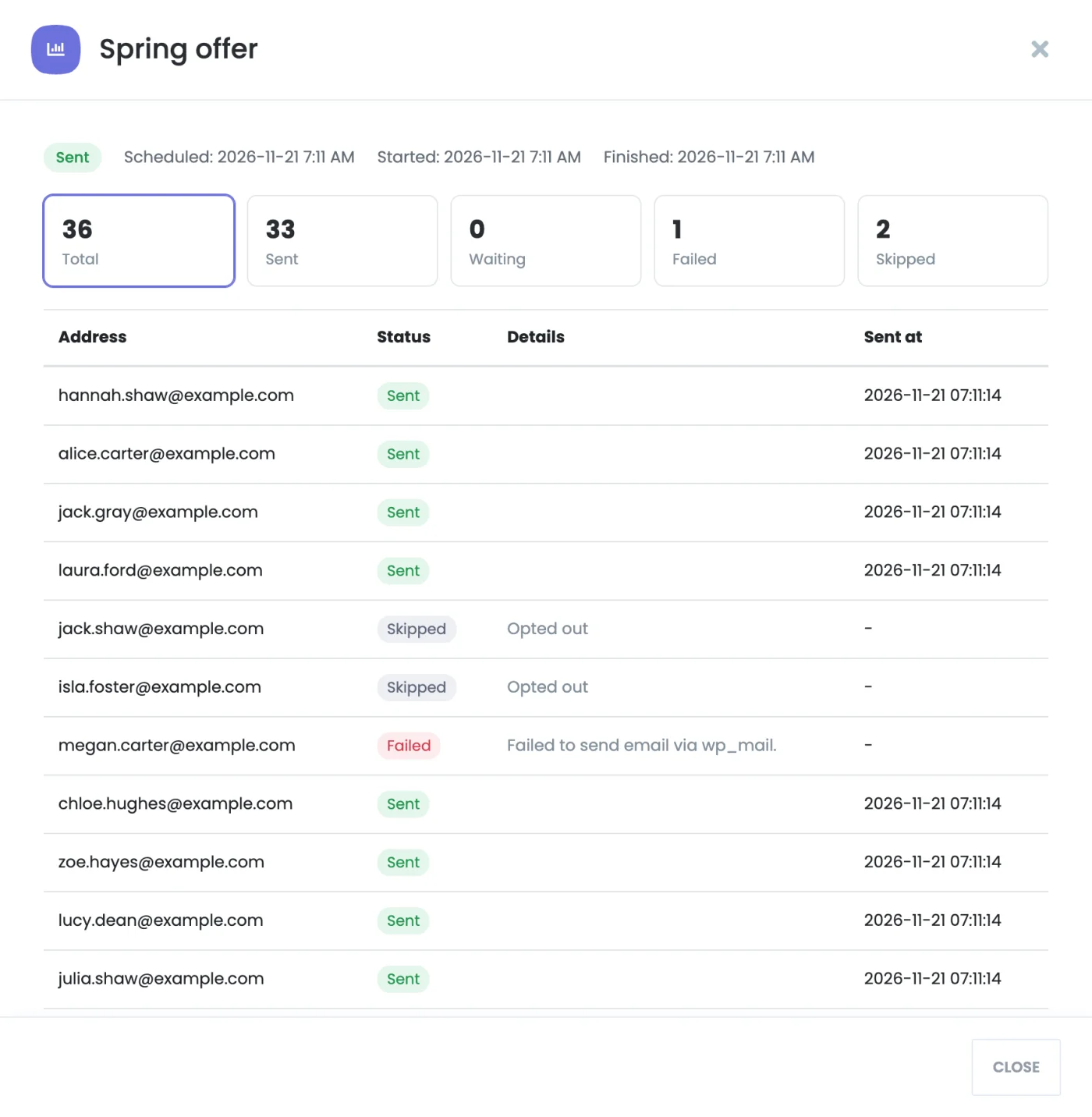
- A report for each campaign: See every address with its status: sent, waiting, failed or skipped, and the reason for each skip.
How It Works
- Install the Campaigns add-on from the Booknetic Boostore, next to the channel add-on you send with.
- Open Campaigns, click New campaign, choose the channel and write the message.
- On the Audience tab, turn on the filters you need and check the count.
- Click Save and send, then send it now or schedule it.
- Messages go out in the background at the pace you set. Open the report to follow them.
For the complete setup guide, see the Campaigns documentation.
Who Benefits
Salons and spas bringing back customers who haven't booked in a while, clinics announcing new opening hours or a new specialist, fitness and yoga studios promoting a new class to the customers of a related one, tutors and schools reaching every student before a term starts, and any business with news that isn't tied to a single booking.
Good to Know
Campaigns sends through the Booknetic cron job, so set up a server cron for steady sending. The recipients are fixed when you click Send: customers added later aren't included. Each message is tried once, and a failed one is not retried, because a provider may charge for it. WhatsApp campaigns use templates Meta has approved in your Twilio account. In Booknetic SaaS, campaign messages count against the tenant's plan limits, the same as workflow messages.
Availability
Campaigns is a paid add-on for Booknetic 6.2 and later. It is included in the Premium and Elite subscription plans and can be bought individually through the Boostore. In Booknetic SaaS, it is included in the Ultimate and Infinity subscription plans. Visit the pricing page for current plan inclusions.


