


Booknetic is a WordPress appointment booking plugin with WhatsApp notifications through the Twilio WhatsApp API. Confirmations, reminders and follow-ups reach the customer in the app they already check, with approved message templates and variables filled from the booking.
Like SMS and email, WhatsApp messages are workflow actions: pick the trigger, pick the template, map the variables, done.
- Type
- Add-on (Twilio WhatsApp)
- Included in
- Elite plan; sold separately on Basic, Standard and Premium
- Requires
- A Twilio account with WhatsApp Business set up, a Messaging Service and approved Content Templates
- Triggers
- Booked, rescheduled, status changed, appointment starts or ends, paid, new customer and more
- Message
- A Twilio Content Template whose variables are filled with Booknetic shortcodes
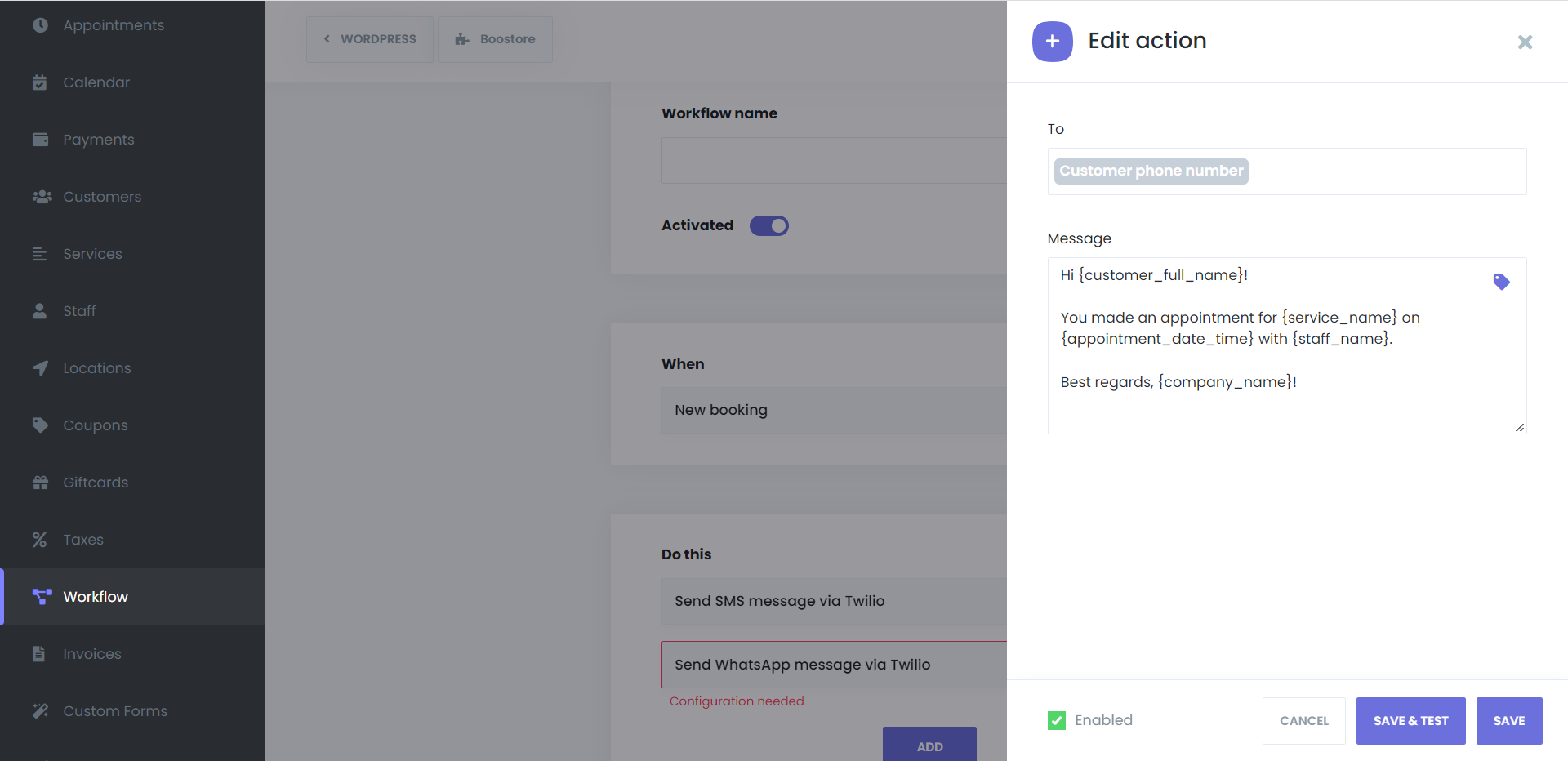
What WhatsApp notifications you can send
- Booking confirmation. Service, staff, date and time the moment the booking is made, using a template approved by WhatsApp.
- Reminders before the appointment. One or several, each with its own lead time, each a separate workflow.
- Reschedule and cancellation notices. When the time or the status changes, from the customer panel or the admin, the right template goes out. Filters on the previous and the new status let you word each case differently.
- Follow-ups after the visit. A thank-you, a review request or a rebooking link N minutes after the appointment ends.
- Staff alerts. Any workflow can go to the staff member or the admin instead of, or as well as, the customer.
How it works
- In Twilio, complete the WhatsApp Business setup, create a Messaging Service and create the Content Templates you want to send. WhatsApp approves templates before they can be used.
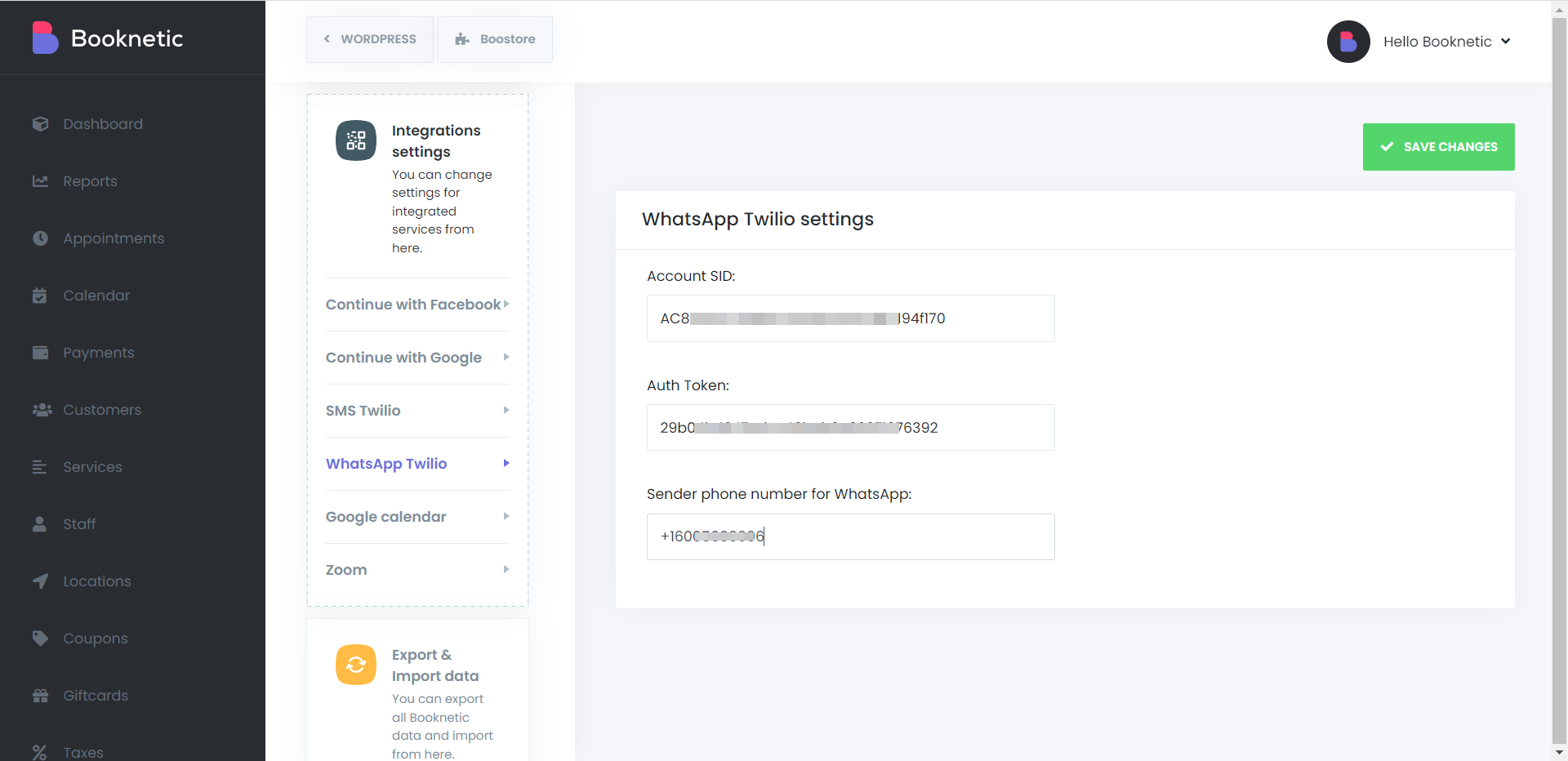
- Enter the Twilio Account SID and Auth Token under Settings > Integrations > WhatsApp Twilio in Booknetic.
- In a workflow, add the action Send WhatsApp message via Twilio, choose the recipients ({customer_phone}, {staff_phone} or numbers), the Messaging Service and the template. Booknetic loads the template text and shows one field per variable; fill them with shortcodes such as {customer_name}, {appointment_date} and {service_name}.
- Click Save & Test to send the template to your own number before enabling the workflow.
Templates and cron. WhatsApp only delivers business messages that use an approved template, so free text is not possible. And since Booknetic 5.9.0 all workflow actions run through a server cron queue: without a real cron job every minute, WhatsApp, SMS, Telegram and email workflows are not sent.
Every attempt is written to the workflow log with its status and, on failure, Twilio's error message. The WhatsApp documentation covers the Twilio screens.
Who uses it
- Salons, barbers and nail studios in markets where customers read WhatsApp before SMS. See hairdressers.
- Clinics and dentists cutting no-shows with a WhatsApp reminder the day before. See health and medical.
- Tutors and coaches sending the online meeting link by WhatsApp an hour before the session. See tutoring.
Related features
- SMS notifications through Twilio or Amazon SNS
- Telegram notifications for staff alerts
- Email notifications for longer messages and attachments
- Workflows, the engine behind every notification
Frequently asked questions
Can Booknetic send WhatsApp appointment reminders?
Yes. The Twilio WhatsApp add-on sends a workflow action on triggers such as "appointment starts" with a lead time, using an approved WhatsApp template whose variables are filled from the booking.
Do I need a WhatsApp Business account?
Yes, set up through Twilio. You need a Twilio account with WhatsApp enabled, a Messaging Service and approved Content Templates. Booknetic connects with the Account SID and Auth Token.
Can I write free text in the message?
No. WhatsApp requires approved templates for business-initiated messages. You pick the template in the workflow and fill its variables with shortcodes.
Can a customer reply on WhatsApp?
Replies go to your Twilio WhatsApp number, not into Booknetic. Handle conversations in Twilio or the tool connected to it.
What does a WhatsApp message cost?
Twilio and Meta charge per conversation on your Twilio account. Booknetic adds no per-message fee.
Which plans include WhatsApp notifications?
The Twilio WhatsApp add-on is included in the Elite plan and sold separately on Basic, Standard and Premium.


