


Booknetic is a WordPress appointment booking plugin with Zoom integration: when a customer books an online service, a Zoom meeting is created for that exact time, and the join link reaches the customer and the staff member automatically.
No copying links into emails, no shared "office hours" room, and no meeting left behind when a booking is cancelled.
- Type
- Add-on (Zoom)
- Included in
- Premium and Elite plans; sold separately on Basic and Standard
- Zoom accounts
- One per staff member, connected from the Staff edit page
- Per service
- Zoom is switched on per service, so in-person services stay untouched
- Meeting link delivery
- Shortcodes in email, SMS, WhatsApp or Telegram workflows, plus Join buttons in the customer and staff panels
What the Zoom integration does
- A meeting per appointment. The moment a booking is created for a Zoom-enabled service, Booknetic creates the meeting on the staff member's Zoom account with the topic and agenda you define, shortcodes included.
- Changes follow the booking. Reschedule and the meeting moves. Cancel, or move the appointment to a status that is not busy, and the meeting is deleted. Change the staff member and the meeting is recreated on the new account.
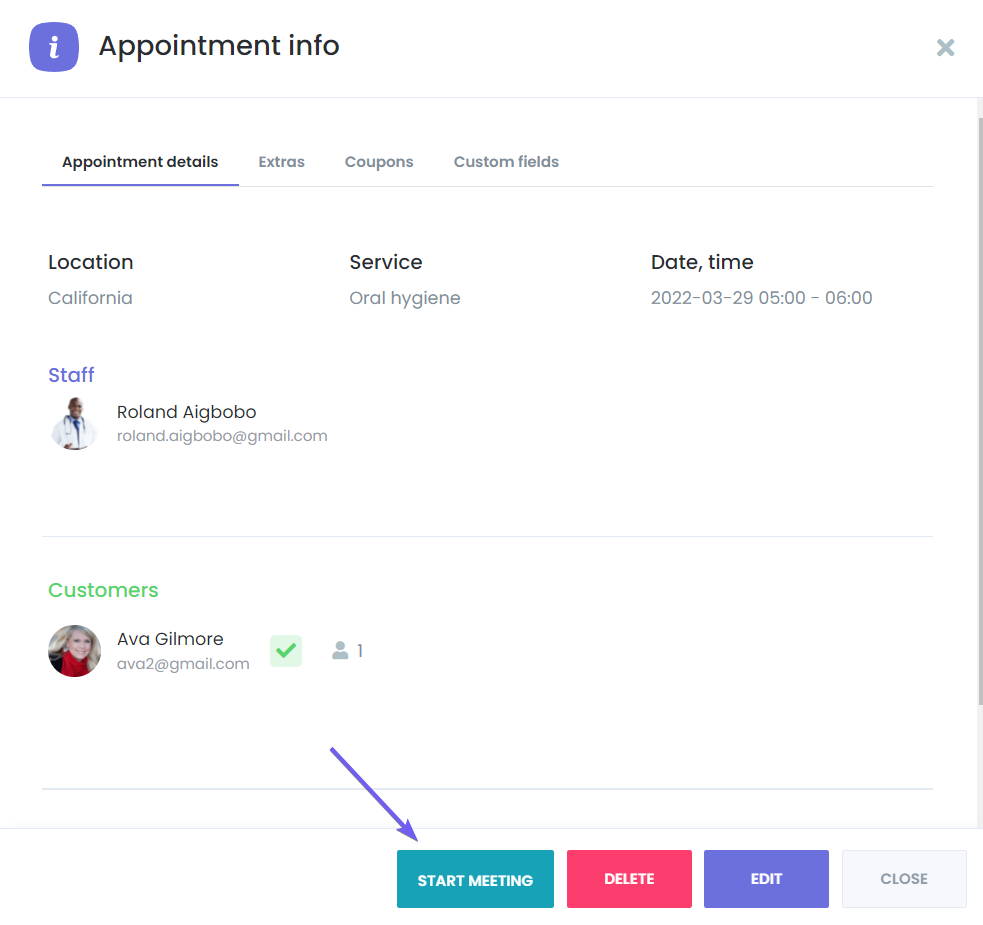
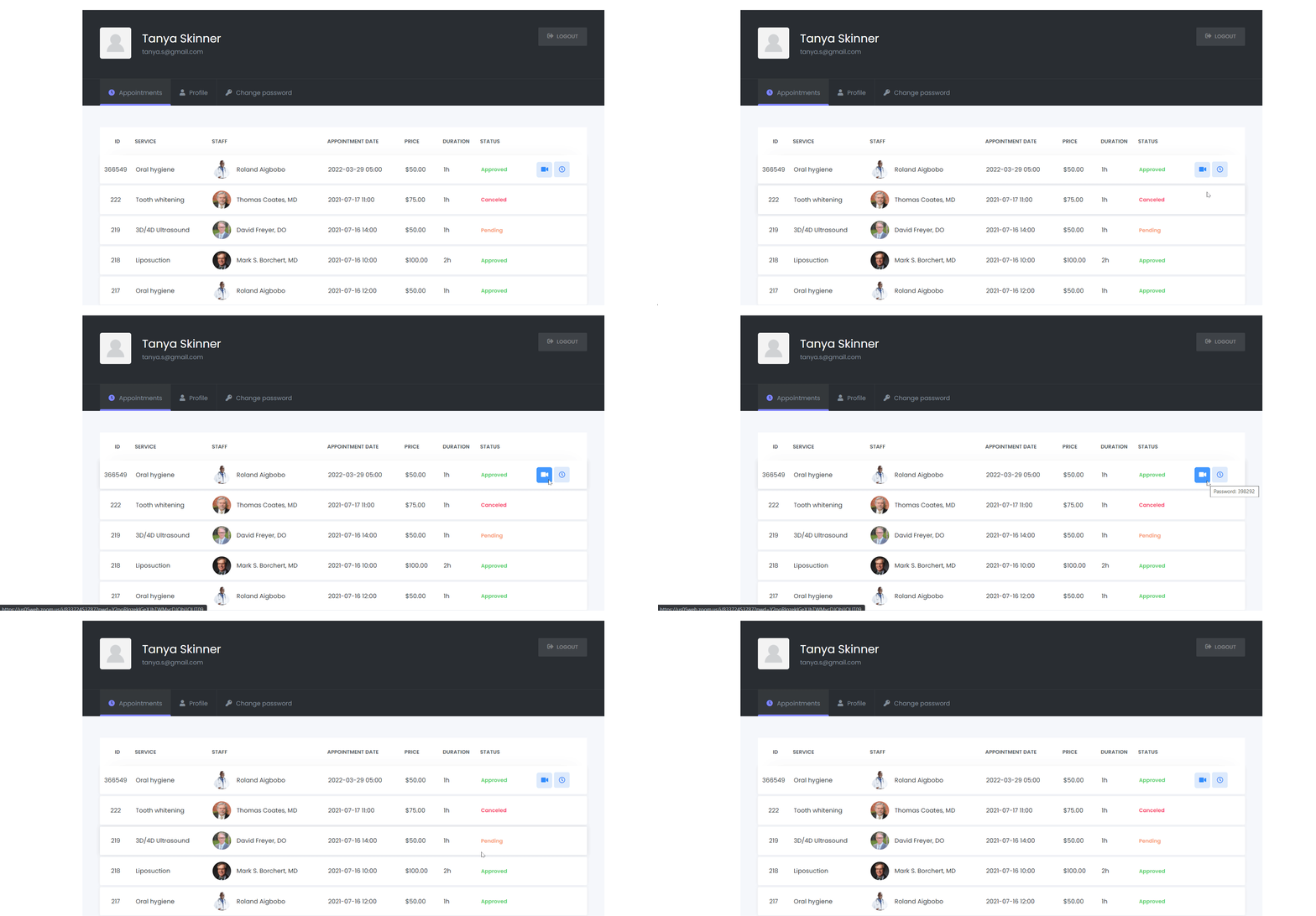
- Links where people look. Use {zoom_join_url} and {zoom_start_url} in any notification, and let customers click Join Meeting inside the customer panel while staff use Start Meeting in theirs.
- Group sessions share one meeting. Bookings for the same service, staff, location and time reuse a single Zoom meeting, so a class of ten gets one link.
- Optional random passwords. Generate a six-digit password for every meeting with one toggle.
How it works
- Enable Zoom in Settings > Integrations > Zoom and set the meeting topic and description. Self-hosted sites use Booknetic's official Zoom app, so there are no API keys to create.
- Open each staff member who holds online appointments, click Connect Zoom account and sign in to Zoom. Every staff member can use their own account.
- Open the service, turn on Activate Zoom for the service and save. Only services with the toggle create meetings.
- Add the join link to your confirmation and reminder workflows with the Zoom shortcodes.
The Zoom documentation shows every screen. Meetings are created only for appointments in a busy status, so a pending request does not occupy the host's Zoom calendar until it is approved.
Who uses it
- Therapists, coaches and tutors who sell sessions online and want the link handled for them. See online and offline tutoring.
- Law firms and consultants offering a paid video consultation with a deposit or full payment at booking. See legal consultants.
- Clinics running telehealth slots next to in-person visits, with Zoom on only for the online service. See health and medical.
Related features
- Google Meet integration for teams on Google Workspace
- Microsoft Teams integration for Microsoft 365 organisations
- Customer Panel where customers find their Join button
- Google Calendar sync so the meeting also sits in the staff calendar
Frequently asked questions
Does every staff member need their own Zoom account?
Each staff member who hosts online appointments connects a Zoom account from their Staff edit page. Several staff members can use different accounts, and the meetings are created on the account of the staff member who was booked.
Can I use Zoom for some services only?
Yes. Zoom is enabled per service with the "Activate Zoom for the service" toggle. In-person services never create meetings.
How does the customer get the Zoom link?
Through the {zoom_join_url} shortcode in your email, SMS, WhatsApp or Telegram workflows, and through the Join Meeting button in the customer panel.
What happens to the meeting when the appointment is cancelled?
It is deleted on Zoom. If the appointment is rescheduled, the meeting is updated to the new time.
Does a group class create one meeting or many?
One. Appointments with the same service, staff, location and start time share a single Zoom meeting.
Which plans include the Zoom add-on?
Premium and Elite. On the Basic and Standard plans it is a separate purchase.


