


The WooCommerce payment add-on lets Booknetic connect appointment checkout with WooCommerce. WooCommerce handles the checkout and payment-method side, while Booknetic can use WooCommerce order status mapping to update the related appointment/payment status.
Connect Booknetic bookings to WooCommerce checkout
Use this option when you want Booknetic appointment payments to be completed through a WooCommerce checkout flow. WooCommerce must be installed and active, and the relevant Booknetic WooCommerce payment add-on must be enabled for the appointment payment flow.
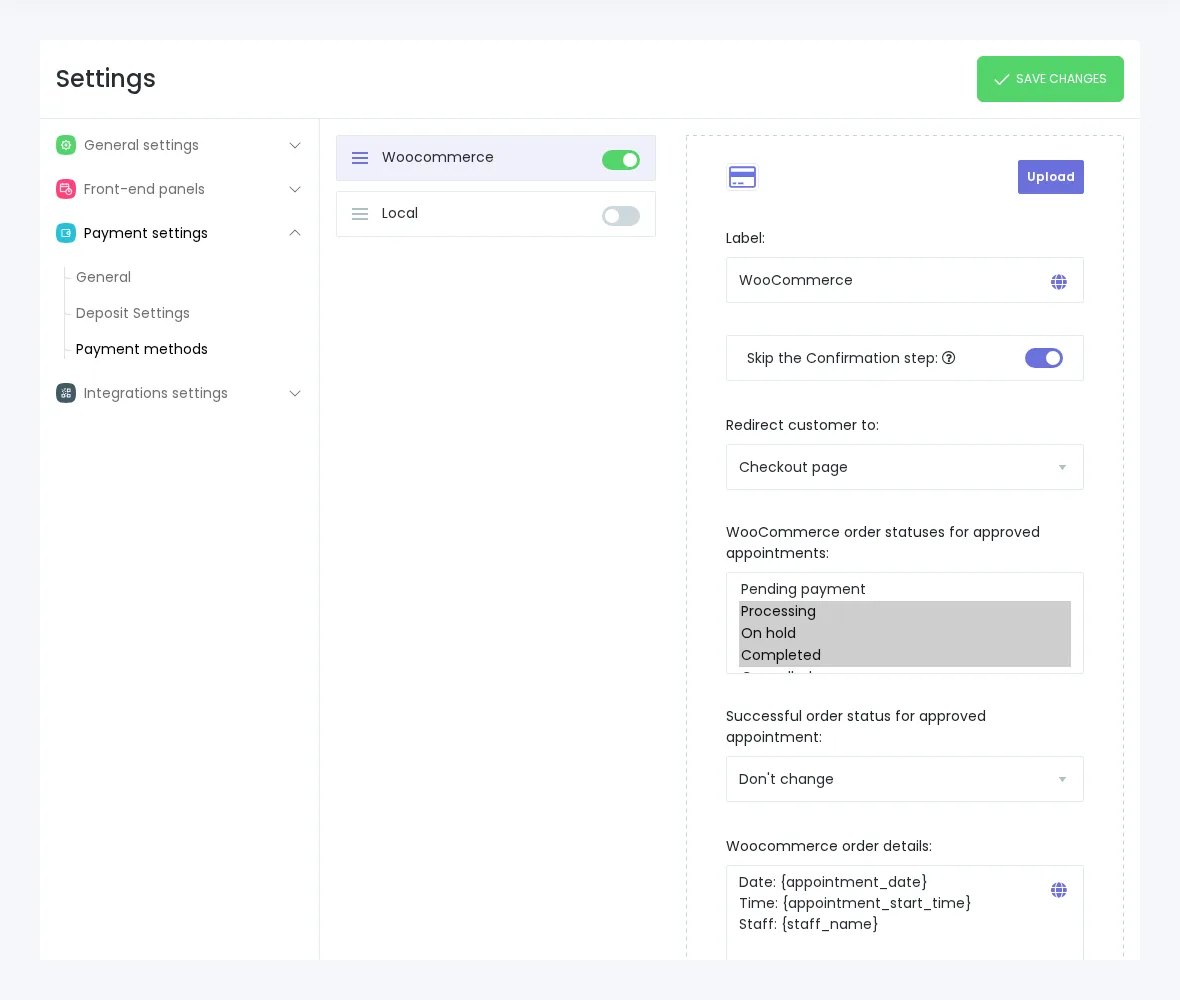
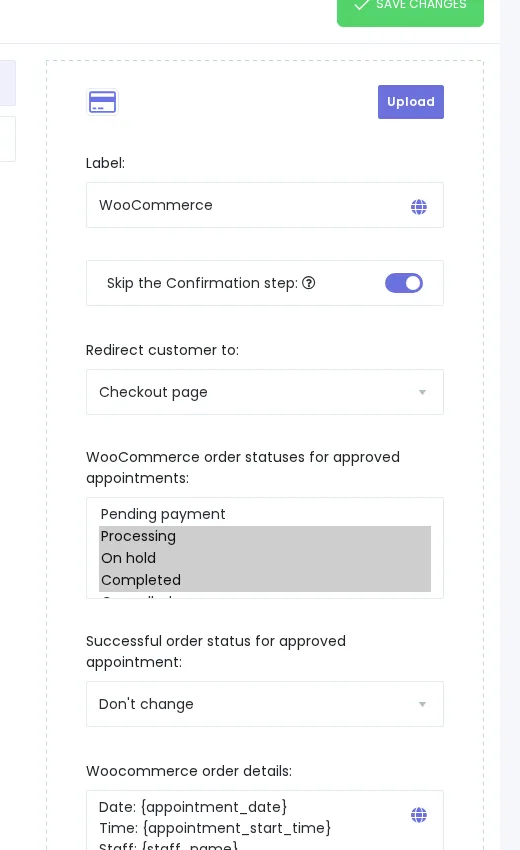
How WooCommerce payment works with Booknetic
- Install and activate WooCommerce and the Booknetic WooCommerce payment add-on.
- Configure the payment methods you want to use inside WooCommerce.
- Enable WooCommerce Payment in Booknetic payment settings and choose the redirect behavior.
- After the customer books an appointment, Booknetic hands the payment step to WooCommerce for checkout.
- WooCommerce order statuses can be mapped back to Booknetic appointment/payment statuses.
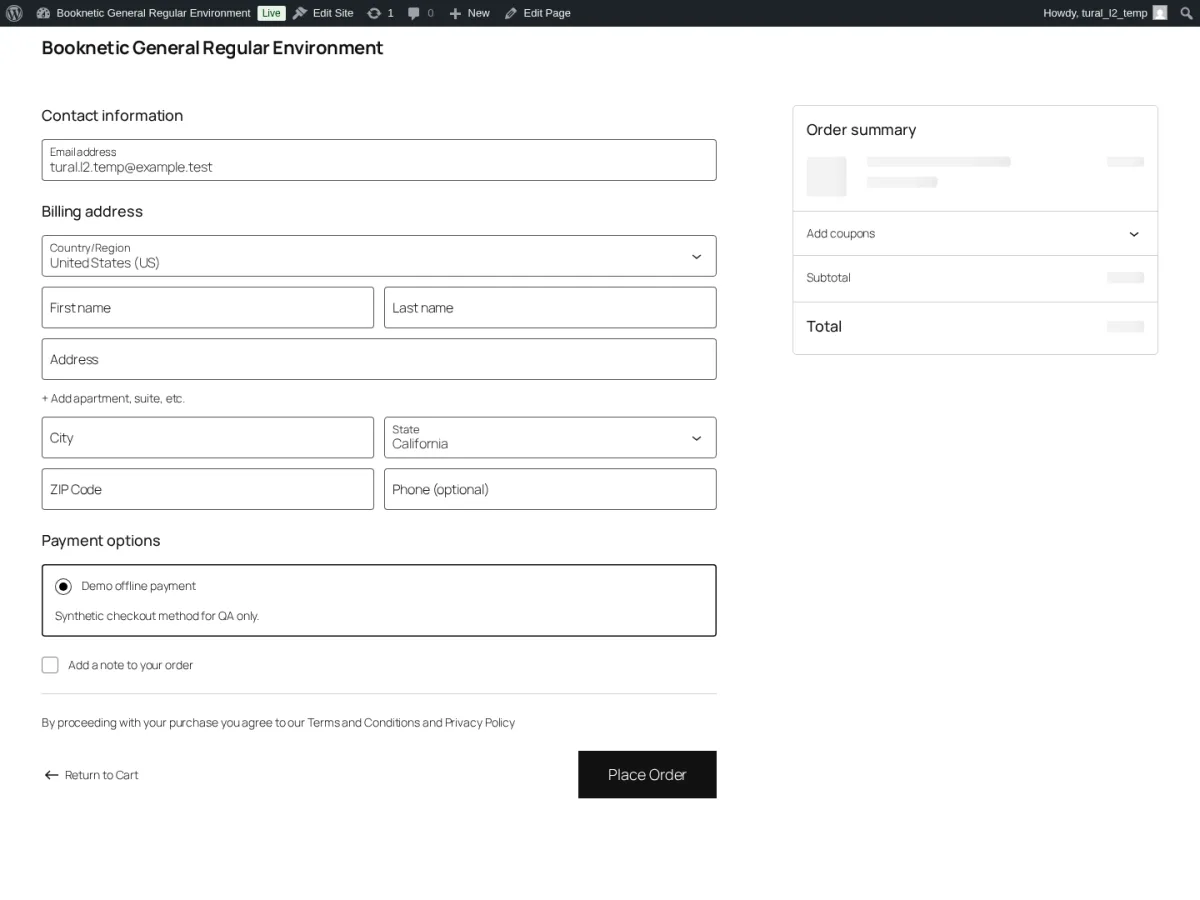
Customer checkout experience
After selecting a service and confirming the booking details in Booknetic, the customer can be redirected to WooCommerce Cart or Checkout depending on your configuration. The available payment methods are the ones configured in WooCommerce, not separate Booknetic gateway settings.
Important setup notes
- WooCommerce is a prerequisite for this Booknetic payment add-on.
- Use WooCommerce for the checkout/payment-method side and Booknetic for the appointment booking flow and status mapping.
- When WooCommerce Payment is active, do not present it as direct support for every gateway inside Booknetic; payment methods depend on your WooCommerce setup.
- This appointment-payment page is separate from SaaS subscription or balance billing.
- Refund, tax, and invoice handling should follow WooCommerce/provider behavior rather than being described as in-Booknetic payment actions.
FAQ
Does Booknetic directly support every WooCommerce gateway?
No. Booknetic routes appointment checkout through WooCommerce. The payment methods available to customers depend on the WooCommerce-compatible gateways configured in WooCommerce.
Can WooCommerce run with other Booknetic online gateways?
Use WooCommerce Payment as the online payment route for this setup. Local Payment can run alongside WooCommerce when configured, but avoid mixing WooCommerce with other Booknetic online gateway add-ons in the same appointment payment flow.
Where are refunds handled?
Do not treat refunds as an in-Booknetic action for this feature. Handle refund workflows in WooCommerce or the connected payment provider according to your store configuration.


