


Send booking SMS notifications through Amazon SNS
Connect Booknetic with Amazon SNS so configured workflows can send SMS messages through your AWS account.
Feature explanation
SMS Notifications (Amazon SNS) is a separate Booknetic add-on for sending SMS notifications through AWS Amazon SNS. It should not be combined with the Twilio SMS page, because setup, credentials, provider billing, sandbox restrictions, and production access requirements are different.
Current sources say the Amazon SNS setup requires an AWS account, credentials required by the current Booknetic Amazon SNS documentation, region selection, Amazon SNS settings in Booknetic, and production access for non-sandbox sending in the selected region. AWS provider billing and AWS account restrictions apply.
Do not promise high-volume throughput, country coverage, deliverability, cost, sender ID support, production access approval, regulatory compliance, or security best practices beyond approved sources.
Key benefits
- Use Amazon SNS as your SMS provider: Send workflow-based SMS through AWS SNS where configured.
- Keep Twilio and AWS setup separate: Reduce setup confusion by giving Amazon SNS its own page.
- Support staff/customer notification use cases: Current docs state Amazon SNS can send SMS notifications to customers and staff members.
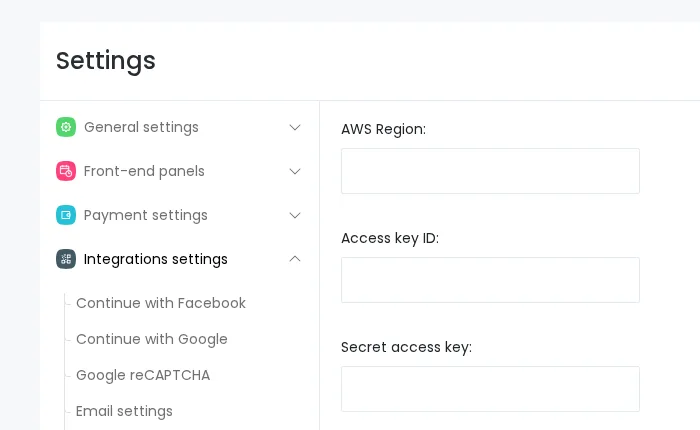
- Use provider-specific settings: Configure AWS region, credentials, and SNS-related fields in Booknetic settings.
- Set accurate expectations: Explain sandbox/production access and provider billing without making AWS guarantees.
How it works
- Install and enable the Amazon SNS add-on.
- Prepare an AWS account and the Amazon SNS credential fields required by Booknetic: AWS Region, Access key ID, Secret access key, and SenderID. Do not expose these values in screenshots or support materials.
- Configure Amazon SNS under Settings > Integrations > Amazon SNS.
- Select the relevant AWS region and provider settings.
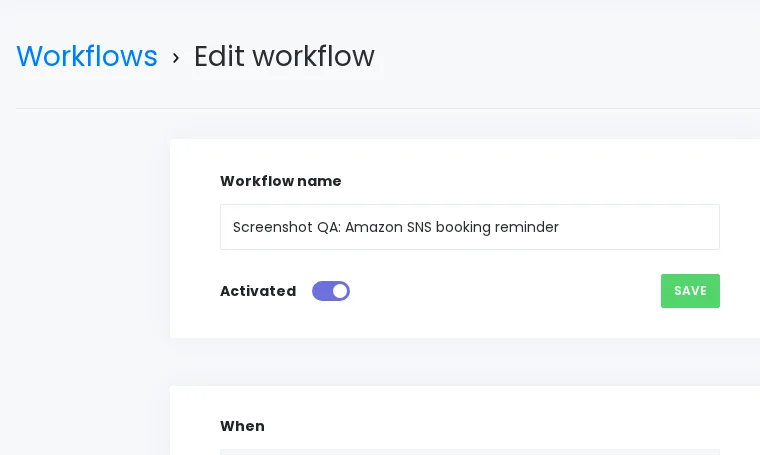
- Configure workflow actions/templates for SMS where available.
- Confirm AWS SNS production access before using non-sandbox outbound SMS.
- Test only with approved non-customer phone numbers and never expose credentials in screenshots.
FAQ
Is Amazon SNS the same as Twilio SMS Notifications?
No. Amazon SNS and Twilio are separate provider integrations with different setup steps, credentials, restrictions, and billing.
Can AWS sandbox accounts send SMS to any number?
No. Current current documentation say AWS SNS production access is required for non-sandbox sending in the selected region.
Can this page recommend broad IAM permissions?
Not beyond current documentation. Security-sensitive IAM guidance needs Engineering review before public expansion.
Does Booknetic guarantee SMS delivery or AWS approval?
No. Delivery, approval, regional availability, throughput, sender rules, and cost are controlled by AWS/provider configuration.


