


Booknetic is a WordPress appointment booking plugin with group appointments: give a service a capacity and several customers can book the same time slot. Classes, workshops, tours and group sessions fill up place by place, and the slot shows how many places are left.
A customer can also bring friends or family in a single booking, and the whole party is counted against the capacity at once.
- Type
- Core feature, every plan
- Set per service
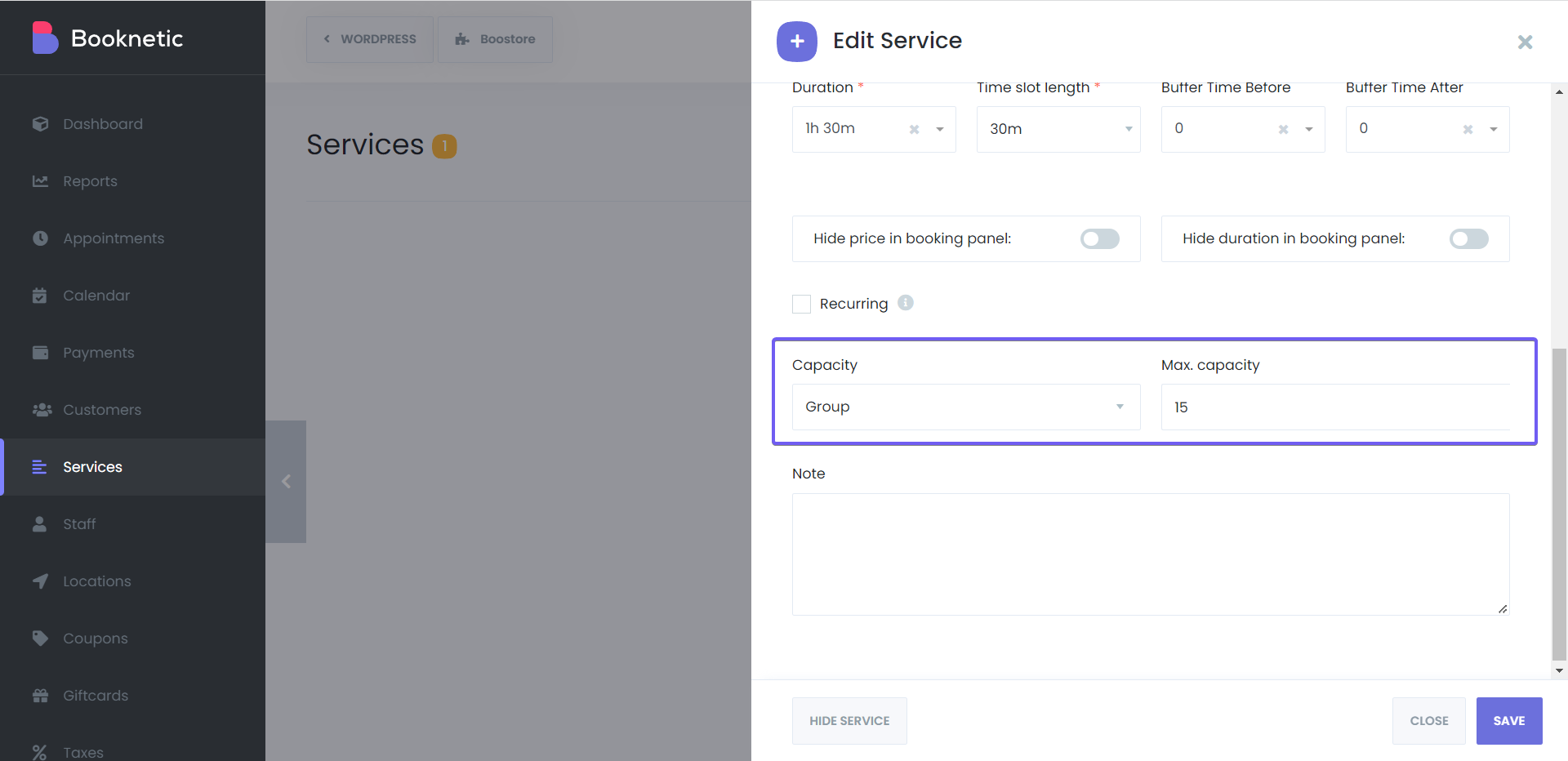
- Capacity "Group" with a maximum number of attendees
- Booking form
- A badge on each slot such as 4 / 15 once a place is taken; full slots are no longer offered
- Bring people
- Checkbox on the Information step, up to the free places minus the booker
- Calendar
- Attendees added to a Google Calendar event count against the capacity
What group booking does
- Capacity per service. Switch a service from Alone to Group and enter the maximum number of attendees. Every time slot of that service then takes bookings until the number is reached.
- Places left, live. As soon as one place in a slot is taken, the slot shows a badge with booked and total places, for example 4 / 15. A full slot disappears from the list. Hide the badge in the Date & Time step settings if you prefer.
- Bring people with you. On the Information step the customer can tick "Bring people with you" and choose how many. The maximum is the free places in the slot minus the customer, and everyone is booked in one go.
- One appointment per booking. In the admin each booking in a group is its own appointment with its own customer, status and payment. The shortcode {total_appointments_in_group} tells a notification how many bookings the slot holds.
- Group plus recurring. A group service can also be recurring, so a customer books the same weekly class for the whole term in one booking.
- Google Calendar attendees. With the Google Calendar add-on a group slot is one event. Attendees you add to that event in Google Calendar reduce the capacity in Booknetic.

How it works
- Open the service, set Capacity to Group and enter the maximum number of attendees. Save.
- Set the duration and time slot length as usual. Each slot of the service now accepts bookings up to the capacity.
- Optionally hide the available places badge under Settings > Front-end panels > Booking steps > Date & Time.
- When a slot is full, customers no longer see it. Add the Waiting List add-on if they should be able to queue for it.
One capacity for the whole service. The maximum applies to every slot of the service and every staff member who offers it. When a room or a trainer takes a different number of people, create a separate service for it.
The group appointments documentation and the Bring People with You documentation show the settings and the customer side step by step.
Who uses it
- Gyms and yoga studios selling places in a class with a fixed number of mats. See gym and fitness.
- Tutors and training centres running small-group lessons and workshops. See tutoring.
- Tour and event organisers booking a guided tour or a tasting with a capacity per start time. See event coordinators.
Related features
- Bring people with you for one booking that covers several attendees
- Waiting list so customers can queue for a full class
- Recurring appointments for a weekly class booked for the whole term
- Google Calendar sync with attendees per group event
Frequently asked questions
Does Booknetic support group bookings?
Yes, on every plan. Set the capacity of a service to Group with a maximum number of attendees, and several customers can book the same time slot until it is full.
Can customers see how many places are left?
Yes. Once a place in a slot is taken, the slot shows a badge with the booked and total places, for example 4 / 15. You can hide the badge in the Date & Time step settings.
Can one customer book for several people?
Yes. The Information step offers a "Bring people with you" checkbox with a number of people. The maximum is the free places in the slot minus the customer.
Is each attendee a separate appointment?
Yes. Every booking in a group slot is its own appointment with its own customer, status and payment, so you can cancel or refund one without touching the others.
Can a group class repeat every week?
Yes. Turn on Recurring for the group service and a customer books the same weekly slot for the whole period in one booking.
What happens when a class is full?
The slot is no longer offered. With the Waiting List add-on, customers can join a waiting list for it and are notified when a place frees up.


