


Ready-made Tenant Templates let you preset fully configured demo “blueprints” of tenants, so every new signup can start with a complete, industry-specific booking setup instead of an empty dashboard.
What this feature does
Creates template tenants that include services, locations, staff, workflows, and settings, then turns them into reusable blueprints.
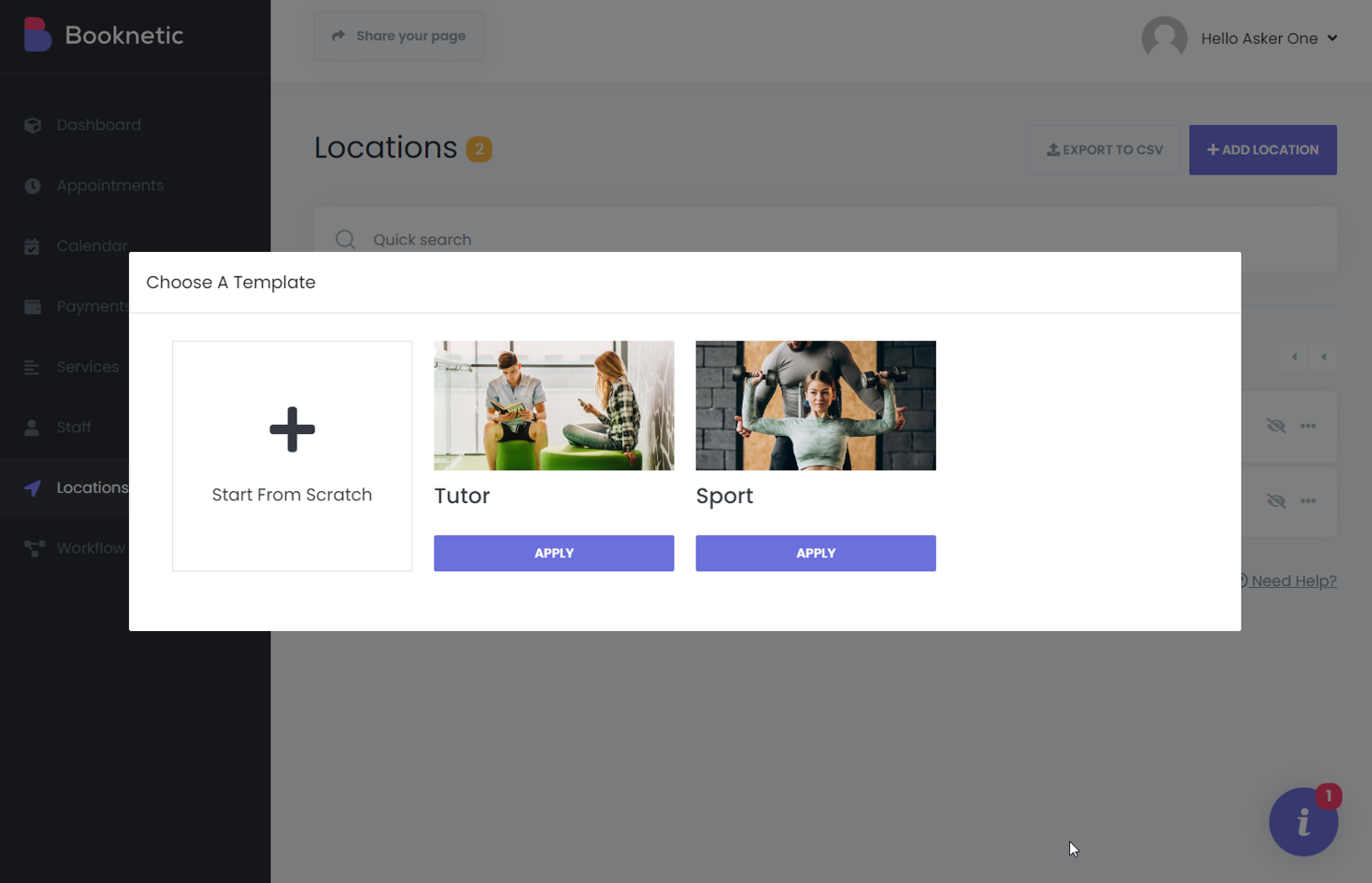
Lets new tenants instantly clone these blueprints during onboarding or later, instead of configuring everything from scratch.
Allows you to mark one template as default so every new tenant automatically starts with that configuration.
Key benefits for you
Faster onboarding: New tenants get a ready-to-use booking system in minutes, not hours or days.
Higher activation and conversion: Prospects immediately see a complete, working setup tailored to their niche, which increases the chance they become paying customers.
Less support workload: Fewer “how do I set up services/staff?” tickets because most configuration comes pre-filled via templates.
How it fits into your SaaS
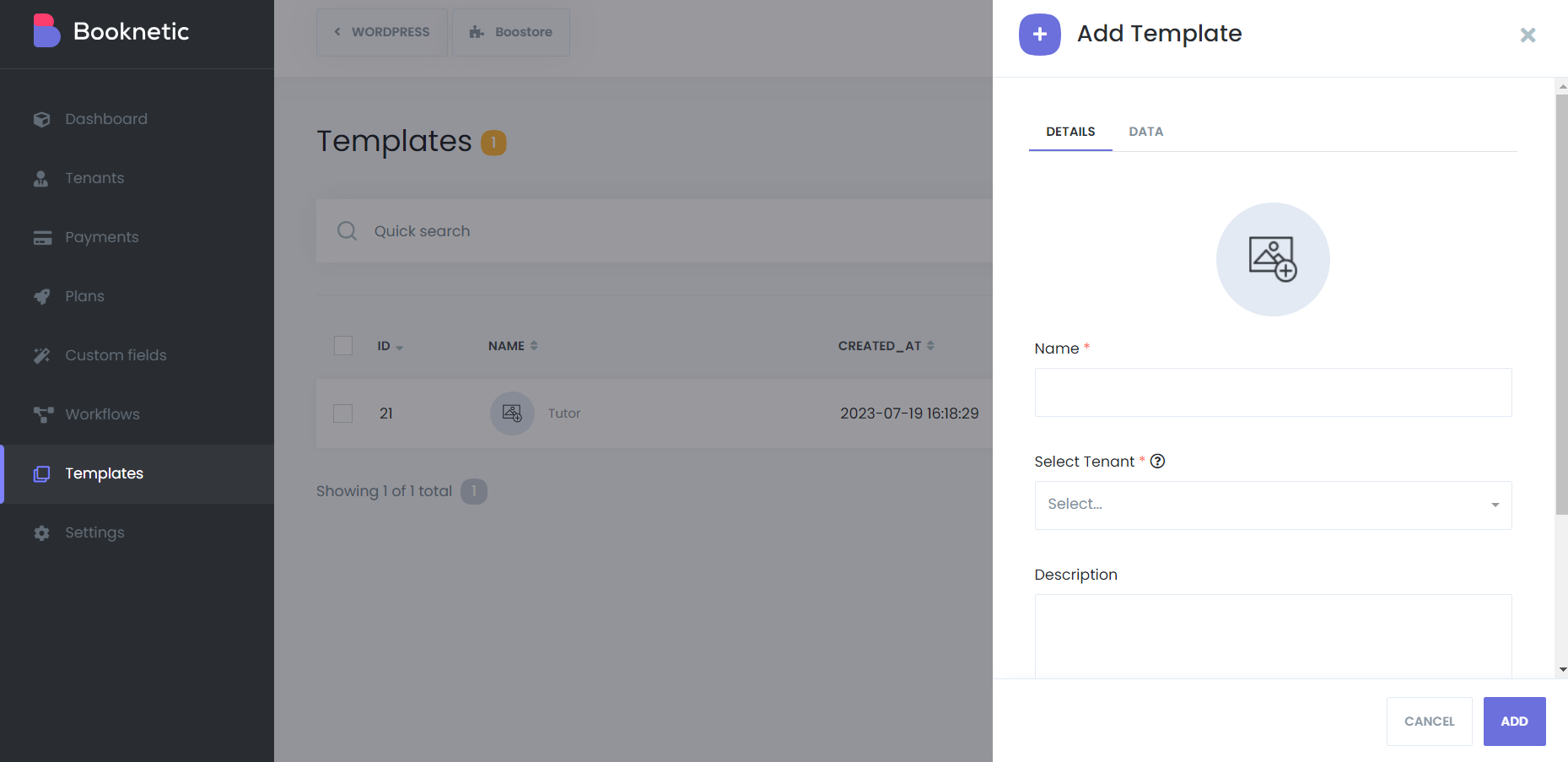
You build one or more “ideal” tenants, then convert them into templates from the Templates module in the SaaS admin dashboard.
Tenants see these templates during signup and can pick the one closest to their business, or receive the default template automatically.
After applying a template, tenants can freely customize everything without affecting the original template or other tenants.
What you can include in a template
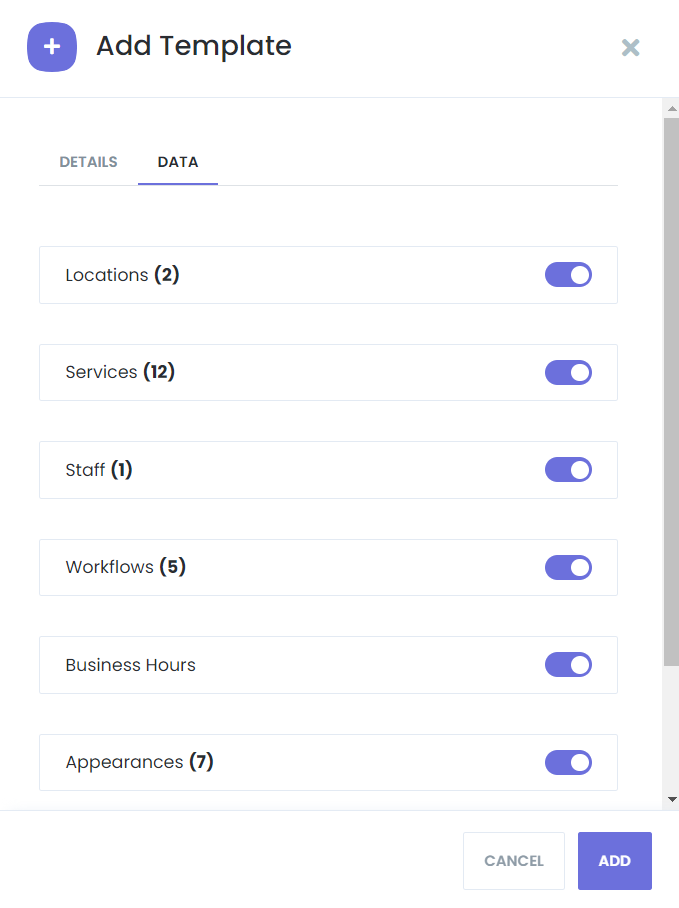
Business structure: Services, categories, locations, staff members, and general configuration from the source tenant.
Operational logic: Workflows and other automation-related elements that define how bookings are handled.
Presentation: Template name, cover image, and description that make it clear what niche or use case the template targets (e.g., “Beauty Salon,” “Dental Clinic,” “Fitness Trainer”).
Strategic use cases
Industry libraries: Offer multiple vertical-specific templates (salon, clinic, coaching, repair, etc.) to attract a wider audience.
Campaign-specific setups: Create templates for seasonal or promotional campaigns and temporarily set them as default for new signups.
Multi-brand operations: Maintain different templates for different brands or markets, all managed from the same SaaS infrastructure.


