


The Customer Panel is more than just a login page; it is an ecosystem where your clients manage their entire relationship with your business. By moving from a manual booking process to a self-service model, you eliminate administrative friction and provide the 24/7 convenience modern customers expect.
A Professional Client Hub
Transform your website into a powerful service platform.
Native Design Integration: Whether you use Gutenberg, Elementor, or Divi, our dedicated widgets and shortcodes ([booknetic-cp]) allow you to drop the panel into any page. It inherits your site’s styling for a seamless "built-in" feel.
Centralized Activity Stream: Clients gain a secure, private dashboard where they can see their entire history with you, past appointments, current sessions, and future bookings, all in one place.
Tailored Authentication: You aren't stuck with a "one size fits all" login. Use specific shortcodes for Sign-Up ([booknetic-signup]) and Sign-In ([booknetic-signin]) to create custom-designed entry points that match your site's flow.
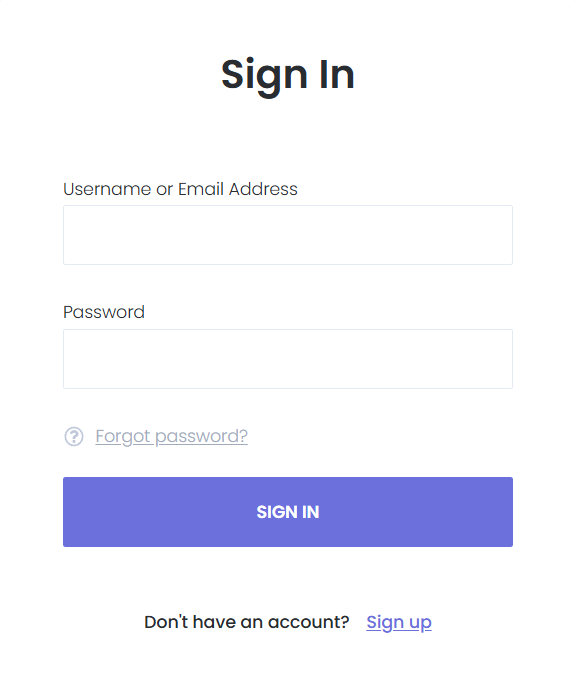
Self-Service Power: Freedom for Them, Time for You
Give your customers the tools to handle their own logistics.
Advanced Appointment Management
Clients no longer need to call you to change a time.
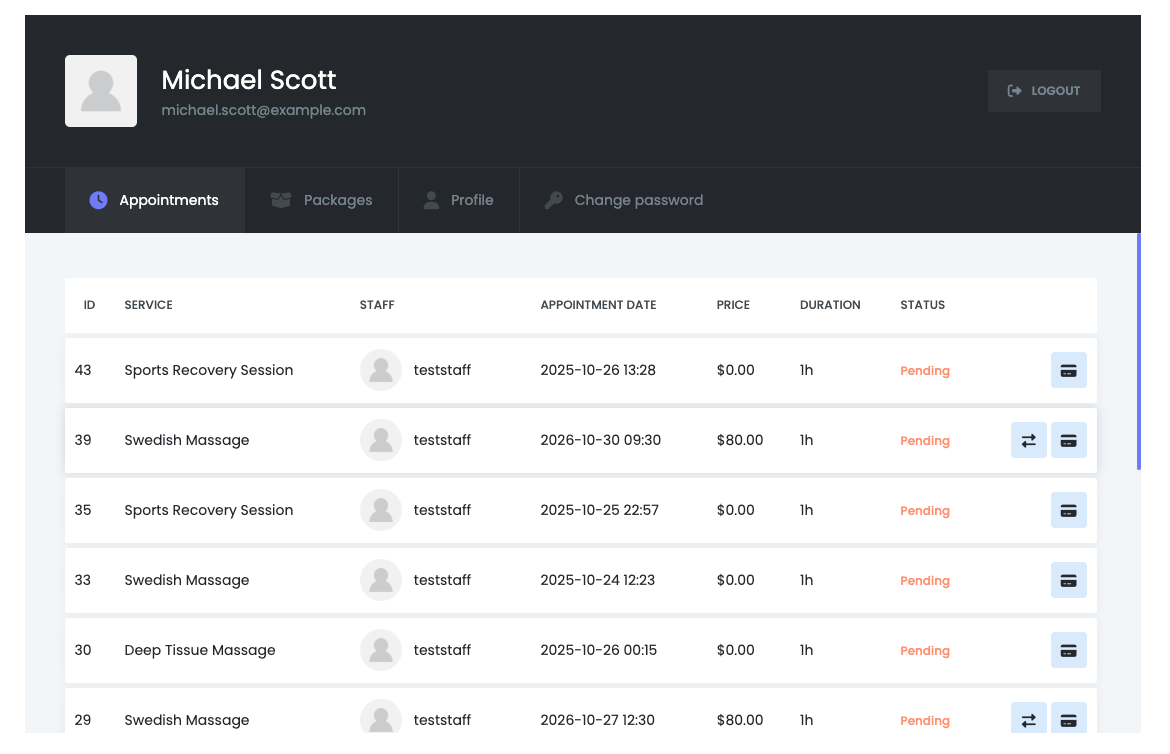
Reschedule with Ease: Based on the rules you set, customers can move their own appointments to available slots.
One-Click Cancellations: Provide a professional way for clients to cancel within your permitted timeframes, automatically opening that slot back up for other customers.
Status Tracking: Clients can see if their appointment is "Pending," "Approved," or "Completed" in real-time.
One-Click Join Button: No more digging through emails for links. If an appointment is hosted via Zoom or Google Meet, a prominent "Join Meeting" button appears directly in the appointment details within the panel.
"Rate Us" Functionality: When the Ratings and Reviews feature is enabled, a dedicated "Rate" button appears next to completed appointments.
Package Tracking
If you sell service bundles, the Customer Panel becomes a Member’s Area.
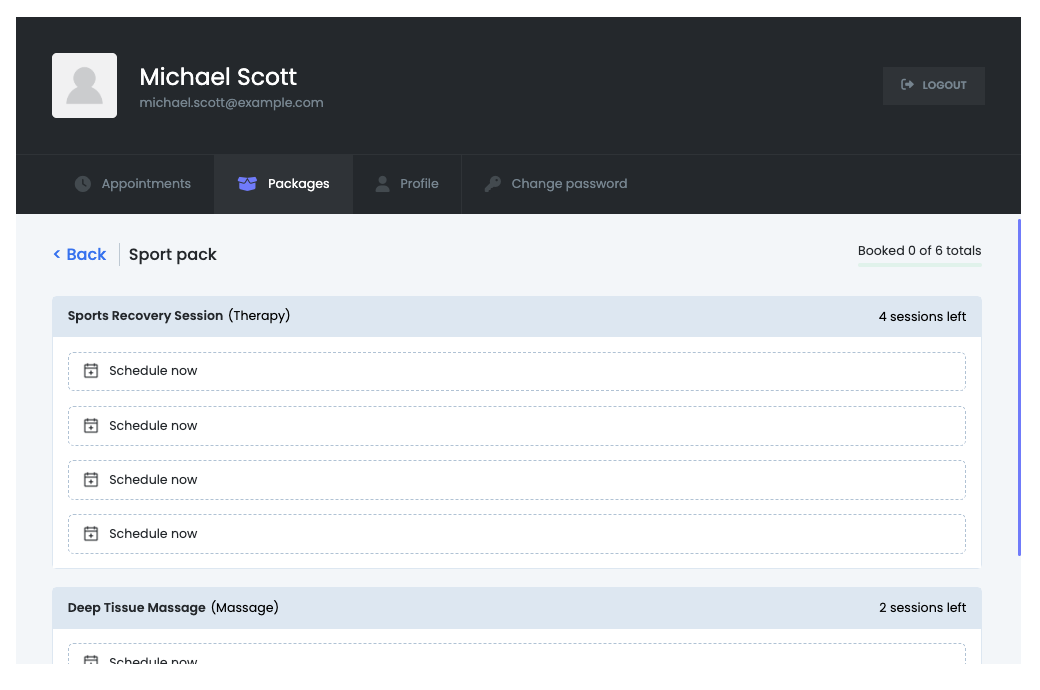
Usage Transparency: Clients can see exactly how many sessions they have left in a purchased package.
Quick-Book Sessions: From the "Packages" section, they can instantly schedule their remaining balance without going through the full checkout process again.
Payments & Profile
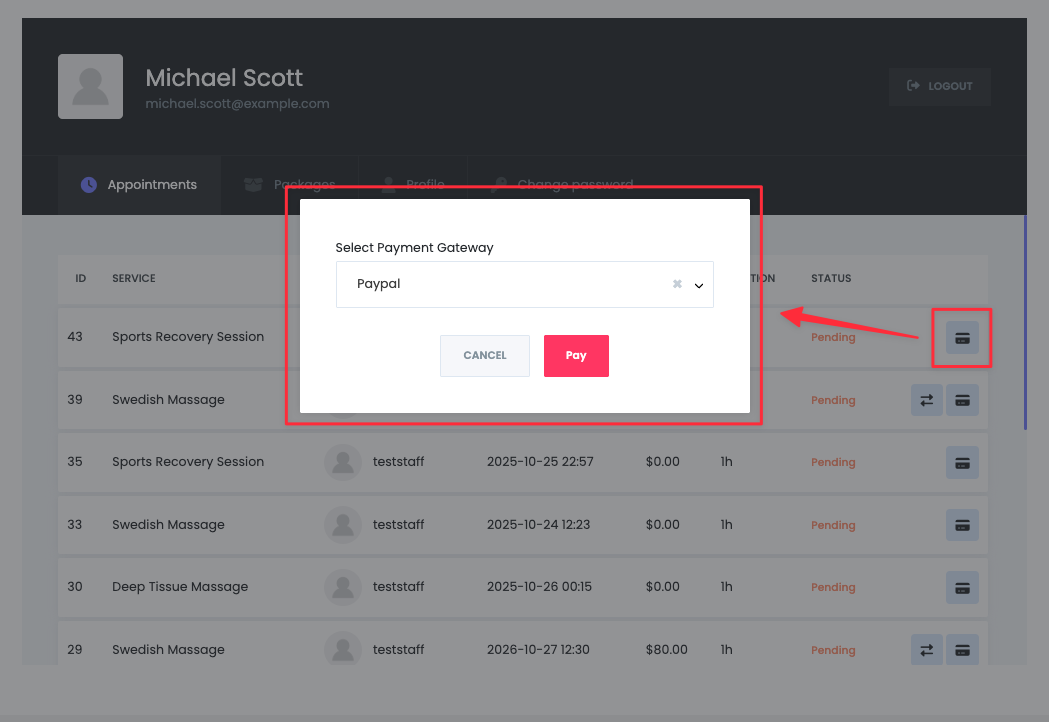
Pending Balance Settlement: If a client hasn't paid in full, the "Pay Now" button appears, allowing them to settle their balance securely through your integrated gateways.
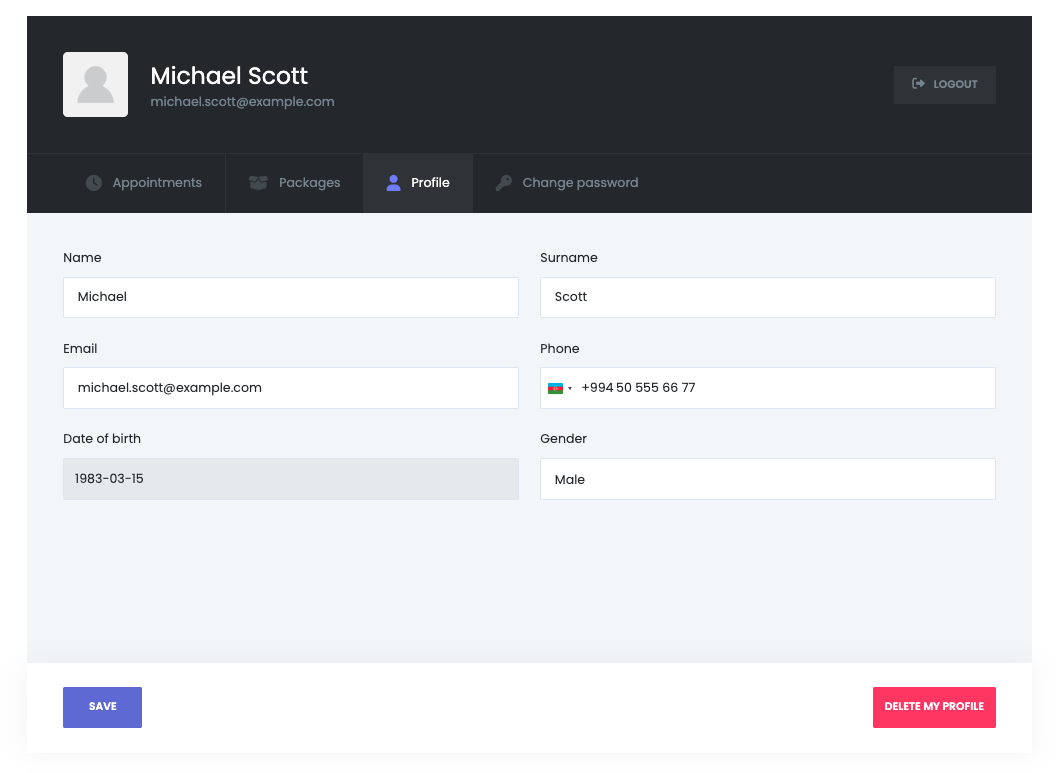
Personalized Profiles: Clients can update their contact details, change their passwords, and manage their avatars, ensuring your CRM data is always accurate and up-to-date.
Intelligent Automation & Security
The Customer Panel works behind the scenes with Booknetic's core engine to keep everything running smoothly and securely.
Automated Account Creation: Enable "Auto-create WordPress User," and the system will generate an account the moment a new client makes their first booking. No extra steps for you or the customer.
Multi-Channel Credential Delivery: Through Booknetic Workflows, you can automatically blast login details and password resets via Email, SMS, or WhatsApp, ensuring the client always has access to their portal.
Self-Service Recovery: If a client loses their password, the "Forgot Password" workflow triggers a secure, automated reset process, keeping your inbox free from support requests.
Data Privacy & Profile Control: Empower clients to keep their own data accurate. They can update their name, contact info, and profile pictures, which syncs instantly with your Booknetic database.
Precision Admin Oversight
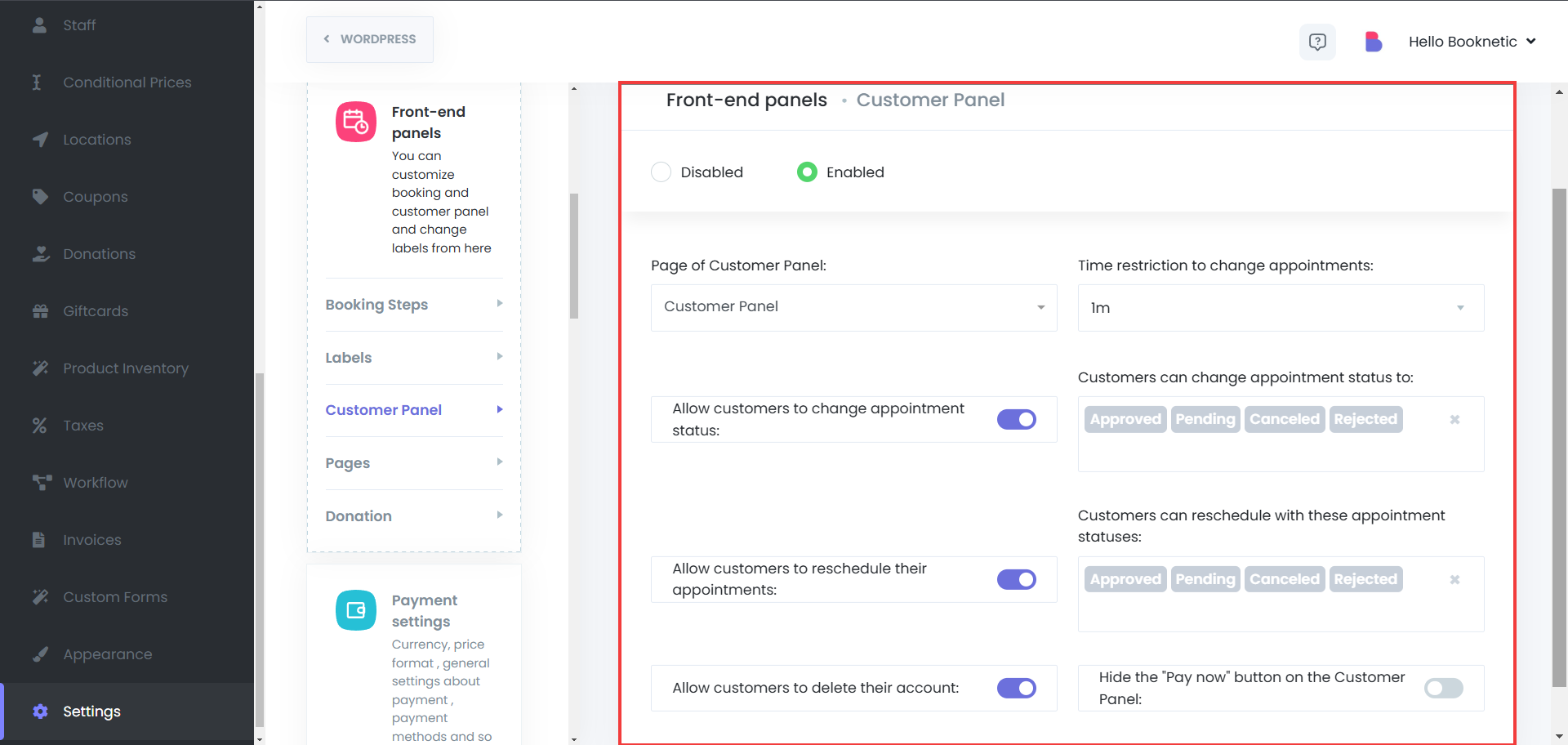
While the panel empowers the customer, you remain the architect. You have fine-grained control over what customers can and cannot do.
Admin Control | Description |
Time Buffer Restrictions | Prevent last-minute chaos by setting a minimum time before an appointment (e.g., 24 hours) where changes are no longer allowed. |
Status-Based Logic | Define which appointment statuses are eligible for modification (e.g., only "Pending" appointments can be rescheduled). |
Visibility Toggles | Choose to hide or show specific sections like "Packages," "Payments," or the "Delete Account" option. |
Integrated Workflows | Link any action taken in the Customer Panel (like a cancellation) to an automated notification for your staff. |


