


Comprehensive tax management tailored to your business needs.
Navigating tax regulations can be a complex challenge, especially when running a service-based business across different regions. The Taxes Module in Booknetic takes the guesswork out of tax handling by letting you define, manage, and apply tax rules with precision.
Whether you're dealing with regional VAT rules in the EU, sales tax in the U.S., or custom surcharges in specific locations, Booknetic gives you the tools to stay compliant and transparent—automatically.
What is the Taxes Module?
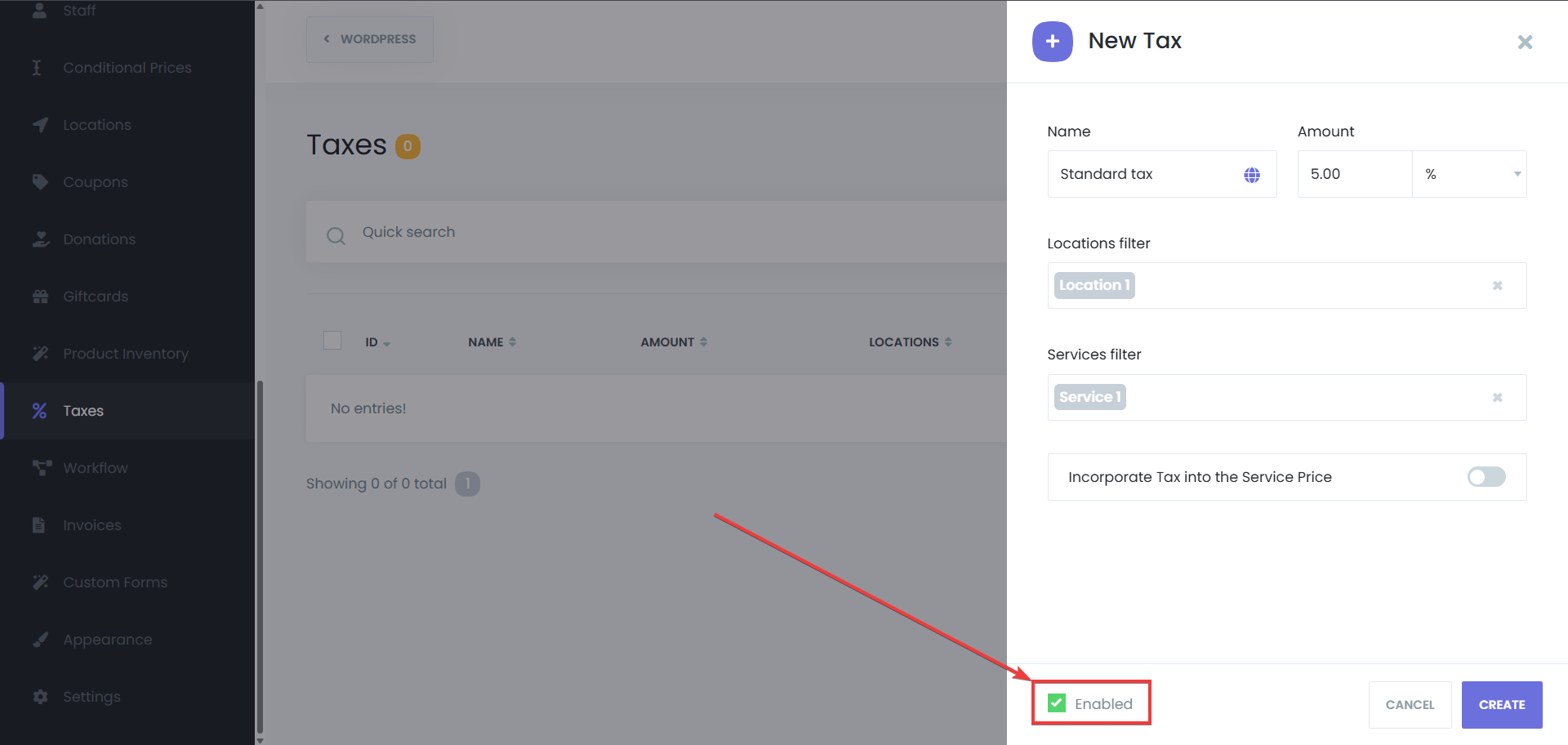
The Taxes Module allows you to create fully customized tax rules that are applied dynamically during the booking process. It supports both percentage-based and fixed-amount taxes and gives you the flexibility to apply them per service, per location, or globally.
No more manual calculations, no plugins, no coding—just smart automation that works behind the scenes.
Key Capabilities
Flexible Tax Types
Percentage-based tax: e.g., apply 19% VAT
Fixed-amount tax: e.g., $10 flat surcharge per booking
Conditional Tax Rules
Apply taxes to specific services only
Target certain countries, cities, or business locations
Enable or disable tax rules based on your needs
Inclusive or Exclusive Pricing
Choose whether the tax is shown on top of the service price or already included in it.
Multiple Tax Rules
Create and manage multiple tax types with different rates for different regions, service types, or business scenarios.
Visibility Across the Booking Flow
Automatically display applicable tax amounts during the booking confirmation
Show tax details on invoices
Use smart tags like {appointment_tax_amount} in notifications (email, SMS, WhatsApp)
Real-Life Use Cases
A beauty salon in Germany can apply a 19% VAT to all appointments booked from the EU.
A personal trainer offering home visits in two cities can charge different tax rates based on location.
A consulting agency operating globally can exclude tax for non-EU customers and apply it only for specific services.
Why You’ll Love It
Global ComplianceStay compliant with local and international tax laws by setting precise tax rules for different jurisdictions.
Automation & AccuracyOnce configured, taxes are applied automatically and accurately—no human error, no hassle.
Customer TransparencyTax charges are clearly displayed in every step of the booking, invoicing, and notification process. Your customers always know what they’re paying for.
Business ScalabilityEasily adapt to new tax rules as you expand into new markets or add new services.
Seamless IntegrationWorks natively with Booknetic’s booking panel, invoice system, payment gateways, and notifications.
Display Taxes on Invoices & Notifications
Invoices: Tax amounts are automatically itemized in the invoices generated for each appointment.
Notifications: Use dynamic tags in your email/SMS/WhatsApp messages to notify customers of the exact tax charged.
Example Configurations
| Use Case | Tax Type | Scope |
|---|---|---|
| German VAT | 19% | All services in Germany |
| US Sales Tax | 8% | Location-specific services |
| Environmental Fee | $5 fixed | Only spa services |
| No Tax for International Clients | 0% | Exclude based on region |
The Taxes Module in Booknetic is your smart assistant for managing taxes, ensuring compliance, accuracy, and transparency across your operations. Whether you're a solo freelancer or a global chain, this feature is designed to grow with your business.
Learn how to set up your first tax rule in minutes. [Read the full documentation →]


