


Stop fitting your business into a box. Design a booking lifecycle that matches exactly how you work.
Standard "Approved" or "Pending" statuses don't always tell the whole story. Whether you’re managing a medical clinic, a law firm, or a busy salon, the Custom Appointment Statuses feature gives you the power to define every stage of your customer’s journey with precision and style.
Beyond the Basics: Unlimited Personalization
Why settle for four default options when you can have an unlimited library of statuses tailored to your industry?
Total Creative Control: Create statuses like “On-Hold,” “In-Progress,” “Awaiting Payment,” or “Room 101-Ready.” * Visual Efficiency: Assign unique colors and FontAwesome icons to every status. Your calendar becomes a visual heat map, allowing your team to understand the day’s flow at a single glance.
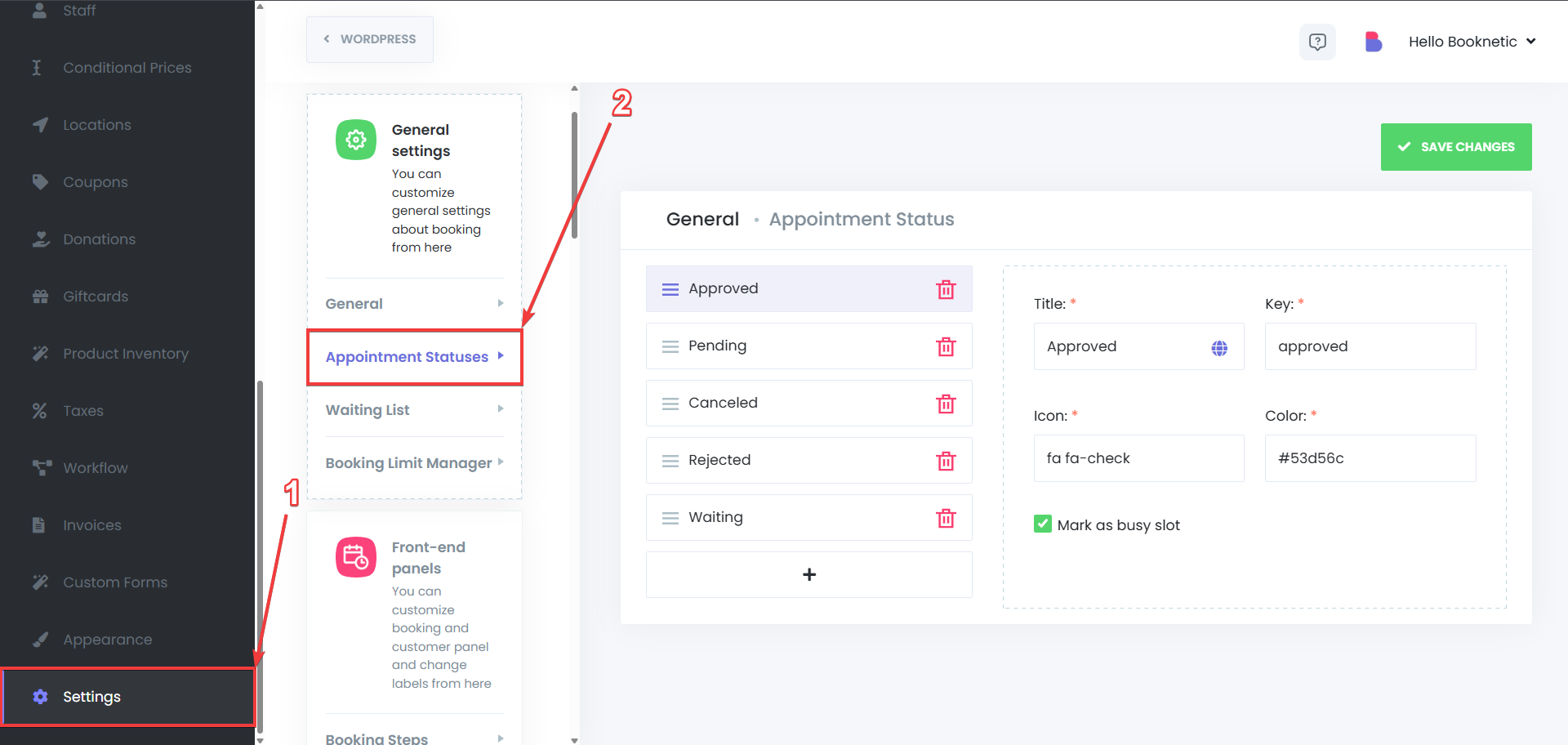
Set Your Own Default: Choose exactly how new bookings enter your system. Start every appointment as "Tentative" or "Pre-Approved"; you decide the starting line.
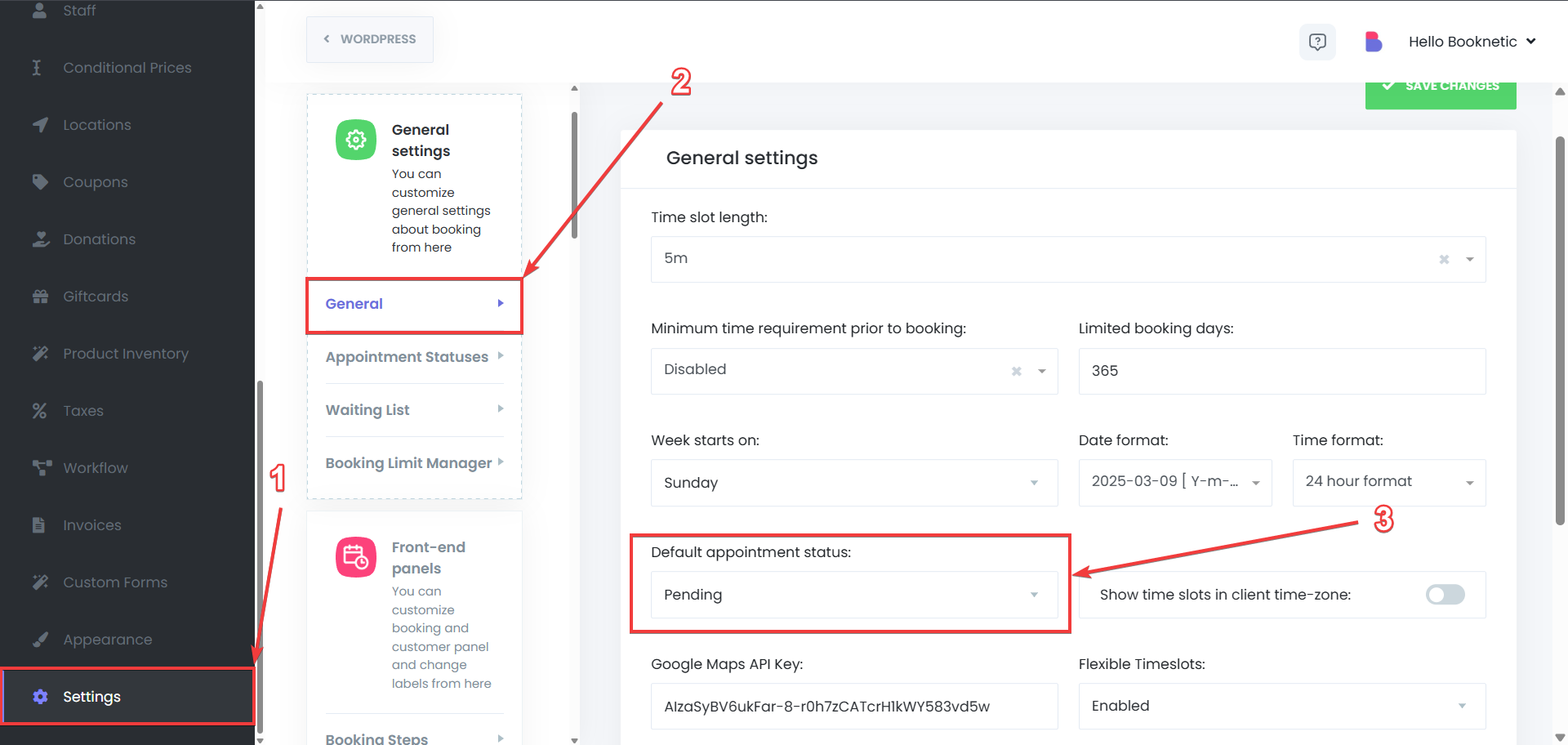
Intelligent Availability Logic
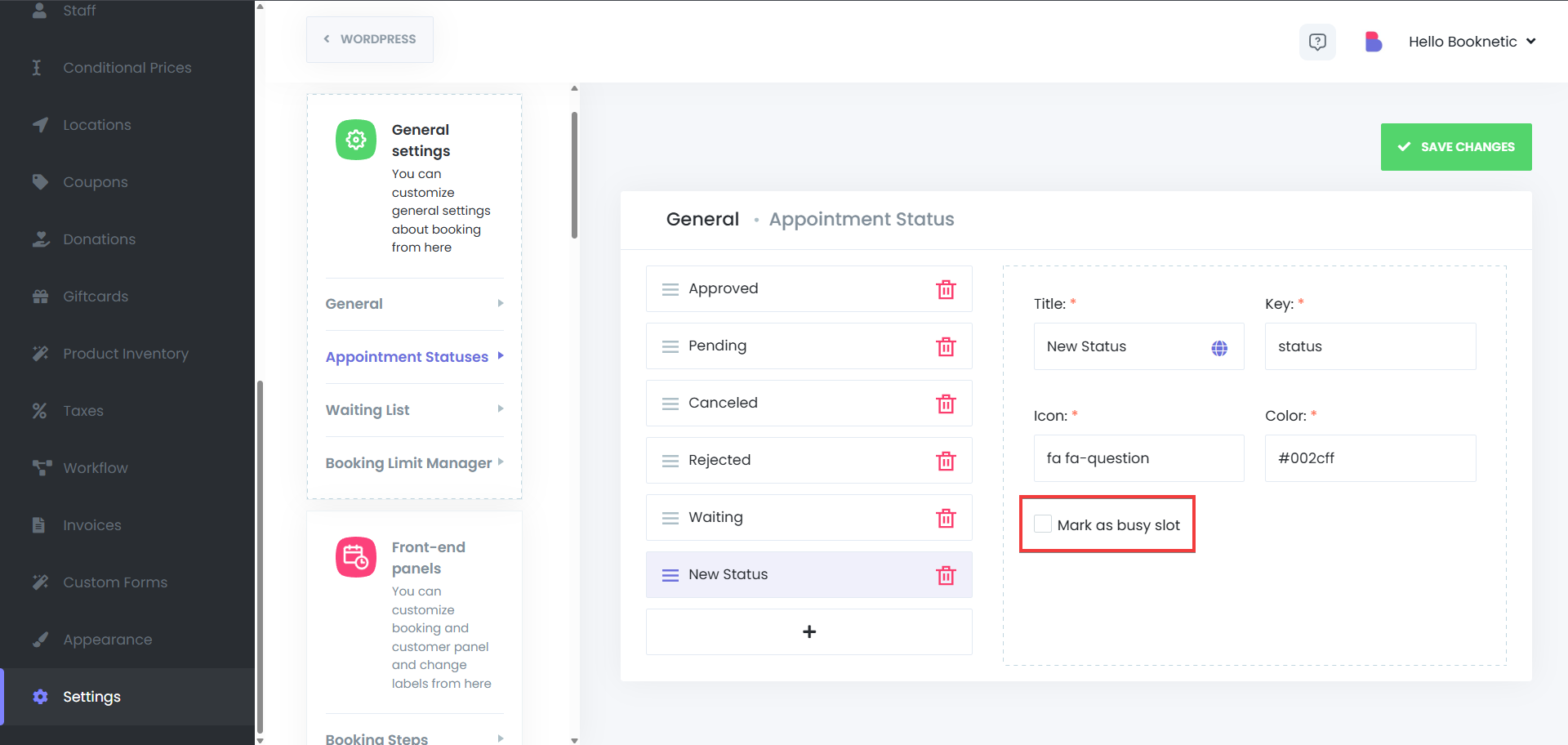
Custom statuses aren't just labels; they are the "brains" behind your calendar’s availability.
Mark as Busy or Free: You decide if a status should block a time slot.
Example: Set an "Initial Consultation" status to "Busy" to prevent double bookings.
Example: Set a "Waitlisted" status to "Free," allowing other clients to book that spot until the waitlist is confirmed.
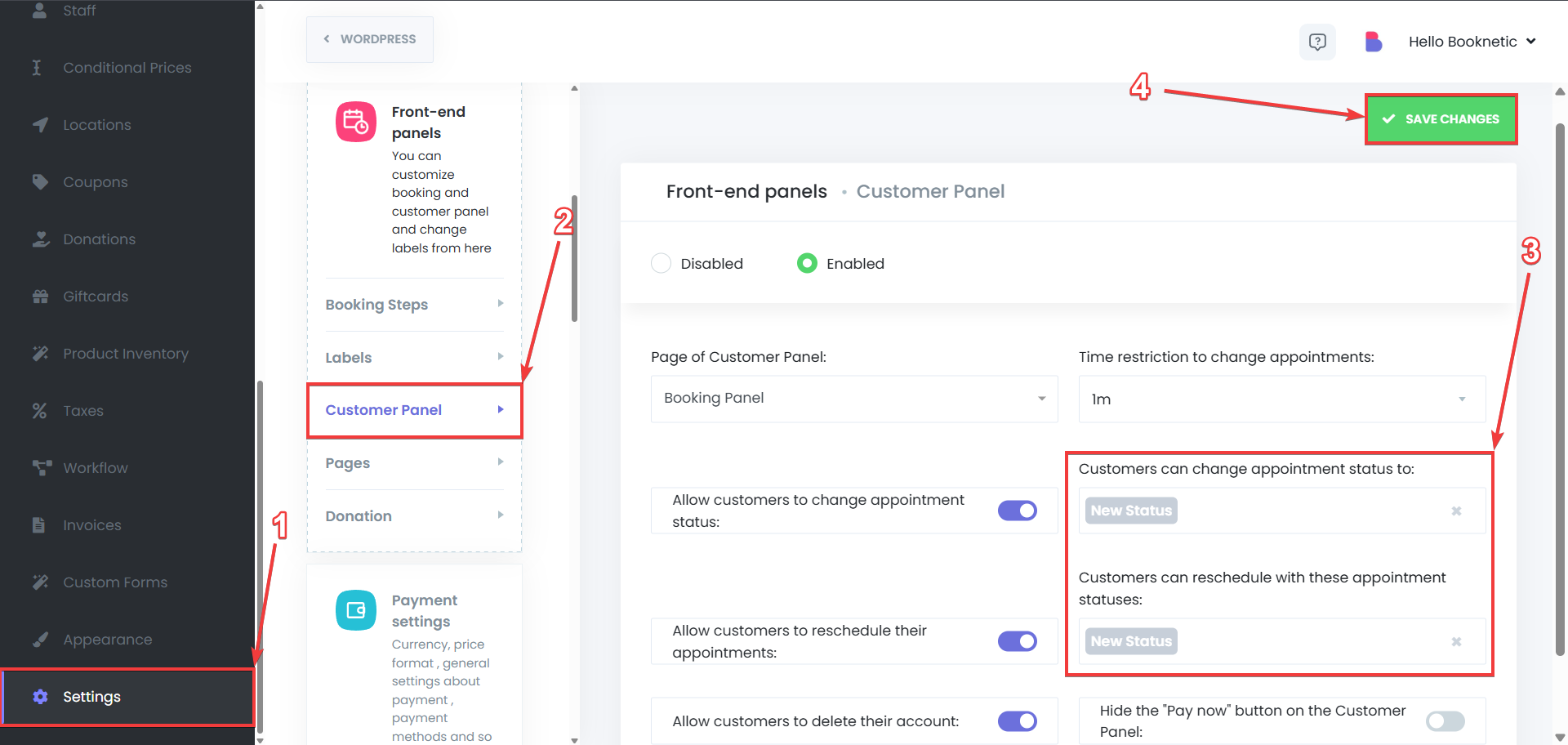
Seamless Rescheduling Rules: Define which statuses allow customers to move their appointments and which ones lock the booking in place.
Power Up Your Automations
Custom statuses turn your Booknetic Workflow Module into a precision engine.
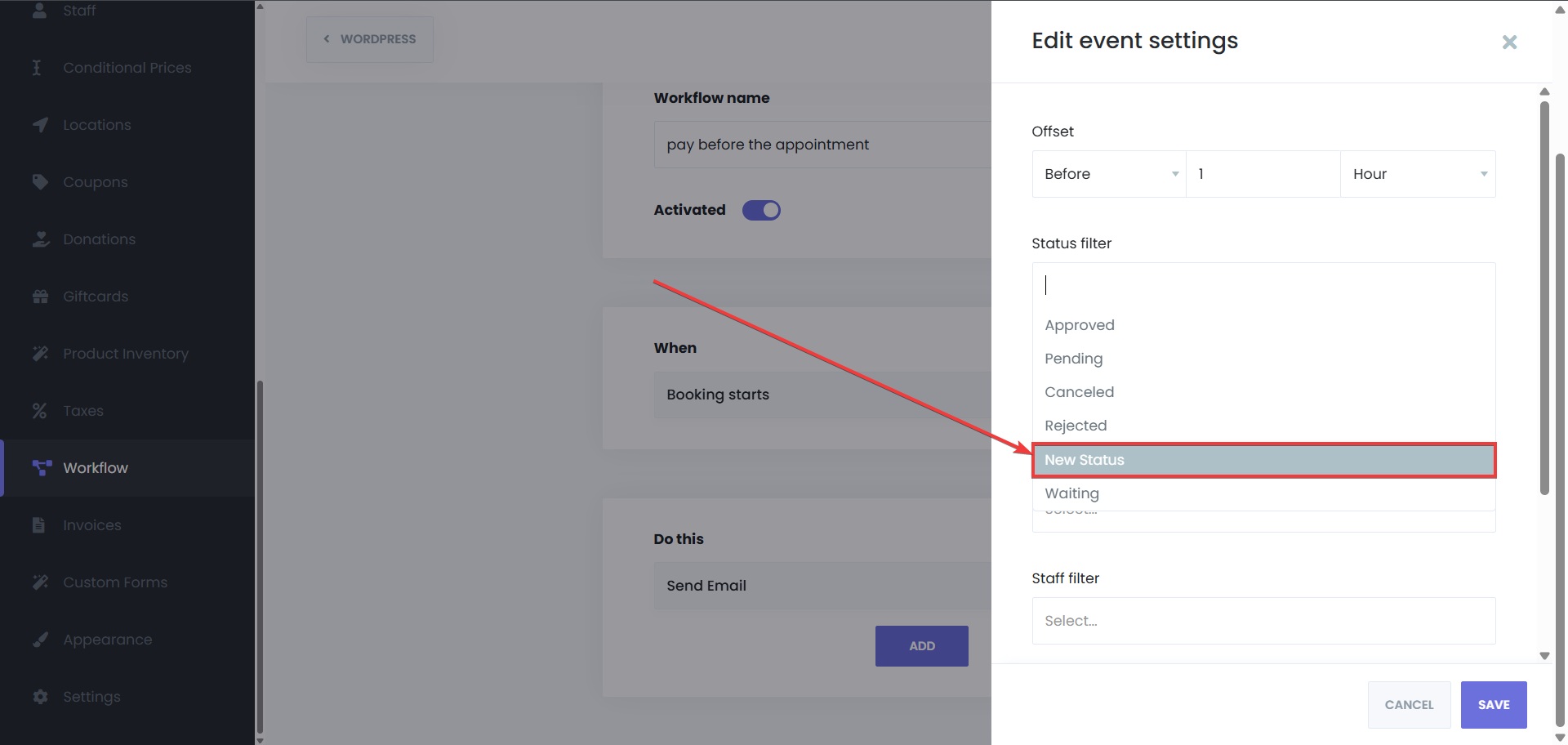
Status-Triggered Notifications: Send an automatic SMS the moment a status changes to "Checked-In" or a follow-up email when it hits "Completed."
Targeted Journeys: Use statuses as filters to ensure the right message reaches the right person at the right time. Your marketing and operational emails will never feel generic again.
Real-World Use Cases
Custom statuses shine when your business has more than one “middle step” between booking and completion. Here are practical, industry-ready examples that teams commonly model:
Healthcare & Clinics
Patient flow: Checked-In → In Waiting Room → With Doctor → Lab / Imaging → Discharged
Insurance workflows: Pending Insurance → Pre-Authorized → Co-Pay Due → Paid
Treatment stages: Intake Complete → In Treatment → Post-Care → Follow-Up Required
Salons, Barbers & Beauty Studios
Chair management: Arrived → Seated → In Service → Color Processing → Ready for Rinse → Completed
Deposit control: Deposit Pending → Deposit Received → Confirmed
Problem handling: Late Arrival → No-Show → Rebook Required
Spas, Wellness & Massage
Preparation flow: Arrived → Consultation → Room Ready → Session Started → Cooling Period → Completed
Membership logic: Member Credit Applied → Extra Charge Required → Paid
Fitness, Personal Training & Sports Facilities
Session lifecycle: Booked → Confirmed → Checked-In → Training Started → Completed
Facility scheduling: Court Reserved → Warm-Up → Match In Progress → Overtime → Finished
Group classes: Registered → Waitlisted → Spot Confirmed → Attended / No-Show
Professional Services (Legal, Accounting, Consulting)
Document-heavy workflows: Initial Call → Document Review → Awaiting Signature → Filed / Submitted → Closed
Payments & retainers: Retainer Required → Retainer Received → Work In Progress → Final Invoice Sent → Paid
Client readiness: Client Unresponsive → Follow-Up Scheduled → On Hold


