


Turn Booknetic into your product — no Booknetic branding, no limitations.
The White-Labeling Add-On gives regular Booknetic users the ability to transform the entire booking system into a fully branded experience. Instead of presenting Booknetic’s name and identity, the platform becomes an extension of your own business — complete with your logos, titles, links, and footer text.
Whether you’re an agency serving multiple clients or a business wanting a unified brand presence, this add-on puts you in total control.
Own the Platform, Not Just the Plugin
With the White-Labeling Add-On, Booknetic disappears from the interface. Your brand takes its place across the back-end, login screens, booking panel, and support links — creating a cohesive and professional environment for staff and customers.
This is ideal for:
Agencies delivering booking systems to clients
Businesses that want every internal tool to reflect their brand
Developers bundling Booknetic into client projects
Anyone who wants a clean, fully branded solution without referencing Booknetic
What You Can Customize
Branding & Logos
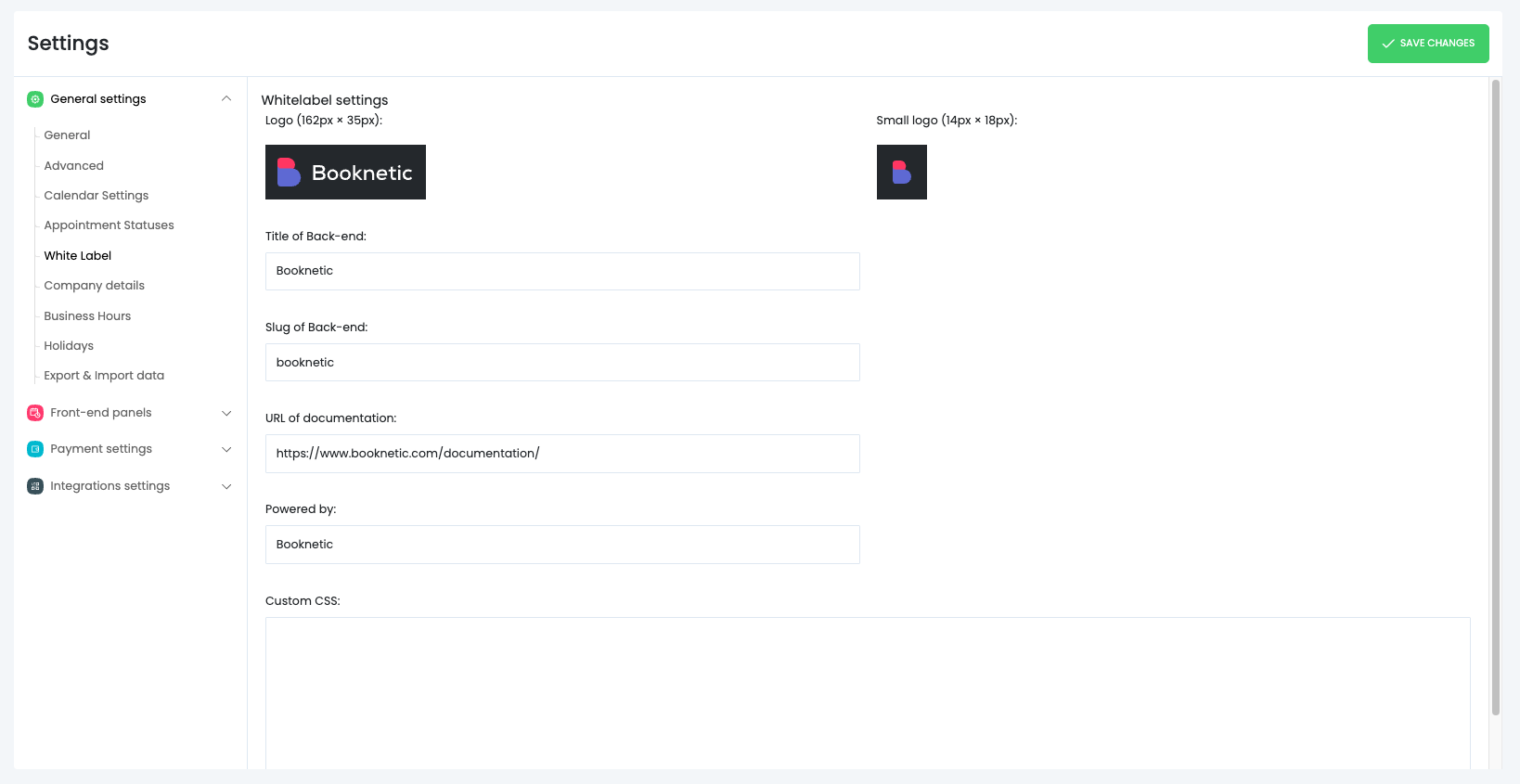
Replace all Booknetic visuals with your identity. Upload your own:
Main Logo (162 × 35 px)
Compact Logo/Icon (14 × 18 px)
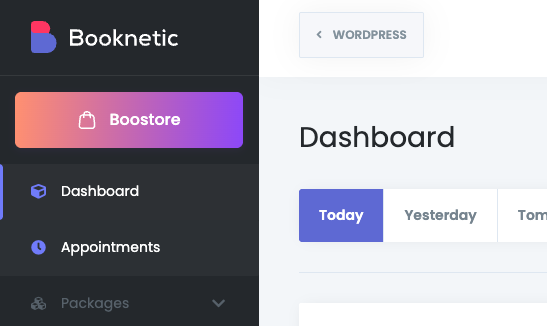
These logos appear throughout the admin interface, giving the entire system a polished and unified look.
Back-end Name & URL Slug
Rename the platform to match your brand:
Set a custom admin title so staff members see your product name when they log in.
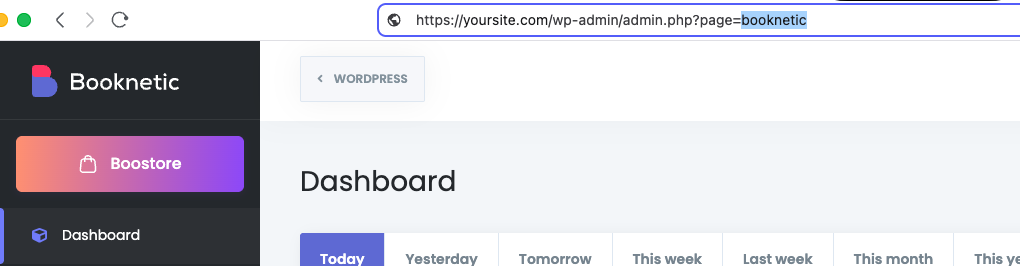
Adjust the admin slug (e.g., replace /booknetic with /my-booking-system).
Everything from URLs to page titles reflects your business identity.
Custom Documentation Link
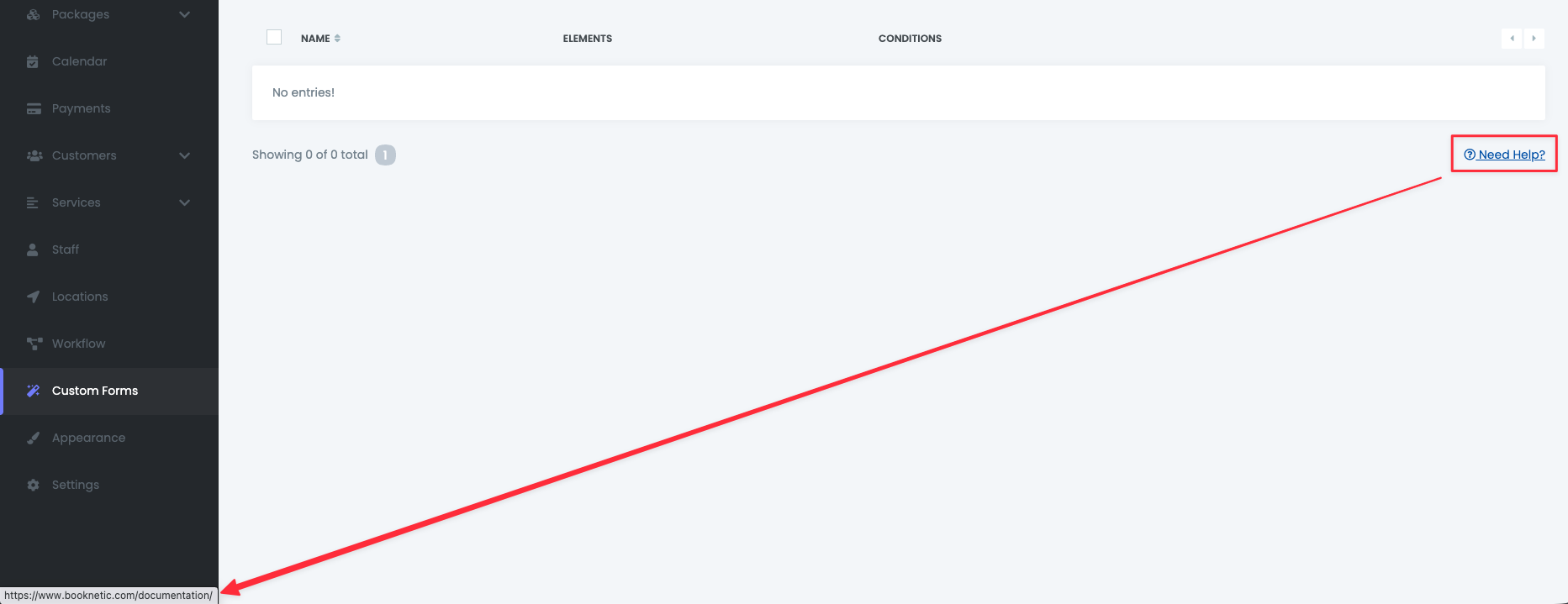
Direct users to your support resources.
Replace the default Booknetic documentation link with your own:
Knowledge base
Help center
Support site
Onboarding materials
Keep your users inside your ecosystem at all times.
Additional Customization with Custom CSS
The White-Labeling Add-On also includes Custom CSS support, giving you full visual control beyond logos and titles.
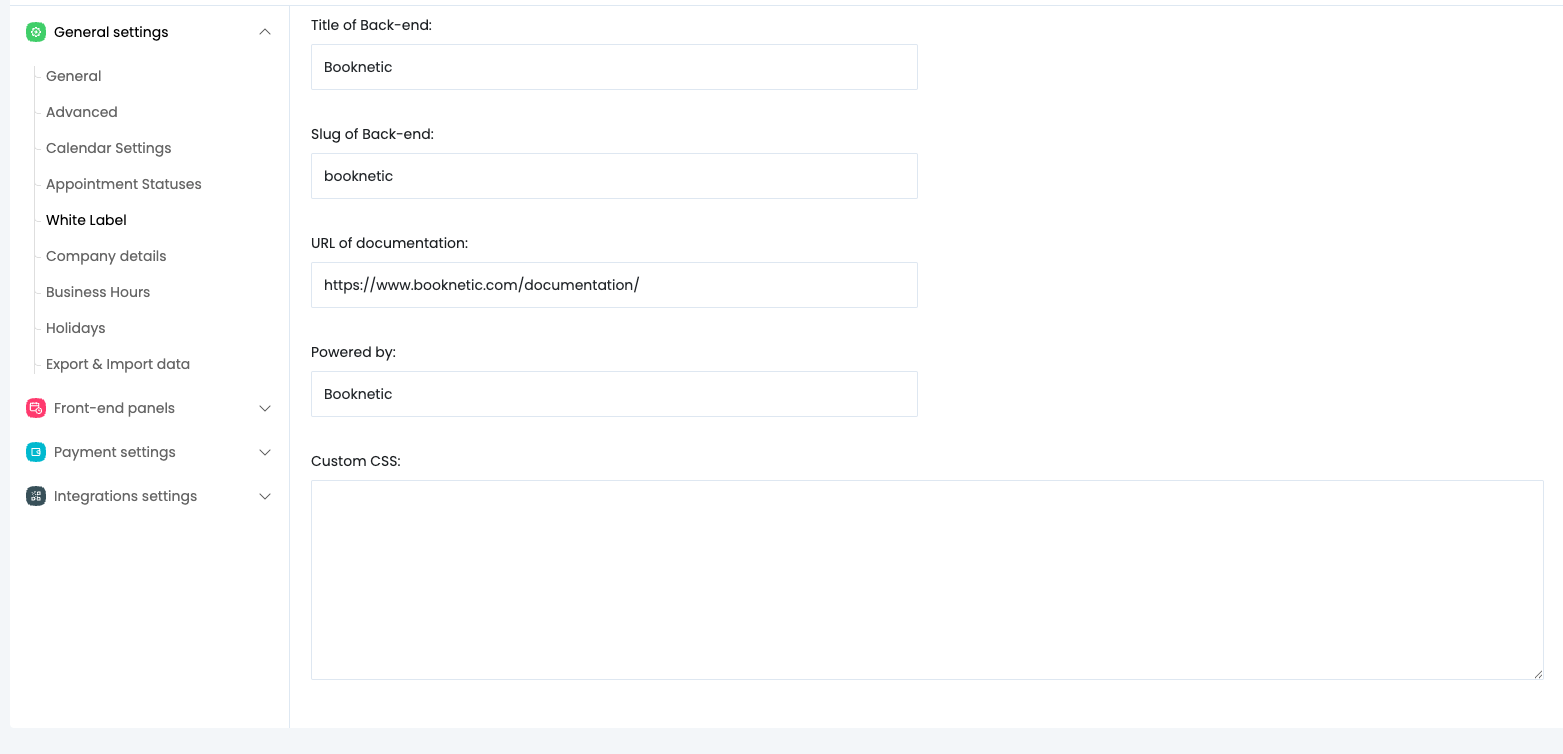
You can add your own CSS rules to:
Fine-tune colors, spacing, and typography
Adjust layouts to better match your brand identity
Override specific UI elements for a completely custom look
Create a seamless visual match with your existing website or client projects
All custom CSS is applied safely and does not affect Booknetic core files, meaning your customizations remain intact during updates.
With Custom CSS, white-labeling goes beyond branding and becomes true visual ownership of the platform.
Why This Add-On Matters
1. Complete Brand Control
Everything — from visuals to URLs — feels like a product you built. Staff and clients never see Booknetic’s name or branding.
2. More Professional Client Deliveries
If you’re building websites or booking systems for clients, white-labeling gives your service a higher perceived value and a more premium appearance.
3. Seamless Internal Branding
Businesses often want software that looks native to their ecosystem. With custom titles, logos, and links, Booknetic becomes part of your company infrastructure.
4. Enhanced Trust & Credibility
When clients and staff see a consistent brand throughout the system, it strengthens your authority and increases confidence in the platform.
5. Competitive Edge
Most booking systems show their own branding by default. With this add-on, your solution stands apart as a fully branded, professional platform.
A Simple Add-On That Transforms the Entire Experience
White-labeling isn’t just cosmetic — it’s strategic.
The moment your brand becomes the face of the booking system, users see you as the platform provider. That improves retention, reinforces identity, and elevates the overall customer experience.
The White-Labeling Add-On makes this possible with just a few settings — no coding, no complications.


