


Create discount codes for your appointment campaigns
Use the Coupons add-on to create percentage or fixed-amount discount codes customers can apply during booking.
Feature explanation
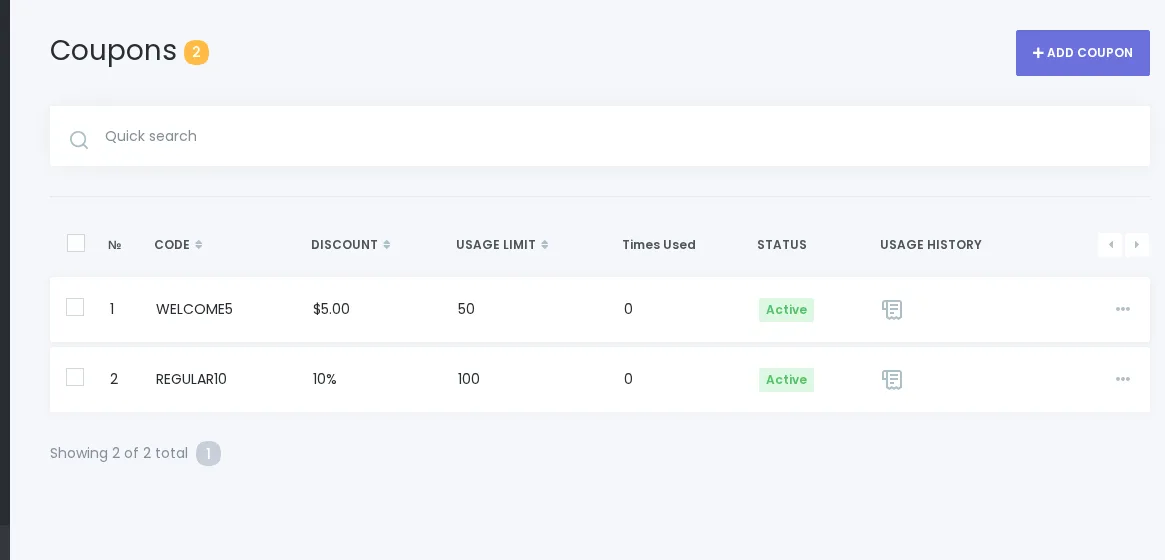
Coupons help Booknetic businesses run appointment promotions without changing service prices. Create discount codes, choose whether the discount is a percentage or fixed amount, and make eligible codes available in the booking flow.
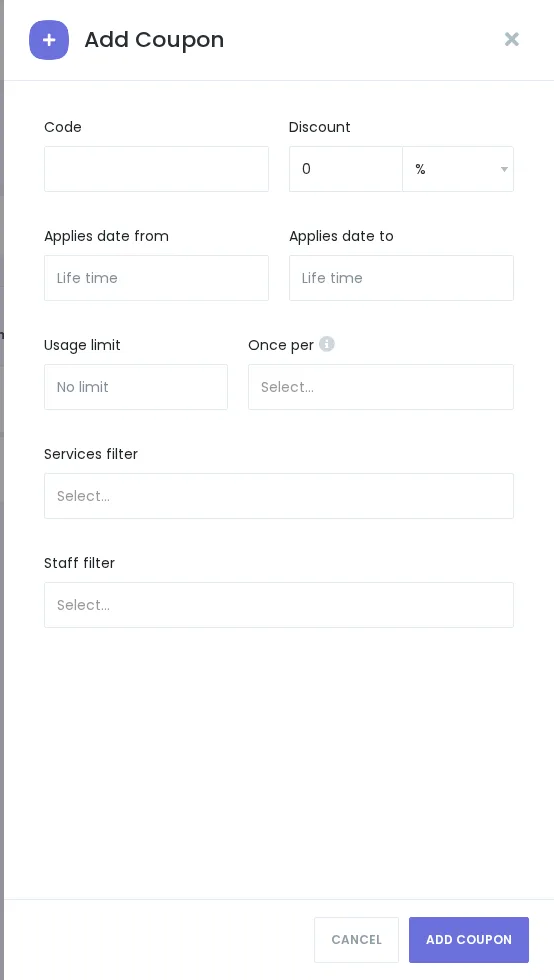
The Coupons module is available as an add-on. Current source-backed behavior includes coupon code management, percentage and fixed-amount discounts, date ranges, usage limits, once-per-customer/booking settings, service filters, staff filters, booking-panel use, admin appointment/calendar use, coupon usage history, and coupon removal from an appointment by selecting “- none -”.
Use this page to explain the value and workflow, not to claim advanced campaign analytics, automatic generation, stacking, payment-provider coupon sync, or fraud prevention.
Key benefits
- Run appointment promotions: Create codes for seasonal campaigns, first-time booking offers, or retention offers.
- Choose discount type: Use percentage or fixed-amount discounts.
- Control eligibility: Use documented date, usage, service, and staff controls where verified in the UI.
- Support customer and admin bookings: Coupons can be applied through the booking panel and admin-created appointments where configured.
- Review usage history: Use source-backed coupon history for operational visibility without claiming full campaign analytics.
How it works
- Install and enable the Coupons add-on.
- Create a coupon code in the Coupons module.
- Choose Percentage (%) or Fixed Amount and configure source-backed limits or filters.
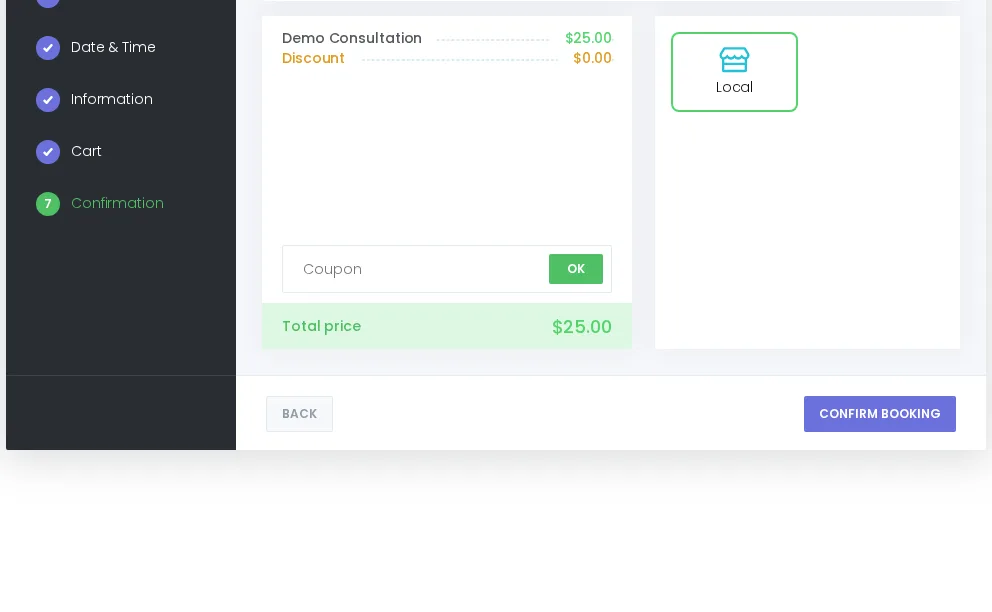
- Customers enter the code in the booking panel confirmation step, or admins apply it while creating/editing an appointment.
- Review coupon use from the module history where available.
FAQ
Is Coupons a built-in core feature?
Current sources identify Coupons as an add-on. Avoid plan-specific wording until Product/Marketing validates current pricing.
What discount types are supported?
Source-backed discount types are Percentage (%) and Fixed Amount.
Does Coupons include campaign analytics?
Current approved wording supports coupon creation, management, and usage history for operational visibility, not full campaign analytics.


